About this template
Show how surplus food can move from food businesses to local organizations and neighbors. The page introduces a clear three-step journey: a source with extra food, a community handoff, and a shared table.
The design gives food donors, community groups, and volunteers distinct ways to see where they fit. A focused contact section invites visitors to start a conversation about sharing food or helping in their neighborhood.
Who it’s for
Food rescue organizations, food donation programs, community groups, food businesses with surplus, and volunteer-led initiatives.
What’s included
The page pairs warm food photography and a distinctive editorial style with a practical explanation of how food moves through a community. Its sections help different visitors understand the idea and find a next step.
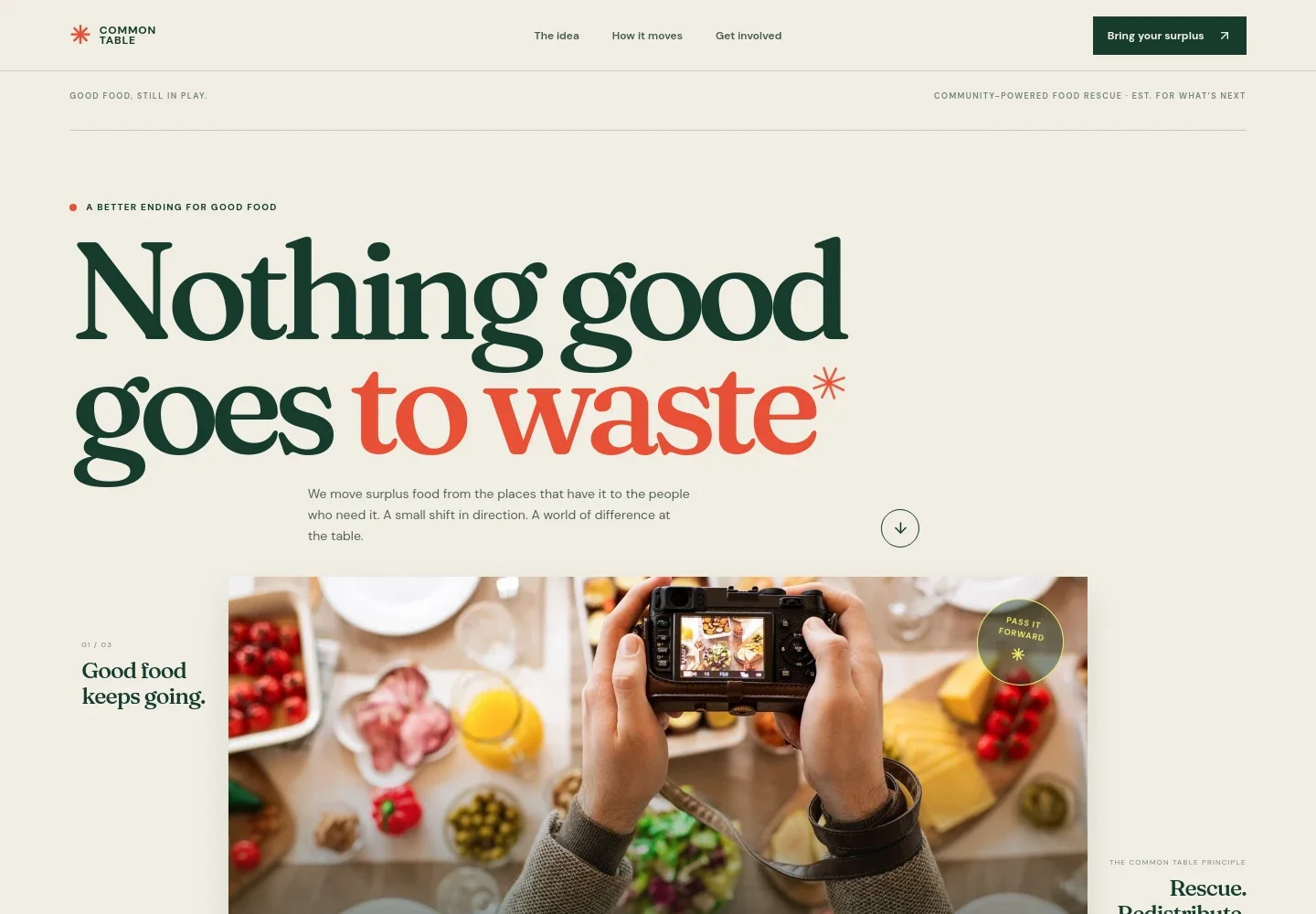
- Mission-led hero
- A prominent headline, shared-table image, and concise introduction explain the purpose: redirecting surplus food to people who can use it. The prominent link takes visitors toward the explanation.
- Food journey
- A three-part visual route shows food moving from a surplus source, through a local handoff, to a community table. This makes the model easy to grasp at a glance.
- The idea and who can take part
- An overview introduces the food-sharing approach, followed by separate descriptions for food businesses, community groups, and hands-on helpers. Visitors can quickly identify a relevant way to participate.
- Community statement
- A prominent statement sets out the page’s belief in keeping good food in circulation and letting communities shape how sharing works.
- Get involved contact
- The closing section welcomes people with food to share, a community to serve, or time to give, and offers an email contact link to begin a conversation.
How to use this template
Open in Revamp
Click Use this template and sign in or create an account. You’ll start with your own copy of the design, ready to personalize.
Bring your content
Replace the sample text, photos, and logo with your own. Share your content, a document, or an existing website, and ask Revamp to adapt the template to your business.
Refine and publish
Ask Revamp to adjust the colors, layout, or sections, or edit directly on the page. Review desktop and mobile, then publish. You can keep making changes after launch.
Put your website to work
Make it easier to coordinate volunteers, track food donations, and keep supporters informed. Ask Revamp to add connections to tools your organization uses.
-

Coordinate volunteer shifts
SignUpGeniusGive volunteers a clear way to sign up for collection or distribution shifts. Ask Revamp to add volunteer scheduling with SignUpGenius.
-

Track donors and community partners
Salesforce Nonprofit CloudKeep donor and partner details organized for ongoing outreach. Ask Revamp to connect your contact forms with Salesforce Nonprofit Cloud.
-

Share updates with supporters
MailchimpKeep donors, volunteers, and community partners informed with email updates. Ask Revamp to add a Mailchimp signup form.
Frequently asked questions
Is this template free?
Yes. This premium template is free to use through Use this template. Free refers to the template itself.
Can I use my own content?
Yes. Ask Revamp to personalize the text, images, contact details, and donation or volunteer information for your organization.
Do I need coding skills?
No. Ask Revamp to make changes to your content and design without coding.
Can I change the design?
Yes. Ask Revamp to adjust the layout, colors, imagery, and other design details to suit your organization.
Can I keep editing after publishing?
Yes. You can keep asking Revamp to update your site after launch as your programs and contact information change.