About this template
Help restaurant owners and kitchen teams see what you supply, how your produce moves from grower to kitchen, and how to start a conversation. The design presents seasonal fruit, vegetables, herbs, pantry essentials, and additional kitchen goods in a clear, editorial style.
A produce journey, categorized product offering, and direct contact invitation give food buyers useful starting points for learning about your business and discussing their needs.
Who it’s for
Food wholesalers, produce distributors, and specialty food suppliers serving independent restaurants, professional kitchens, and other food businesses.
What’s included
The page guides food buyers from your supply approach to the kinds of goods you offer, then gives them a clear path to get in touch. Its produce-led illustrations, editorial photography, and bold section headings make the content easy to scan.
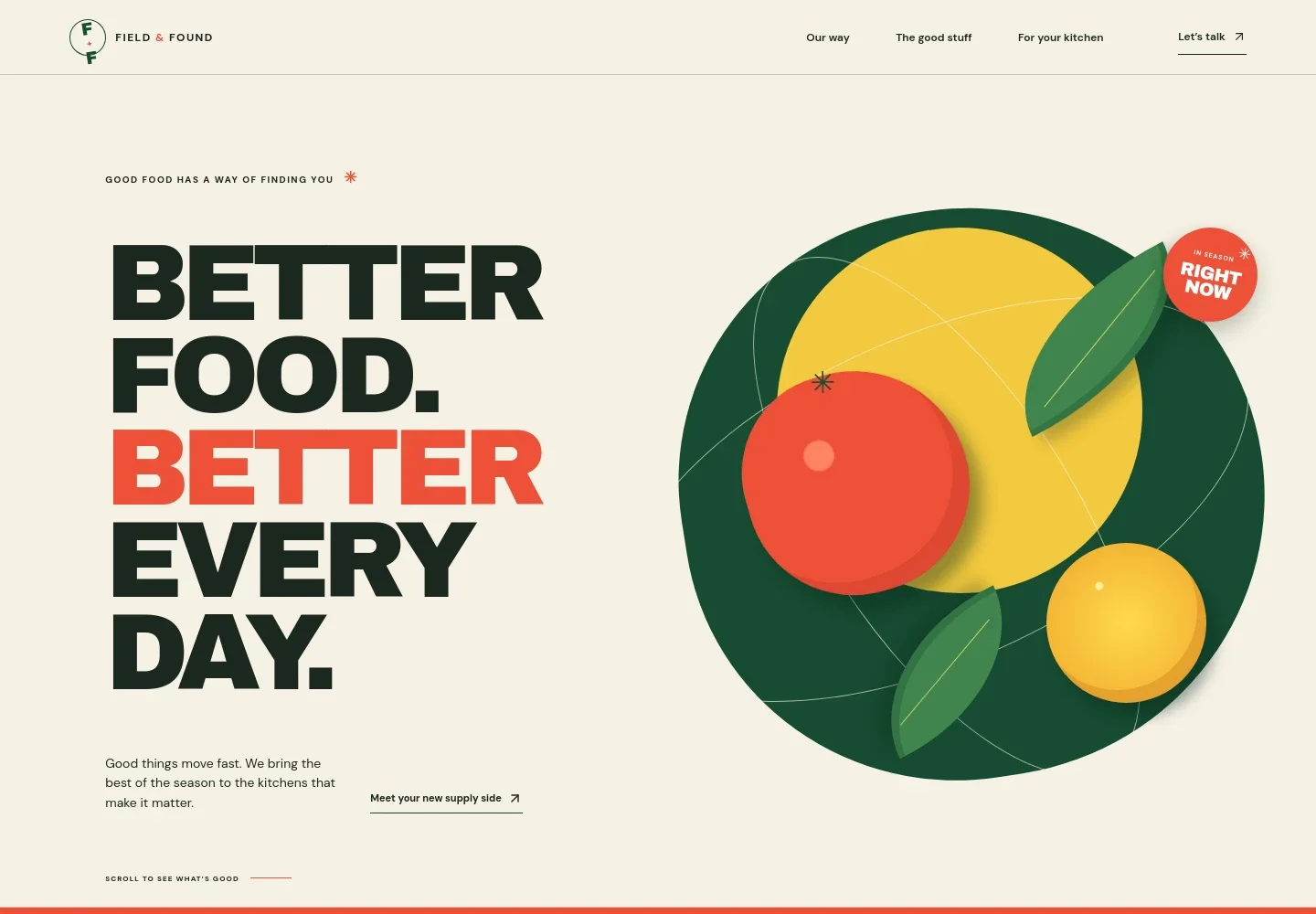
- Hero and navigation
- A prominent food-supply headline, seasonal produce illustration, short introduction, and links to the page’s key sections orient kitchen buyers and lead them toward the product range.
- Supply approach
- An explanation of working close to growers is paired with a three-step journey from grower, through handling, to the customer’s kitchen, making the supply story easy to follow.
- Product categories
- Three clear categories introduce seasonal fruit, vegetables and herbs; everyday pantry essentials and specialty finds; and additional kitchen goods.
- For your kitchen
- A focused message speaks to independent and ambitious kitchens, explaining the intended role of a supply partner and inviting visitors to start a conversation.
- Contact
- A closing contact section features a direct email link and a clear prompt to begin a conversation about food supply.
How to use this template
Open in Revamp
Click Use this template and sign in or create an account. You’ll start with your own copy of the design, ready to personalize.
Bring your content
Replace the sample text, photos, and logo with your own. Share your content, a document, or an existing website, and ask Revamp to adapt the template to your business.
Refine and publish
Ask Revamp to adjust the colors, layout, or sections, or edit directly on the page. Review desktop and mobile, then publish. You can keep making changes after launch.
Put your website to work
A wholesale order portal or customer-management tool can help buyers place orders and keep account conversations organized. Ask Revamp to tailor these additions to your sales process.
-

Streamline wholesale ordering
ShopifyGive restaurant and retail buyers a familiar way to browse products and place orders. Ask Revamp to add a Shopify B2B ordering link or customer portal.
-

Keep buyer conversations organized
HubSpotTrack prospective accounts, customer details, and follow-ups in one place. Ask Revamp to connect HubSpot for wholesale customer management.
Frequently asked questions
Is this template free?
Yes. This premium template is free to use through Use this template. Free refers to the template itself.
Can I use my own content?
Yes. Ask Revamp to personalize the page with your business name, product categories, supply details, images, and contact information.
Do I need coding skills?
No. You can ask Revamp to personalize the content and design without coding.
Can I change the design?
Yes. Ask Revamp to adjust the layout, colors, imagery, and other design details to suit your wholesale business.
Can I keep editing after publishing?
Yes. You can continue editing after launch by asking Revamp to update your content or design.