About this template
Help visitors understand how your friend-finding service turns shared interests into plans to meet in person. The page introduces the idea, outlines a three-step journey, and gives people a choice of activity moods, from a neighbourhood walk to making something together.
A candid gathering photo, friendly editorial typography, and clear section markers make the experience easy to follow. The layout focuses on meeting nearby people and spending time together, rather than browsing profiles or collecting connections.
Who it’s for
Designed for founders and teams introducing a friend-finding app, local social community, or in-person meetup service to people looking to make meaningful friendships.
What’s included
The page moves from the friendship concept to how it works, examples of shared activities, and an interactive-style closing prompt. Its conversational copy and prominent calls to action help visitors grasp the service and consider what kind of plan they would enjoy.
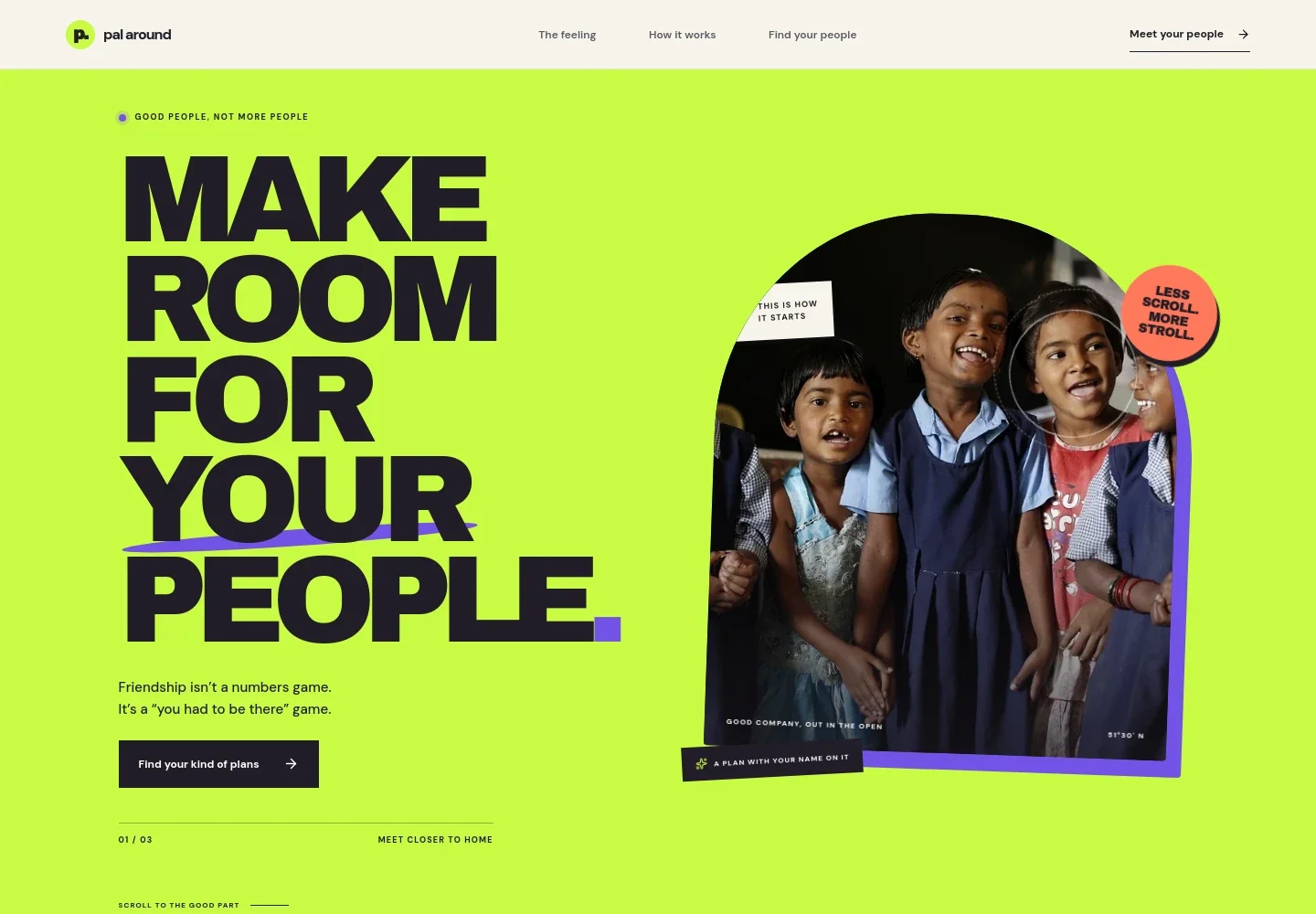
- Hero and navigation
- A prominent friendship-focused headline, gathering photo, and navigation links introduce the service and direct visitors toward its idea, process, and closing prompt.
- The feeling
- A short statement explains the aim of turning vague plans into real-world meetups, with a link leading into the process.
- How it works
- Three numbered steps show the proposed journey: choose an activity mood, find nearby people with similar interests, and meet at a real place.
- Meetup examples
- A workshop image and accompanying copy illustrate shared activities such as pottery or a park walk, alongside a short list describing small groups, neighbourhood plans, and coming curious.
- Friendship idea
- A large editorial statement reinforces the page's focus on the small moments that can grow into lasting connections.
- Choose a plan
- A closing call to action presents four activity choices: a walk, dinner, making something, or a little adventure. Visitors can select a mood and follow the prompt to start.
- Footer
- A compact footer repeats the brand name and provides a return-to-top link.
How to use this template
Open in Revamp
Click Use this template and sign in or create an account. You’ll start with your own copy of the design, ready to personalize.
Bring your content
Replace the sample text, photos, and logo with your own. Share your content, a document, or an existing website, and ask Revamp to adapt the template to your business.
Refine and publish
Ask Revamp to adjust the colors, layout, or sections, or edit directly on the page. Review desktop and mobile, then publish. You can keep making changes after launch.
Put your website to work
Make it easier to turn interest into participation. Ask Revamp to add tools for collecting sign-ups, coordinating plans, and keeping your community informed.
-

Collect event registrations
EventbriteGive visitors a clear way to register for gatherings. Ask Revamp to add event registration with Eventbrite.
-

Coordinate group availability
CalendlyHelp people find a time that works for a meetup. Ask Revamp to add scheduling with Calendly.
-

Keep members in touch
MailchimpShare meetup announcements and community updates by email. Ask Revamp to add mailing-list sign-ups with Mailchimp.
Frequently asked questions
Is this template free?
Yes. The premium template is free to use through Use this template. This applies to the template itself.
Can I use my own content?
Yes. Ask Revamp to personalize the page with your own service details, wording, images, and activity choices.
Do I need coding skills?
No. Ask Revamp to personalize the content and design without coding.
Can I change the design?
Yes. Ask Revamp to adjust the colors, typography, layout, imagery, and other design details to suit your service.
Can I keep editing after publishing?
Yes. You can keep editing the site after launch. Ask Revamp to make further changes as your service develops.


