About this template
Present a graphic art studio through a bold editorial layout that puts visual work, creative point of view, and capabilities in clear view. The page opens with oversized typography and an original poster-style graphic, then guides visitors from the studio approach to selected projects and services.
The portfolio balances expressive artwork with practical details. Project entries pair graphic visuals with project names, disciplines, and dates, while the capabilities section explains work across identity systems, art direction, print and objects, and digital imagery. A direct contact section gives prospective clients a clear next step.
Who it’s for
Independent graphic artists, designers, and creative studios who want to show selected work, explain their practice, outline services, and invite prospective clients to start a conversation.
What’s included
The design uses a strong editorial rhythm, oversized display type, poster-like graphics, and restrained project details to make a graphic art practice easy to understand and browse.
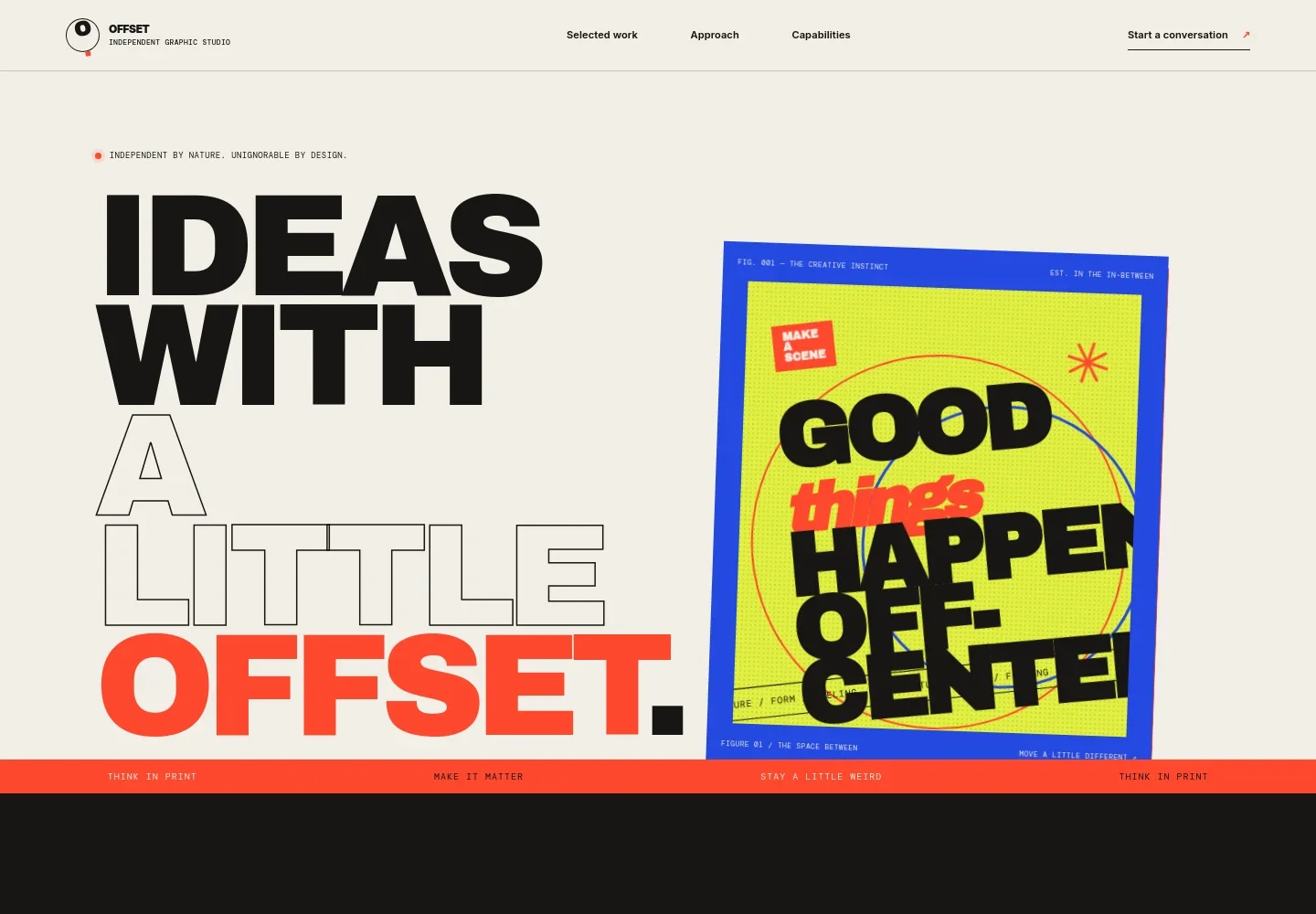
- Studio introduction
- An oversized headline, a short statement about the studio's work, and a custom poster-style graphic establish its visual identity immediately.
- Approach
- A short point-of-view statement and studio introduction give visitors context for the creative practice before they view the work.
- Selected work
- Three featured project entries combine graphic artwork with project titles, creative disciplines, and dates, providing a concise portfolio overview.
- Studio point of view
- A standalone statement about making work with intention reinforces the studio's approach between the portfolio and capabilities.
- Capabilities
- Four clearly labeled service rows cover identity systems, art direction, print and objects, and digital imagery, with concise explanations of each.
- Contact
- A prominent invitation to get in touch is paired with a visible email address, helping interested clients start a conversation.
- Footer
- Studio branding and a return-to-top link close the page with simple navigation.
How to use this template
Open in Revamp
Click Use this template and sign in or create an account. You’ll start with your own copy of the design, ready to personalize.
Bring your content
Replace the sample text, photos, and logo with your own. Share your content, a document, or an existing website, and ask Revamp to adapt the template to your business.
Refine and publish
Ask Revamp to adjust the colors, layout, or sections, or edit directly on the page. Review desktop and mobile, then publish. You can keep making changes after launch.
Put your website to work
Make it easier to manage project inquiries and keep prospective clients informed. Ask Revamp to add or connect tools that suit the way your studio works.
-

Schedule studio consultations
CalendlyLet prospective clients choose a time to discuss a brief. Ask Revamp to add consultation booking with Calendly.
-

Organize project leads
HubSpotKeep inquiry details and follow-ups together as new opportunities come in. Ask Revamp to connect HubSpot for contact and lead management.
-

Share studio updates
MailchimpGive interested clients a way to hear about new work and studio news. Ask Revamp to add an email signup connected to Mailchimp.
Frequently asked questions
Is this template free?
Yes. This premium template is free to use when you select Use this template. The offer is for the template itself.
Can I use my own content?
Yes. Ask Revamp to personalize the page with your studio name, project images, descriptions, capabilities, and contact details.
Do I need coding skills?
No. Ask Revamp to personalize the content and design for your studio without coding.
Can I change the design?
Yes. Ask Revamp to adjust the colors, typography, layout, and visual style to better fit your graphic art practice.
Can I keep editing after publishing?
Yes. You can keep editing after launch. Ask Revamp to update your content or design as your work and studio evolve.