About this template
Help visitors understand your guitar range, your approach to choosing an instrument, and how to start a conversation. The design pairs a bold illustrated guitar hero with a clear path through instrument profiles, workshop and setup messaging, and a contact prompt.
The instrument selector presents three starting points: The Offset, The Studio, and The Current. A detailed profile shows how to describe an instrument's character and specifications, while the workshop section gives space to explain setup, strings, and signal chain guidance.
Who it’s for
Independent guitar shops, guitar makers, instrument brands, and guitar workshops that want to introduce their instruments and help players ask questions.
What’s included
A dark, editorial guitar-house design that guides prospective players from a brand introduction to instrument details and a direct conversation. Its visual guitar artwork, numbered sections, and instrument selector make the content easy to scan while keeping the focus on sound, fit, and craftsmanship.
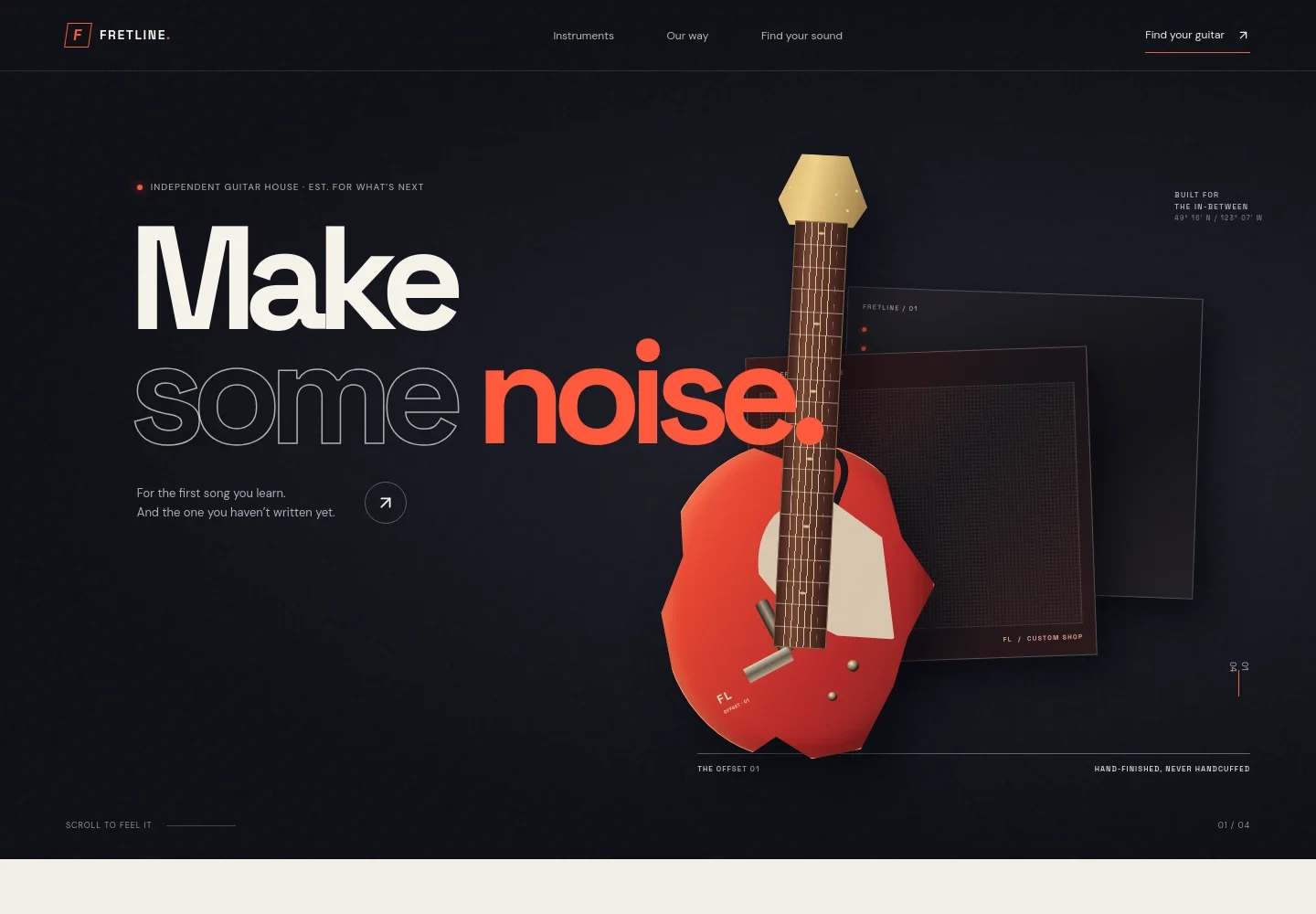
- Hero and navigation
- A prominent guitar illustration and concise headline introduce the business. Navigation links take visitors to instruments, the brand's approach, and a guitar inquiry prompt.
- Our approach
- A short brand statement explains the emphasis on considered design, honest advice, and finding an instrument that feels right to the player.
- Instrument selector and profile
- Three selectable guitar names organize the range. The visible profile combines a model description, instrument details, and a link to continue exploring.
- Workshop and setup
- A craftsperson-at-work image supports copy about setup and understanding a player's hands, habits, and desired sound. A small annotation calls out setup, strings, and signal chain.
- Start a conversation
- A closing prompt invites visitors to share what they listen to, play, or want to learn, with a direct email link for guitar inquiries.
- Footer
- The footer repeats the brand identity and provides a back-to-top link.
How to use this template
Open in Revamp
Click Use this template and sign in or create an account. You’ll start with your own copy of the design, ready to personalize.
Bring your content
Replace the sample text, photos, and logo with your own. Share your content, a document, or an existing website, and ask Revamp to adapt the template to your business.
Refine and publish
Ask Revamp to adjust the colors, layout, or sections, or edit directly on the page. Review desktop and mobile, then publish. You can keep making changes after launch.
Put your website to work
Make it easier for visitors to arrange a visit, book a guitar setup, or keep in touch. Ask Revamp to add or connect tools that support those next steps.
-

Let customers book a visit
CalendlyGive prospective buyers a simple way to arrange time to try instruments. Ask Revamp to add appointment booking with Calendly.
-

Coordinate appointments and follow-ups
Google CalendarKeep customer visits organized alongside your schedule. Ask Revamp to add appointment scheduling with Google Calendar.
-

Share product and setup updates
MailchimpKeep interested players informed about new instruments, workshop news, or store events. Ask Revamp to add email marketing with Mailchimp.
Frequently asked questions
Is this guitar website template free?
Yes. The premium template is free to use through Use this template. This refers to the template itself, not hosting or other services.
Can I use my own content?
Yes. Ask Revamp to personalize the words, guitar descriptions, images, brand details, and contact information for your business.
Do I need coding skills?
No. Ask Revamp to personalize the content and design without coding.
Can I change the design?
Yes. Ask Revamp to adjust the colors, typography, layout, imagery, or other visual details to suit your guitar business.
Can I keep editing after publishing?
Yes. You can keep editing your site after launch. Ask Revamp to update your content or design as your instruments, services, and business change.


