About this template
Help prospective students understand your firearms training, from first-day foundations to practical marksmanship and responsible ownership. The page explains what each area covers and sets a calm, safety-first tone.
A dark, editorial layout pairs clear training descriptions with a three-principle approach, range photography, and guidance for a first visit. Visitors can see how to begin and find a direct way to ask about a class.
Who it’s for
For firearms instructors, training academies, and shooting ranges offering safety instruction, beginner classes, marksmanship coaching, or responsible ownership education.
What’s included
The layout guides prospective students from an overview of the training to the instructor's approach and what a first visit may involve. Its distinct sections make the information easy to scan while keeping safety and thoughtful practice central.
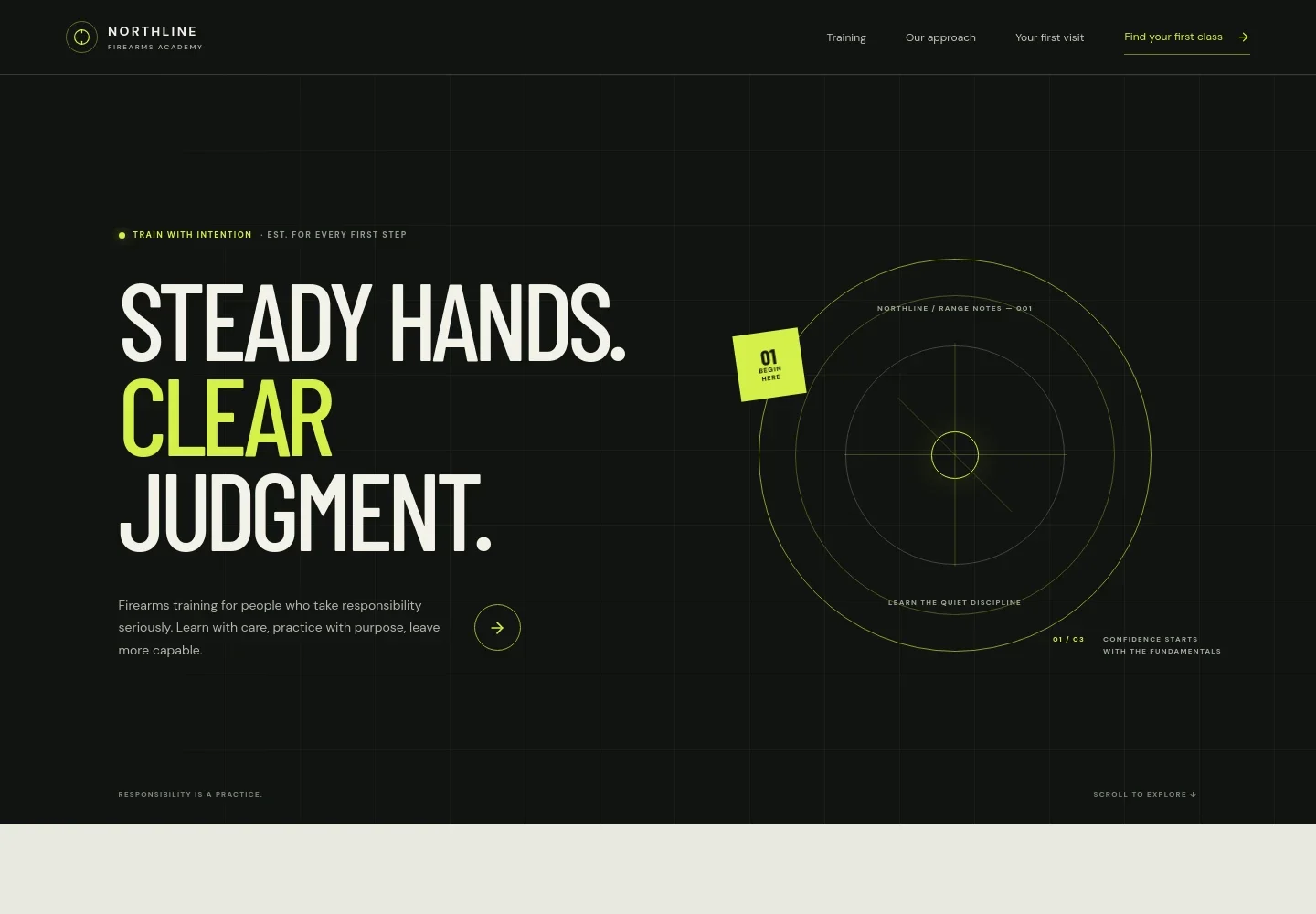
- Hero and navigation
- A prominent training-focused headline and concise introduction establish the academy's emphasis on responsibility. Navigation links take visitors to training, the teaching approach, and first-visit information.
- Training programs
- Three program descriptions cover foundations for newcomers, practical marksmanship in small groups, and confident ownership, including safe handling, range etiquette, storage, and maintenance.
- Training approach
- A three-part presentation centers on safety before skill, purposeful practice, and judgment in every choice, helping visitors understand the principles behind the instruction.
- Range practice feature
- A range photograph and supporting copy reinforce the patient, respectful teaching approach and point visitors toward first-visit details.
- Your first visit
- This section speaks directly to people new to firearms, explains that the fundamentals class is intended for beginners, and includes a call to ask about a first class.
- Footer
- The closing area repeats the academy identity, offers a return-to-top link, and makes clear that contact details shown in the design are illustrative.
How to use this template
Open in Revamp
Click Use this template and sign in or create an account. You’ll start with your own copy of the design, ready to personalize.
Bring your content
Replace the sample text, photos, and logo with your own. Share your content, a document, or an existing website, and ask Revamp to adapt the template to your business.
Refine and publish
Ask Revamp to adjust the colors, layout, or sections, or edit directly on the page. Review desktop and mobile, then publish. You can keep making changes after launch.
Put your website to work
Make it easier to manage class inquiries, schedules, and student follow-up. Ask Revamp to add or connect tools that fit the way your training business operates.
-

Let students choose a class time
CalendlyAsk Revamp to add appointment booking with Calendly so visitors can request an available class or introductory session.
-

Keep class dates organized
Google CalendarAsk Revamp to connect Google Calendar so your team can manage class schedules and keep dates visible in one calendar.
-

Track prospective students
HubSpotAsk Revamp to connect HubSpot to organize inquiries and follow up with people interested in training.
Frequently asked questions
Is this template free?
Yes. This premium template is free to use when you select Use this template. The template is free; hosting or other services may have separate costs.
Can I use my own content?
Yes. Ask Revamp to personalize the page with your academy name, class descriptions, instructor information, photos, contact details, and other content.
Do I need coding skills?
No coding skills are needed. Ask Revamp to make content and design changes for you.
Can I change the design?
Yes. Ask Revamp to adjust the colors, typography, imagery, layout, or other design details to suit your training business.
Can I keep editing after publishing?
Yes. You can keep asking Revamp to update your content and design after your site launches.


