About this template
Help prospective students understand how to take their first steps into hang gliding. The page introduces beginner ground sessions, ground school and a progressive learn-to-fly path, with clear notes on preparation and changing weather.
A coastal flight-school look pairs dramatic glider imagery with practical information. Visitors can read how the first session unfolds, compare starting options, review common questions and get in touch to ask about a first day.
Who it’s for
Hang gliding schools and flight centers introducing lessons to beginners, explaining how weather shapes the day, and helping prospective students start a conversation.
What’s included
The page moves from the appeal of flight to the practical details a new student needs: ways to begin, how conditions guide the plan, what to bring and how to ask a question.
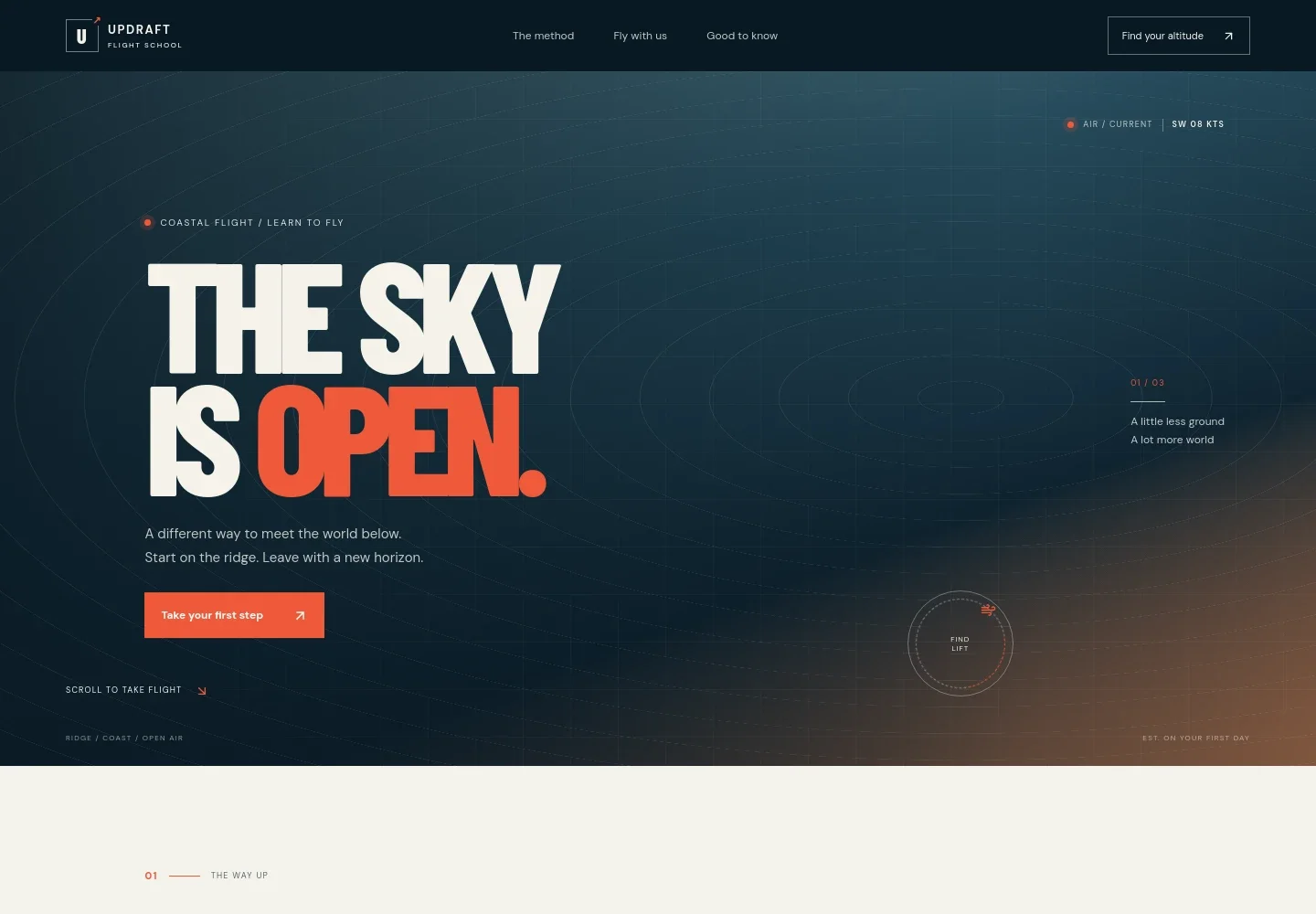
- Coastal flight hero
- A full-width hang gliding image, concise flight-school introduction and prominent link invite visitors to learn about starting. Navigation points to the method, experiences and FAQs.
- The approach to flight
- A short introduction frames hang gliding as learning to read the wind and respond to the wing, then links visitors to the first-flight options.
- First-flight story
- A visual ridge-lift moment and brief captions give visitors an atmospheric sense of what it can feel like to notice a change in the breeze.
- Ways to begin
- Three clear entries outline a half-day introductory ground session, ground school and progressive learn-to-fly instruction. Each has its own description and a link to ask about it.
- Conditions and preparation
- A field image accompanies a plain-language explanation that wind and equipment checks shape the plan. A note tells visitors that flying is weather-dependent and mentions discussing gear and clothing before arrival.
- Before you come FAQ
- Expandable answers address experience, what to bring, weather changes and feeling nervous, helping beginners know what to expect before making contact.
- Start with a question
- A final contact prompt invites visitors to share what they are curious about and ask about a first day, followed by a compact footer.
How to use this template
Open in Revamp
Click Use this template and sign in or create an account. You’ll start with your own copy of the design, ready to personalize.
Bring your content
Replace the sample text, photos, and logo with your own. Share your content, a document, or an existing website, and ask Revamp to adapt the template to your business.
Refine and publish
Ask Revamp to adjust the colors, layout, or sections, or edit directly on the page. Review desktop and mobile, then publish. You can keep making changes after launch.
Put your website to work
Clear scheduling and customer records can make it easier to coordinate enquiries, introductory sessions and changing plans. Ask Revamp to add the tools that suit your operation.
-

Organize lesson enquiries and follow-ups
HubSpotKeep prospective students and their enquiries organized. Ask Revamp to add customer relationship management with HubSpot.
-

Coordinate introductory session availability
CalendlyGive visitors a straightforward way to request a time to talk about lessons. Ask Revamp to add consultation booking with Calendly.
-

Keep lesson dates organized
Google CalendarBring lesson appointments into a shared calendar for easier day-to-day coordination. Ask Revamp to connect Google Calendar.
Frequently asked questions
Is this template free?
Yes. This premium template is free to use when you select Use this template. The offer is for the template itself.
Can I use my own content?
Yes. Ask Revamp to personalize the page with your school name, lesson details, location, contact information and imagery.
Do I need coding skills?
No. Ask Revamp to personalize the content and design in plain language, without coding.
Can I change the design?
Yes. Ask Revamp to adjust the colors, typography, imagery, layout or other visual details to fit your flight center.
Can I keep editing after publishing?
Yes. You can keep asking Revamp to update the site after launch as your information and needs change.
Does the page explain options for beginners?
Yes. It presents an introductory ground session, ground school and a progressive learn-to-fly path, each with a short explanation.
Does it cover weather and what to bring?
Yes. The page explains that conditions guide the flying plan, and its FAQ suggests comfortable layers, sturdy footwear and water. It also notes that specific kit and meeting details can be confirmed when visitors get in touch.