About this template
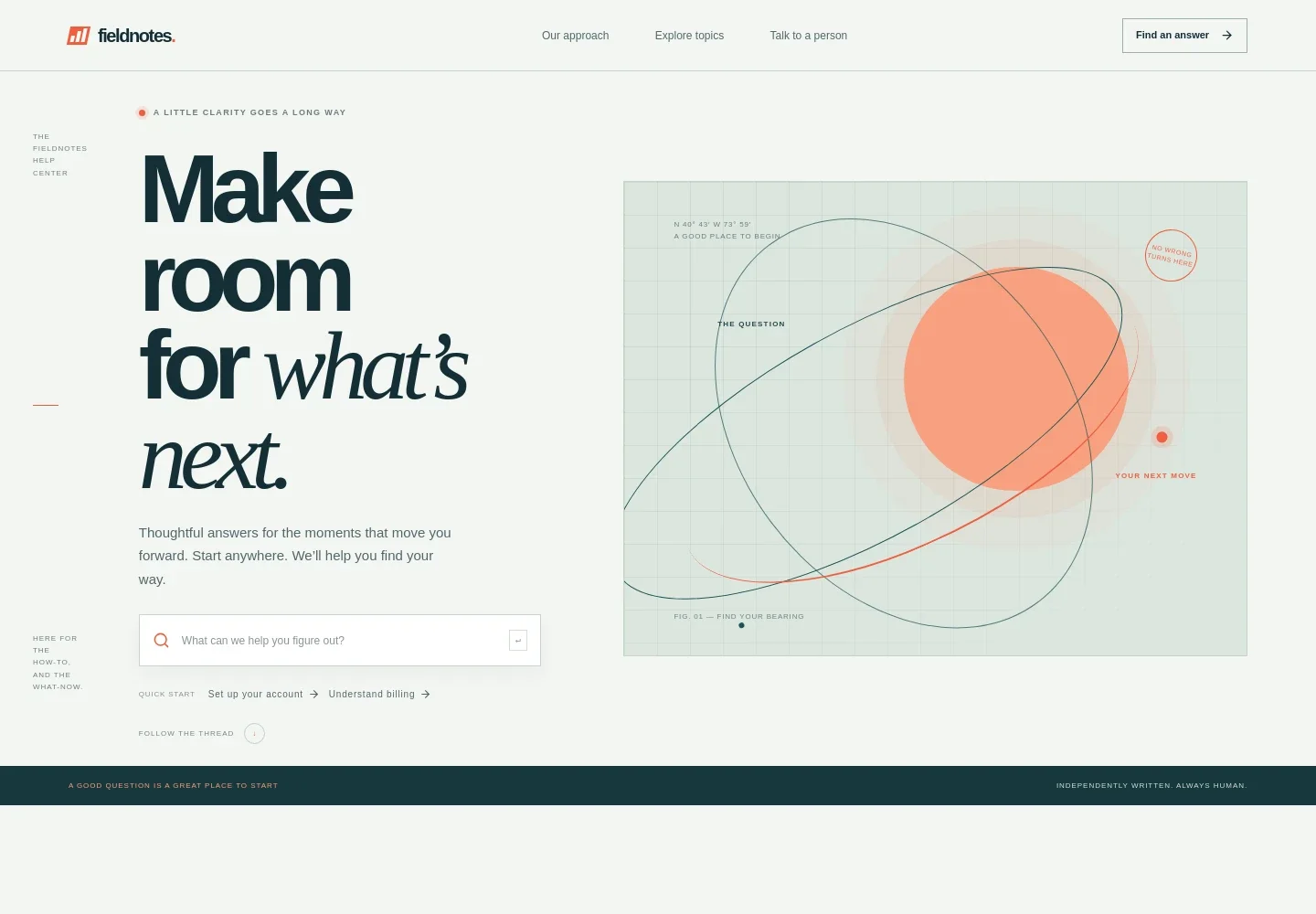
Help visitors find guidance on their own, then make it easy to reach a person when they need more support. This help center design brings a prominent search field, quick-start links, and four clearly labeled topic areas together in one place.
A short section explains the support approach, while a dedicated contact area invites visitors to get in touch with a person. The editorial typography, numbered topic list, and hand-drawn wayfinding illustrations make the page feel considered while keeping its information easy to scan.
Who it’s for
For product teams, software businesses, online stores, and service providers creating a customer support hub with searchable guidance, organized help topics, and a direct contact option.
What’s included
The page moves visitors from a question to a useful next step, with search and quick links up front, a compact guide to common topics, and human support below.
- Header navigation
- Links take visitors to the support approach, topic guide, and contact section, alongside a prominent answer-finding call to action.
- Search and quick-start links
- A large search field anchors the opening section, with shortcuts for account setup and billing to surface common starting points.
- Support approach
- A brief statement about clear, confidence-building support gives visitors context before they browse the help guide.
- Help topic directory
- Four numbered rows organize getting started, account details, orders and delivery, and plans and billing, each with a short explanation.
- Contact a person
- A dedicated support section explains that visitors can ask a person for help and provides a contact link with space for support hours.
- Footer
- The closing area repeats the brand, offers a return-to-top link, and includes a small copyright line.
How to use this template
Open in Revamp
Click Use this template and sign in or create an account. You’ll start with your own copy of the design, ready to personalize.
Bring your content
Replace the sample text, photos, and logo with your own. Share your content, a document, or an existing website, and ask Revamp to adapt the template to your business.
Refine and publish
Ask Revamp to adjust the colors, layout, or sections, or edit directly on the page. Review desktop and mobile, then publish. You can keep making changes after launch.
Put your website to work
Make it easier to route questions, publish help articles, and follow up with customers. Ask Revamp to add a connection to the tools your support team uses.
-

Organize support requests
ZendeskGive your team a shared inbox for customer questions. Ask Revamp to connect Zendesk for support ticket management.
-

Publish searchable help articles
IntercomHelp customers find product guidance without waiting for a reply. Ask Revamp to connect Intercom for help center content and customer support.
-

Keep customer conversations in context
HubSpotBring support inquiries alongside customer records and team follow-up. Ask Revamp to connect HubSpot for service and contact management.
Frequently asked questions
Is this template free?
Yes. This premium template is free to use when you select Use this template. The offer applies to the template, not hosting or other services.
Can I use my own content?
Yes. Ask Revamp to personalize the help topics, support guidance, contact details, and brand content for your business.
Do I need coding skills?
No. Ask Revamp to personalize the content and design without coding.
Can I change the design?
Yes. Ask Revamp to adjust the layout, colors, typography, illustrations, or other design details to suit your brand.
Can I keep editing after publishing?
Yes. You can keep asking Revamp to update your content and design after launch.


