About this template
Help visitors understand the history and character of a historic place through its architecture, landscape, and human stories. The design pairs immersive photography with a timeline and field-guide details that give people a reason to look beyond the familiar view.
A practical visit-planning section gives visitors a starting point for location, time, and what to bring, alongside a map link. Replace the illustrative destination and visit details with accurate information for your site.
Who it’s for
For heritage sites, historic landmarks, preservation organizations, cultural destinations, and tourism professionals who want to share a place’s story and help visitors prepare for a visit.
What’s included
The page moves from an atmospheric introduction to the place’s story, its defining details, and practical visit information. Its editorial layout makes history inviting to read while keeping trip-planning details easy to find.
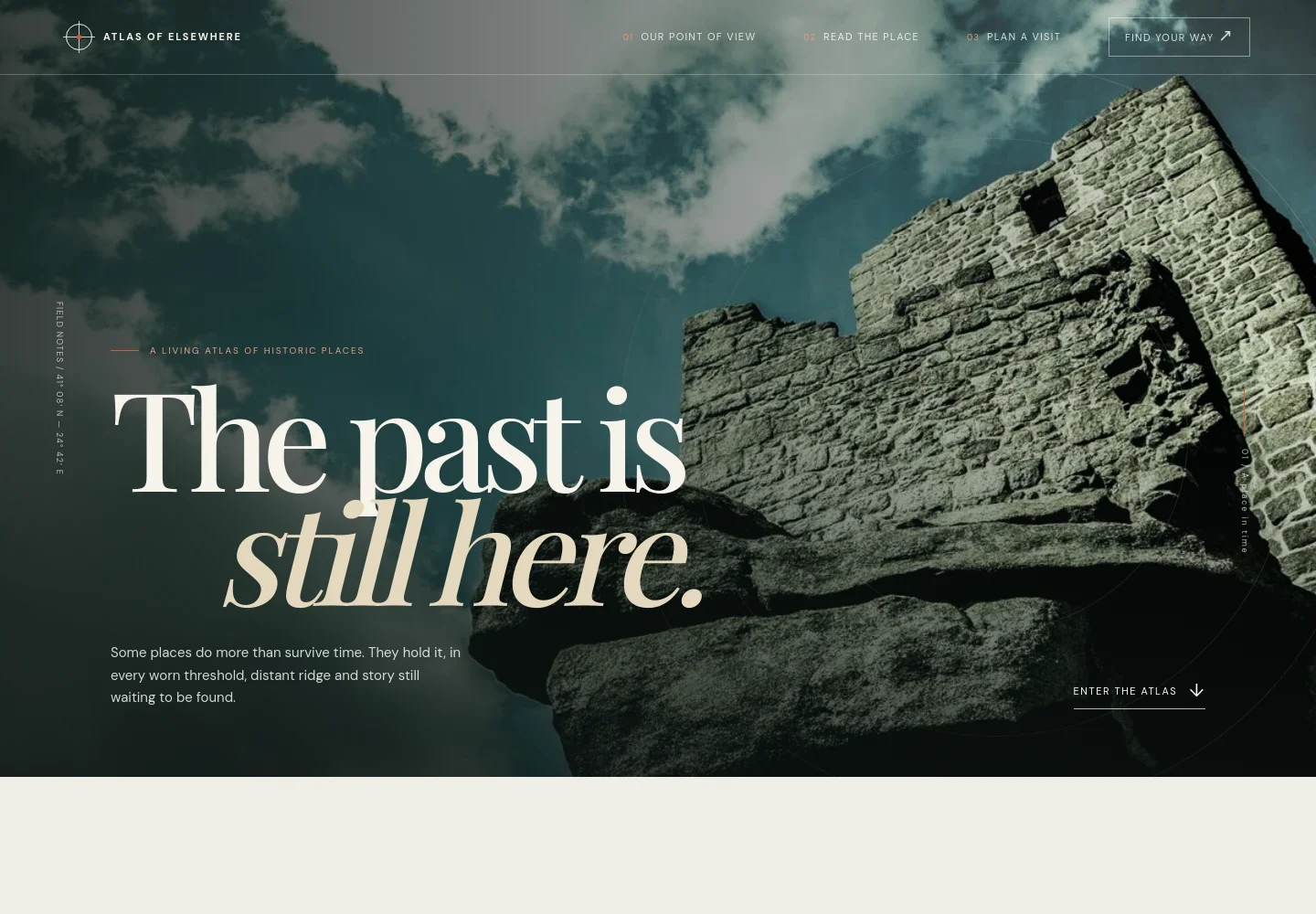
- Image-led introduction
- A full-width photograph of ancient stone ruins, a short opening statement, and a clear link into the atlas establish the destination’s atmosphere and invite visitors to continue.
- Point of view
- An introductory text section explains the approach to interpreting historic places through architecture, landscape, and lived memory.
- Historical timeline
- Four dated entries trace the example site from its early settlement through later changes to its present-day paths, giving visitors a concise sense of its layers.
- Details to notice
- A photograph of stone arches accompanies short observations about purposeful architecture, landscape, and human stories, helping visitors know what to look for.
- Plan a visit
- A three-part visit strip presents an illustrative location, suggested time to allow, practical footwear guidance, and a link to open a map.
- Closing invitation
- A final message returns visitors to the idea of discovering stories in the landscape, followed by space for the site name and a note to replace illustrative details.
How to use this template
Open in Revamp
Click Use this template and sign in or create an account. You’ll start with your own copy of the design, ready to personalize.
Bring your content
Replace the sample text, photos, and logo with your own. Share your content, a document, or an existing website, and ask Revamp to adapt the template to your business.
Refine and publish
Ask Revamp to adjust the colors, layout, or sections, or edit directly on the page. Review desktop and mobile, then publish. You can keep making changes after launch.
Put your website to work
Make it easier for visitors to find their way, plan a trip, and stay informed. Ask Revamp to add or connect tools that suit your destination’s visitor services.
-

Help visitors navigate to the site
Google MapsGive visitors a familiar way to view the destination and plan a route. Ask Revamp to add a Google Maps link or map experience.
-

Share visitor updates by email
MailchimpKeep interested visitors informed about opening information, seasonal updates, or upcoming events. Ask Revamp to connect Mailchimp for email sign-ups.
-

Make guided visits easier to arrange
CalendlyLet visitors request a time for a guided visit or group inquiry. Ask Revamp to add scheduling with Calendly.
Frequently asked questions
Is this template free?
Yes. This premium template is free to use when you select Use this template. The offer applies to the template, not hosting or other services.
Can I use my own content?
Yes. Ask Revamp to personalize the page with your own site history, photographs, visitor information, and destination details.
Do I need coding skills?
No. Ask Revamp to personalize the content and design in plain language, without coding.
Can I change the design?
Yes. Ask Revamp to adjust the layout, colors, typography, imagery, or other design details to suit your place and organization.
Can I keep editing after publishing?
Yes. You can keep asking Revamp to update your page after launch as your visitor information and content change.


