About this template
Help prospective clients understand your landscape and horticulture practice through a clear account of your design outlook, services, and process. The page presents gardens as living places shaped by soil, seasons, existing plants, and the way people use outdoor space.
Large garden imagery and concise project and service content give visitors a strong visual introduction before the practice section explains how a site assessment leads to a design direction and planting plan. A focused contact area invites people to start a conversation about a place they want to improve.
Who it’s for
Independent horticulturists, landscape designers, garden consultants, and practices offering landscape design, planting direction, or garden renewal.
What’s included
The design pairs spacious editorial typography with botanical photography and a restrained earth-toned palette. Its sections move from the practice’s point of view to services, process, and a direct contact invitation, helping visitors see what the business does and how to take the next step.
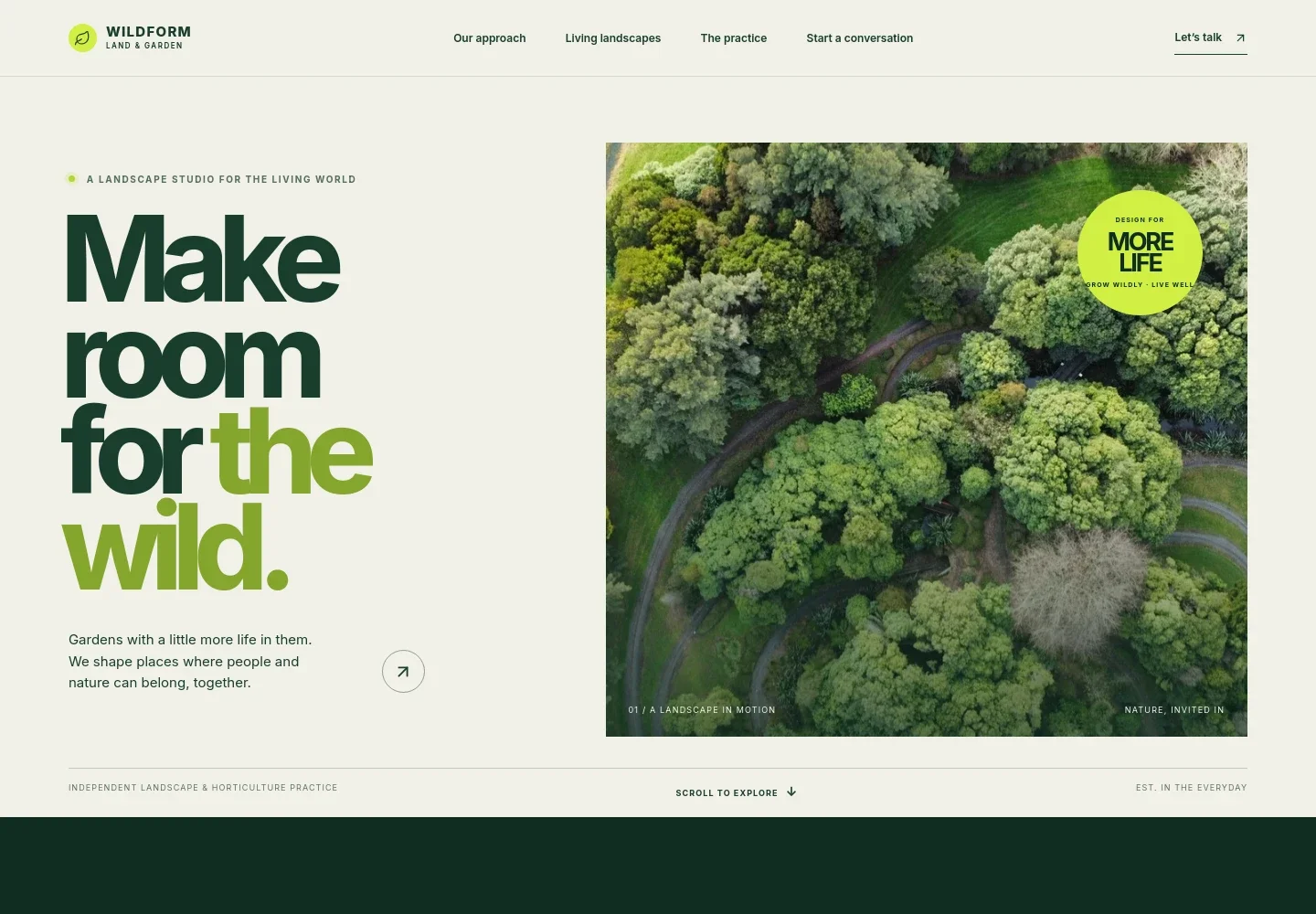
- Landscape practice hero
- A prominent garden image, short introductory message, and clear navigation introduce a landscape and horticulture practice and lead visitors toward its approach, work, and contact information.
- Design approach
- A botanical image and concise statement explain an approach grounded in soil, seasons, species, and how people live outdoors.
- Work and services
- A featured garden image and point-of-view statement sit alongside three service descriptions: landscape design, horticultural direction, and garden renewal.
- Practice process
- Three numbered steps describe reading the site, creating a design direction and planting palette, and setting out next steps for the garden.
- Contact invitation
- A dedicated closing section asks visitors to share the place they have in mind and provides a direct email link to begin a conversation.
- Footer
- A compact footer repeats the practice identity and offers a return-to-top link alongside the illustrative contact address.
How to use this template
Open in Revamp
Click Use this template and sign in or create an account. You’ll start with your own copy of the design, ready to personalize.
Bring your content
Replace the sample text, photos, and logo with your own. Share your content, a document, or an existing website, and ask Revamp to adapt the template to your business.
Refine and publish
Ask Revamp to adjust the colors, layout, or sections, or edit directly on the page. Review desktop and mobile, then publish. You can keep making changes after launch.
Put your website to work
Make it easier to handle enquiries, arrange site visits, and keep prospective clients informed. Ask Revamp to add or connect the tools that fit your practice.
-

Schedule site visits and consultations
CalendlyLet prospective clients choose a convenient time for an initial discussion or site visit. Ask Revamp to add appointment booking with Calendly.
-

Organize enquiries and client follow-up
HubSpotKeep prospective projects and conversations organized in one place. Ask Revamp to connect HubSpot for enquiry tracking and follow-up.
-

Keep consultations on your calendar
Google CalendarBring consultation scheduling into your existing calendar workflow. Ask Revamp to add booking with Google Calendar.
Frequently asked questions
Is this horticulture website template free?
Yes. This premium template is free to use when you select Use this template. The free offer applies to the template itself.
Can I use my own content?
Yes. Ask Revamp to personalize the page with your practice name, garden photography, services, approach, and contact details.
Do I need coding skills?
No. You can ask Revamp to personalize the content and design without coding.
Can I change the design?
Yes. Ask Revamp to adjust the visual style, imagery, layout, or sections to better suit your horticulture practice.
Can I keep editing after publishing?
Yes. You can keep asking Revamp to update your content and design after launch.