About this template
Help prospective guests understand the setting, accommodations, dining, and how to start planning a stay. The design pairs coastal photography with concise descriptions and clear paths to explore the property.
The page introduces a shoreline retreat through a location-led hero, a section about the place, three sample accommodation types, dining, and a contact invitation. The displayed hotel name, stay details, and contact information are illustrative, ready for you to replace with your own.
Who it’s for
Hotels, resorts, and independent lodging businesses that want to introduce their property, show accommodation options, describe dining, and invite guests to get in touch.
What’s included
The layout guides visitors from a strong sense of place to practical details about where to stay and dine, then ends with a direct invitation to begin a conversation.
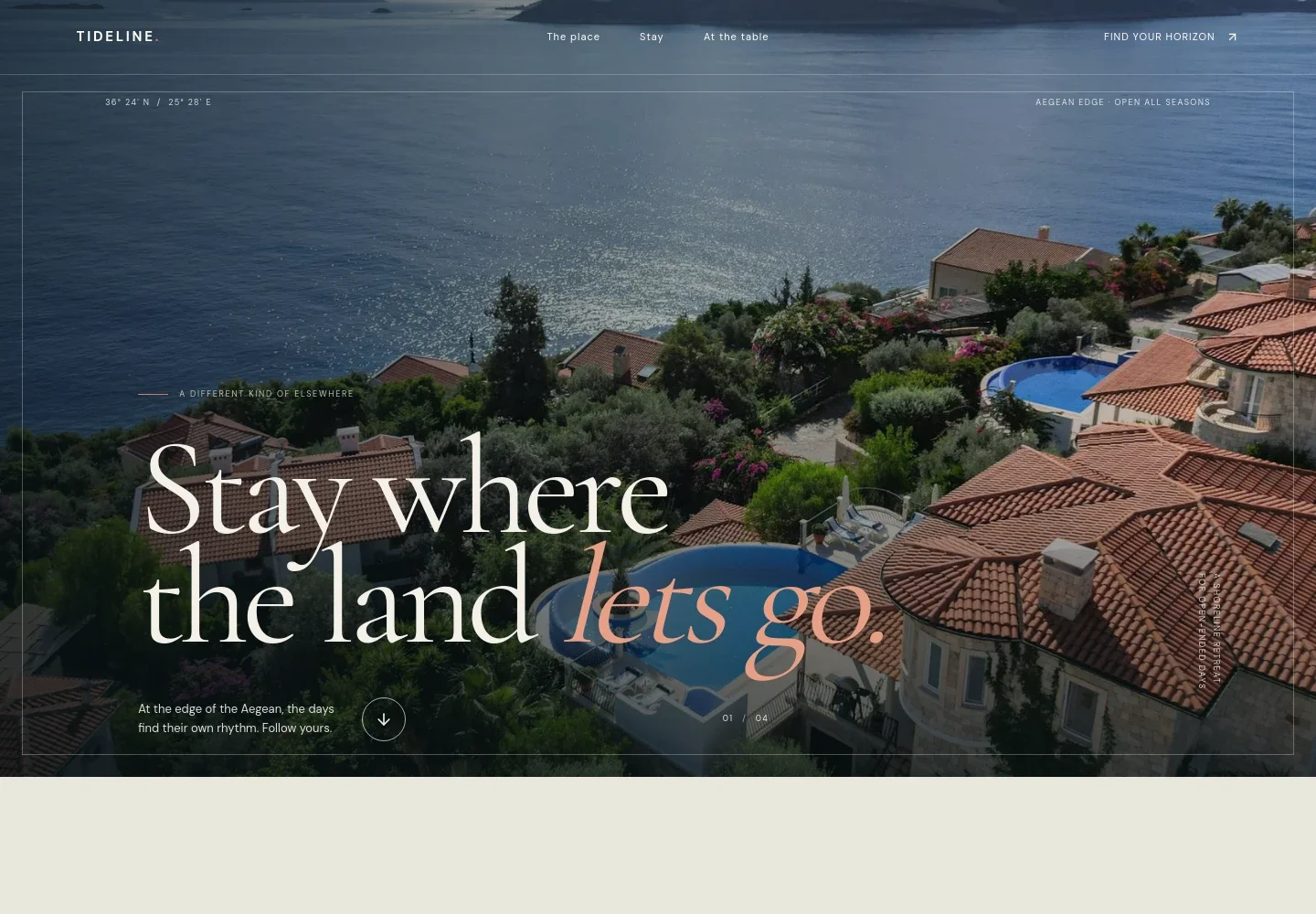
- Coastal hero
- A full-width coastal image, location coordinates, short introductory copy, and a link into the page establish the property's setting and atmosphere.
- The place
- A section combines a brief description of the coastal experience with a large terrace image, helping guests picture the surroundings.
- Stay
- Three accommodation rows present a suite, private house, and guest room with short descriptions and illustrative guest capacities. Each row leads toward the visit section.
- At the table
- A dining photograph and copy about local ingredients and an unhurried meal introduce the property's food offering.
- Plan a visit
- A closing invitation explains that guests can share what they are looking for and provides a contact link to begin a conversation.
- Footer
- The footer repeats the property wordmark and includes a short tagline and a link back to the top of the page.
How to use this template
Open in Revamp
Click Use this template and sign in or create an account. You’ll start with your own copy of the design, ready to personalize.
Bring your content
Replace the sample text, photos, and logo with your own. Share your content, a document, or an existing website, and ask Revamp to adapt the template to your business.
Refine and publish
Ask Revamp to adjust the colors, layout, or sections, or edit directly on the page. Review desktop and mobile, then publish. You can keep making changes after launch.
Put your website to work
Make it easier to manage reservations and communicate with guests. Ask Revamp to add or connect hospitality tools that suit your property's booking process.
-

Manage reservations and property operations
CloudbedsKeep room availability, reservations, and property operations organized in one hotel management system. Ask Revamp to connect Cloudbeds.
-

Coordinate bookings and guest operations
MewsBring reservations and hotel operations together to support a consistent guest experience. Ask Revamp to connect Mews.
-

Organize guest inquiries and follow-up
HubSpotTrack prospective guest conversations and coordinate follow-up with a customer relationship management tool. Ask Revamp to connect HubSpot.
Frequently asked questions
Is this template free?
Yes. This premium template is free to use when you select Use this template. Free refers to the template.
Can I use my own content?
Yes. Ask Revamp to personalize the text, photos, property details, room descriptions, and contact information for your business.
Do I need coding skills?
No. You can ask Revamp to personalize the content and design without coding.
Can I change the design?
Yes. Ask Revamp to adjust the colors, imagery, layout, and other design details to better reflect your property.
Can I keep editing after publishing?
Yes. You can continue asking Revamp to make changes to your site after launch.