About this template
Help prospective guests understand the character of your hotel, what staying there feels like, and what they can do during a visit. The design pairs coastal photography and editorial copy with clear paths to room details, dining, local surroundings, and contact information.
A room list gives visitors a quick sense of the different stays, while dedicated dining and coast sections help them picture more than just the accommodation. A location area with coordinates and an illustrative map rounds out the practical visit details.
Who it’s for
For independent hotels, boutique properties, coastal inns, and other lodging businesses that want to introduce their rooms, dining, setting, and ways for guests to enquire.
What’s included
The page guides visitors from the hotel’s setting to its rooms, food, and location. Large coastal and interior photographs, restrained typography, and anchored navigation give each part of the guest experience its own place.
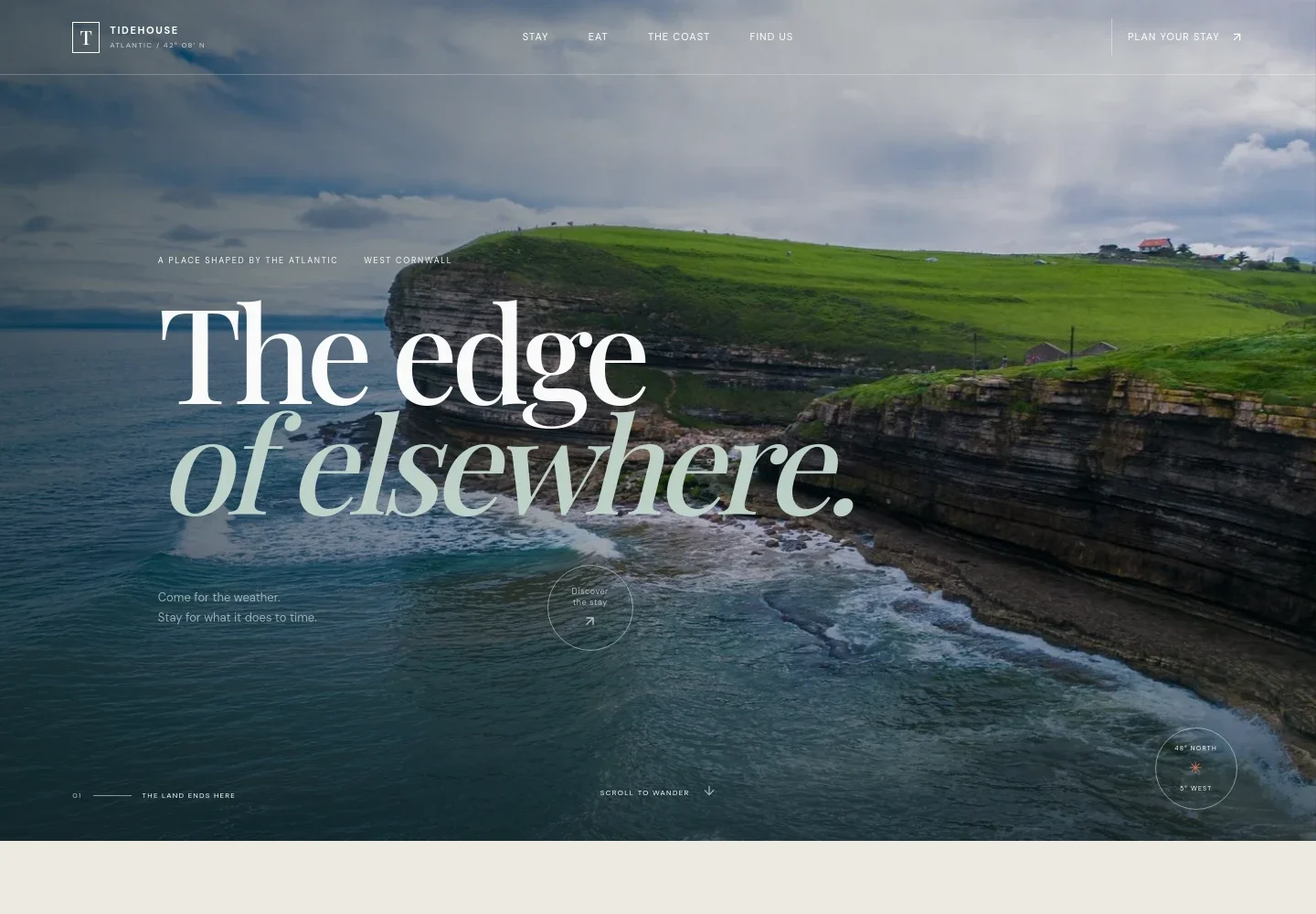
- Coastal hero
- A full-width image of rugged Atlantic cliffs introduces the property’s setting, with concise headline copy and a link leading visitors toward the stay details.
- Hotel introduction
- An editorial introduction describes the property and its atmosphere, with a short house-philosophy note and a link to the visit section.
- Rooms
- A room photograph and descriptive copy set the scene, followed by a list of named rooms with their outlook and bed type.
- The coast and changing tide
- A large coastal image, tide markers, and a short caption present the surrounding landscape as part of the guest experience.
- Dining
- The dining section describes a kitchen shaped by the day’s catch and garden produce, alongside an atmospheric dining image and a link to the visit section.
- Plan a visit
- Contact copy, an enquiry link, coordinates, and an illustrative coastline map help visitors understand where the property is and how to ask about a stay.
- Footer navigation
- The footer repeats the hotel wordmark, includes a return-to-top link, and closes with a brief property sign-off.
How to use this template
Open in Revamp
Click Use this template and sign in or create an account. You’ll start with your own copy of the design, ready to personalize.
Bring your content
Replace the sample text, photos, and logo with your own. Share your content, a document, or an existing website, and ask Revamp to adapt the template to your business.
Refine and publish
Ask Revamp to adjust the colors, layout, or sections, or edit directly on the page. Review desktop and mobile, then publish. You can keep making changes after launch.
Put your website to work
Make it easier for guests to check availability, manage reservations, and keep in touch. Ask Revamp to add a connection to a hotel booking or guest-management tool that suits your operation.
-

Manage reservations and guest details
CloudbedsAsk Revamp to add Cloudbeds to support hotel reservation and guest-management workflows.
-

Keep room availability and bookings in sync
MewsAsk Revamp to add a request for Mews to support property operations and reservation management.
-

Encourage repeat guest bookings
MailchimpAsk Revamp to add Mailchimp for guest newsletters, seasonal updates, and return-stay campaigns.
Frequently asked questions
Is this hotel template free?
Yes. This premium template is free to use when you select Use this template. The offer applies to the template itself.
Can I use my own hotel content?
Yes. Ask Revamp to personalize the page with your hotel name, photography, room details, dining information, location, and contact details.
Do I need coding skills?
No. Ask Revamp to personalize the content and design in plain language, without coding.
Can I change the design?
Yes. Ask Revamp to adjust the colors, typography, imagery, layout, or other design details to suit your property.
Can I keep editing the site after publishing?
Yes. You can keep making changes after launch. Ask Revamp to update your content or design whenever your hotel information changes.