About this template
Help prospective clients understand how your HR and people consulting practice connects people strategy with business priorities. The page introduces people strategy, culture and leadership, and people operations as distinct areas of support.
A clear, editorial layout guides visitors from your point of view and working approach to service details and a direct invitation to start a conversation. Use it to introduce your practice and explain how you help organizations shape the everyday experience of work.
Who it’s for
Independent HR consultants, people and culture studios, and human resources advisers serving organizations that need support with people strategy, organizational design, workforce planning, leadership, culture, or people operations.
What’s included
The page pairs a people-first message with a clear progression from beliefs and approach to services and contact, helping prospective clients understand what your practice does and how to begin a conversation.
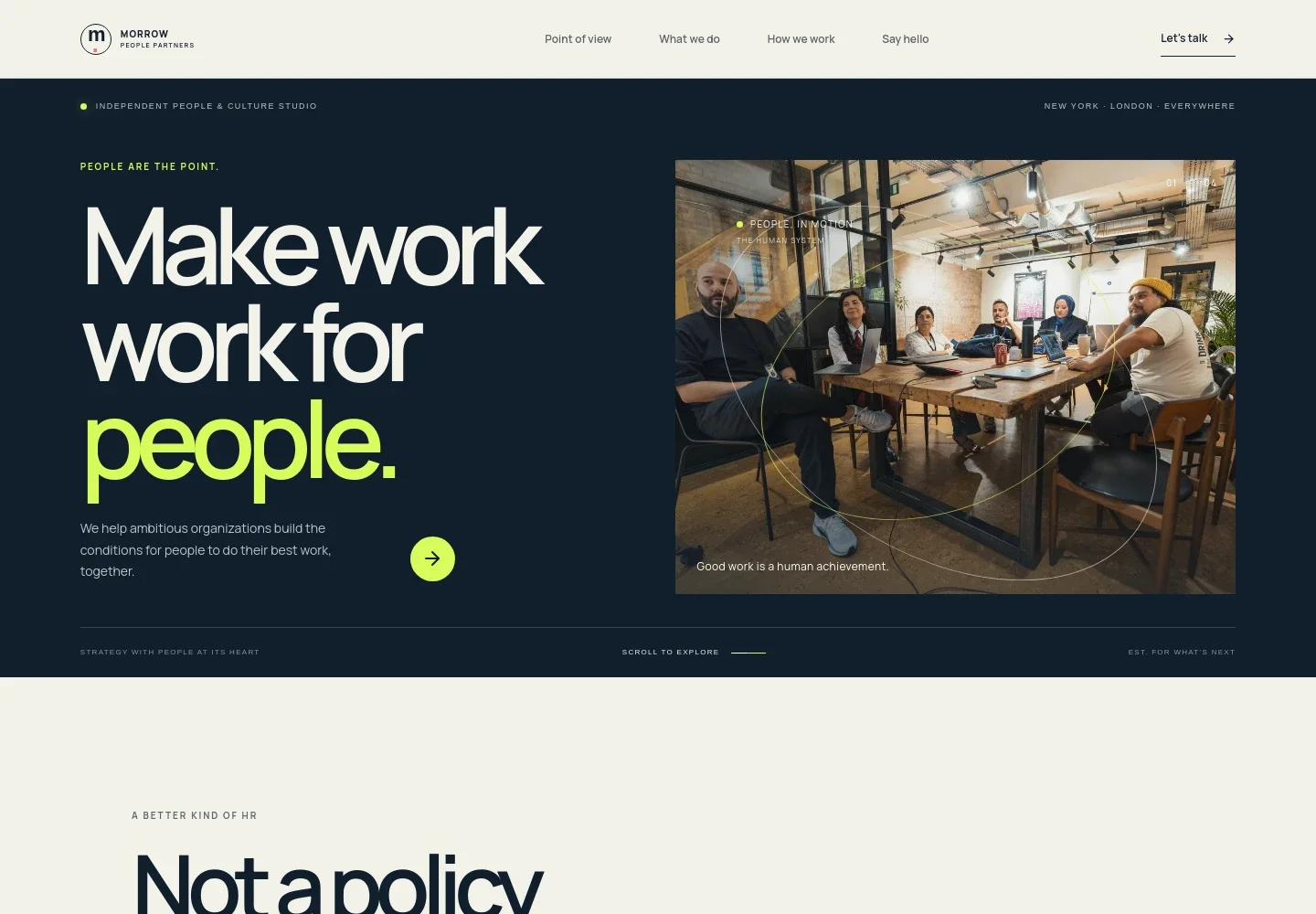
- Hero and navigation
- A prominent people-focused headline, brief statement of purpose, team image, and links to the page's main sections introduce the practice and orient visitors.
- Point of view
- This section explains the belief that people strategy is business strategy and frames HR as a practical force for organizational progress.
- People-first approach
- A three-step sequence, Listen closely, Shape what's next, and Make it last, shows how the practice moves from understanding work to building lasting capability.
- Services
- Three service entries cover people strategy, culture and leadership, and people operations, with examples such as workforce planning, employee experience, talent, and people systems.
- How we work
- A working-practice section describes a considered, human approach based on better questions, making room for different voices, and leaving teams with work they can carry forward.
- Contact invitation
- A closing prompt invites prospective clients to share what is changing or getting in the way, followed by a direct email link.
- Footer
- The footer repeats the practice identity, offers a return-to-top link, and includes a short closing statement.
How to use this template
Open in Revamp
Click Use this template and sign in or create an account. You’ll start with your own copy of the design, ready to personalize.
Bring your content
Replace the sample text, photos, and logo with your own. Share your content, a document, or an existing website, and ask Revamp to adapt the template to your business.
Refine and publish
Ask Revamp to adjust the colors, layout, or sections, or edit directly on the page. Review desktop and mobile, then publish. You can keep making changes after launch.
Put your website to work
Make it easier for prospective clients to book conversations, manage inquiries, and keep people-related information organized. Ask Revamp to add or connect tools that fit your practice.
-

Simplify consultation scheduling
CalendlyLet prospective clients choose a time to talk without an email back-and-forth. Ask Revamp to add consultation booking with Calendly.
-

Keep client inquiries organized
HubSpotTrack prospective organizations and follow-up conversations in one place. Ask Revamp to connect HubSpot for inquiry management.
-

Coordinate meetings with your schedule
Google CalendarHelp clients find a meeting time that works with your availability. Ask Revamp to add Google Calendar scheduling.
-

Organize people information and planning
Google SheetsKeep workforce planning and project information easy to review and update. Ask Revamp to connect Google Sheets for shared tracking.
Frequently asked questions
Is this template free?
Yes. This premium template is free to use when you select Use this template. Free refers to the template itself.
Can I use my own content?
Yes. Ask Revamp to personalize the page with your practice name, services, team details, contact information, and other content.
Do I need coding skills?
No. Ask Revamp to personalize the content and design in plain language, without coding.
Can I change the design?
Yes. Ask Revamp to adjust the layout, colors, imagery, and other design details to suit your practice.
Can I keep editing after publishing?
Yes. You can keep editing after launch. Ask Revamp to update your content or design as your practice changes.