About this template
Help prospective clients understand your approach to personal image: style should feel connected to who they are, not like a role they have to perform. The design pairs a clear point of view with practical descriptions of ways to work together.
Present a one-to-one style consultation, wardrobe edit and personal shopping service, then explain the method behind your work. A direct contact section gives visitors a simple place to start a conversation.
Who it’s for
Independent image consultants, personal stylists and wardrobe consultants who want to explain their services, approach and client enquiry process.
What’s included
The editorial layout leads with a distinctive personal image message, then moves from your point of view to service options, working method and contact details. This sequence helps visitors understand both what you offer and how your approach translates into practical style support.
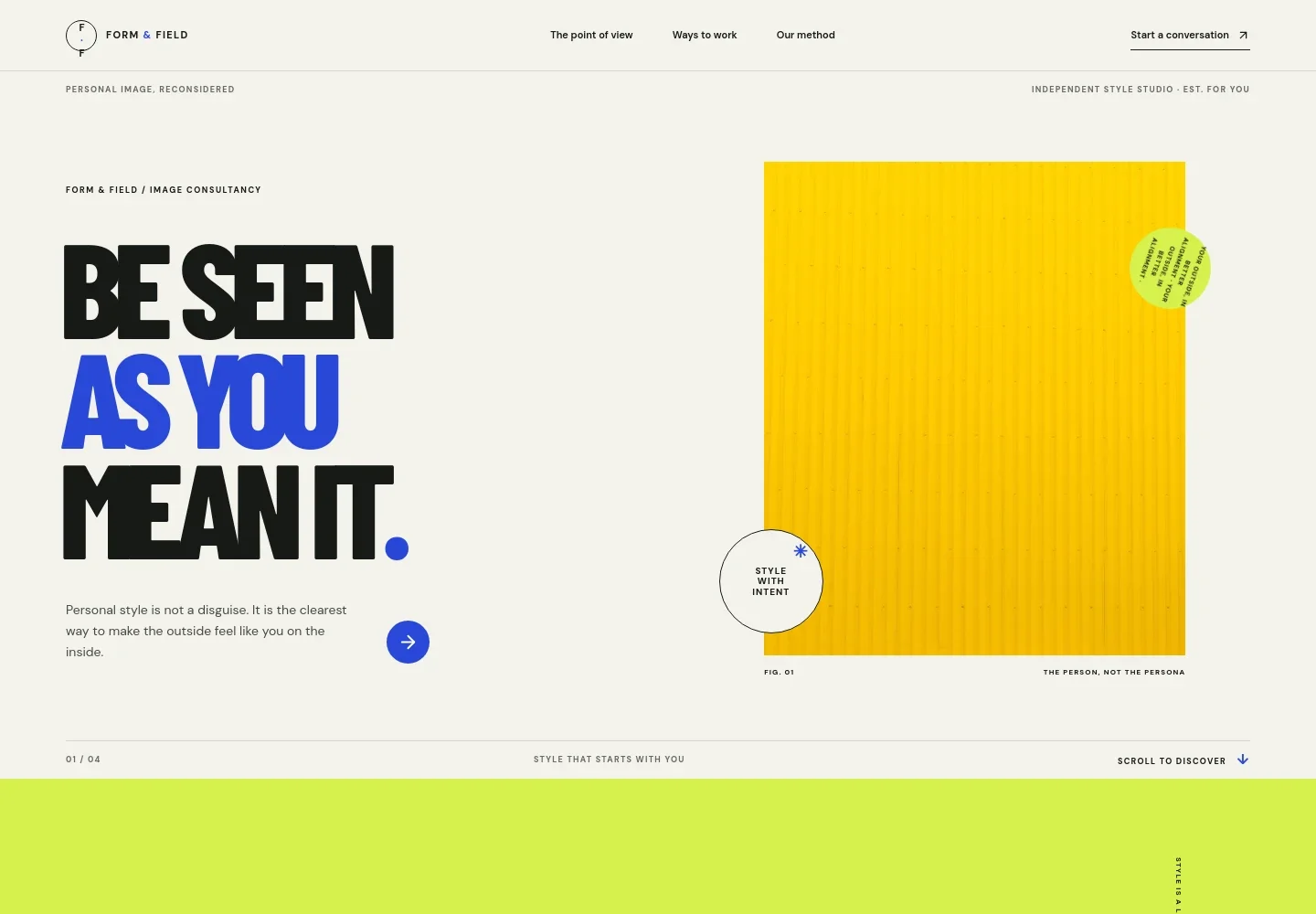
- Image consultancy hero
- A prominent headline and fashion portrait introduce the idea of personal style that reflects the individual. The navigation points visitors to your approach, services and method, with a clear contact link.
- Point of view
- A concise statement explains a style philosophy focused on the client's existing life and identity, rather than a before-and-after makeover.
- Ways to work together
- Three service rows describe a one-to-one style consultation, a wardrobe edit and personal shopping, giving visitors concrete options to consider.
- Our method
- A four-step process shows how the work moves from listening to the client, finding a personal style through-line and making it practical, to leaving the client in charge of their choices.
- Contact
- A closing invitation encourages visitors to share a question or make an enquiry, with an email link and a return-to-top link.
How to use this template
Open in Revamp
Click Use this template and sign in or create an account. You’ll start with your own copy of the design, ready to personalize.
Bring your content
Replace the sample text, photos, and logo with your own. Share your content, a document, or an existing website, and ask Revamp to adapt the template to your business.
Refine and publish
Ask Revamp to adjust the colors, layout, or sections, or edit directly on the page. Review desktop and mobile, then publish. You can keep making changes after launch.
Put your website to work
Make it easier to coordinate consultations, client details and follow-up. Ask Revamp to add or connect tools that fit the way you manage your styling practice.
-

Schedule consultations
CalendlyGive prospective clients a straightforward way to choose a consultation time. Ask Revamp to add booking with Calendly.
-

Organize client relationships
HubSpotKeep enquiry details and client conversations organized as your consultancy grows. Ask Revamp to connect HubSpot for contact management.
-

Coordinate appointments
Google CalendarKeep consultation bookings visible alongside your schedule. Ask Revamp to connect Google Calendar for appointment coordination.
Frequently asked questions
Is this template free?
Yes. This premium template is free to use when you select Use this template. Free refers to the template itself, not hosting or other services.
Can I use my own content?
Yes. Ask Revamp to personalize the copy, images, services and contact details with your own content.
Do I need coding skills?
No. Ask Revamp to personalize the content and design without coding.
Can I change the design?
Yes. Ask Revamp to adjust the colors, typography, images and layout to suit your image consultancy.
Can I keep editing after publishing?
Yes. You can keep editing after launch. Ask Revamp to make updates as your services, content or visual identity change.