About this template
Help prospective clients understand the insurance areas you serve, how you assess risk, and what a first conversation might involve. The design introduces an independent brokerage approach, then organizes coverage for businesses, individuals, and complex or specialty needs.
A confident editorial style pairs direct headlines with structured coverage lists and a clear four-step explanation of your approach. The page guides visitors from understanding your perspective to seeing relevant coverage areas and getting in touch.
Who it’s for
Independent insurance brokers and brokerages serving businesses, individuals, and clients with specialty or complex coverage needs.
What’s included
The page moves from the brokerage’s point of view to coverage areas, a clear explanation of its advisory process, and a direct contact invitation. This structure helps visitors identify relevant services and understand what to expect before reaching out.
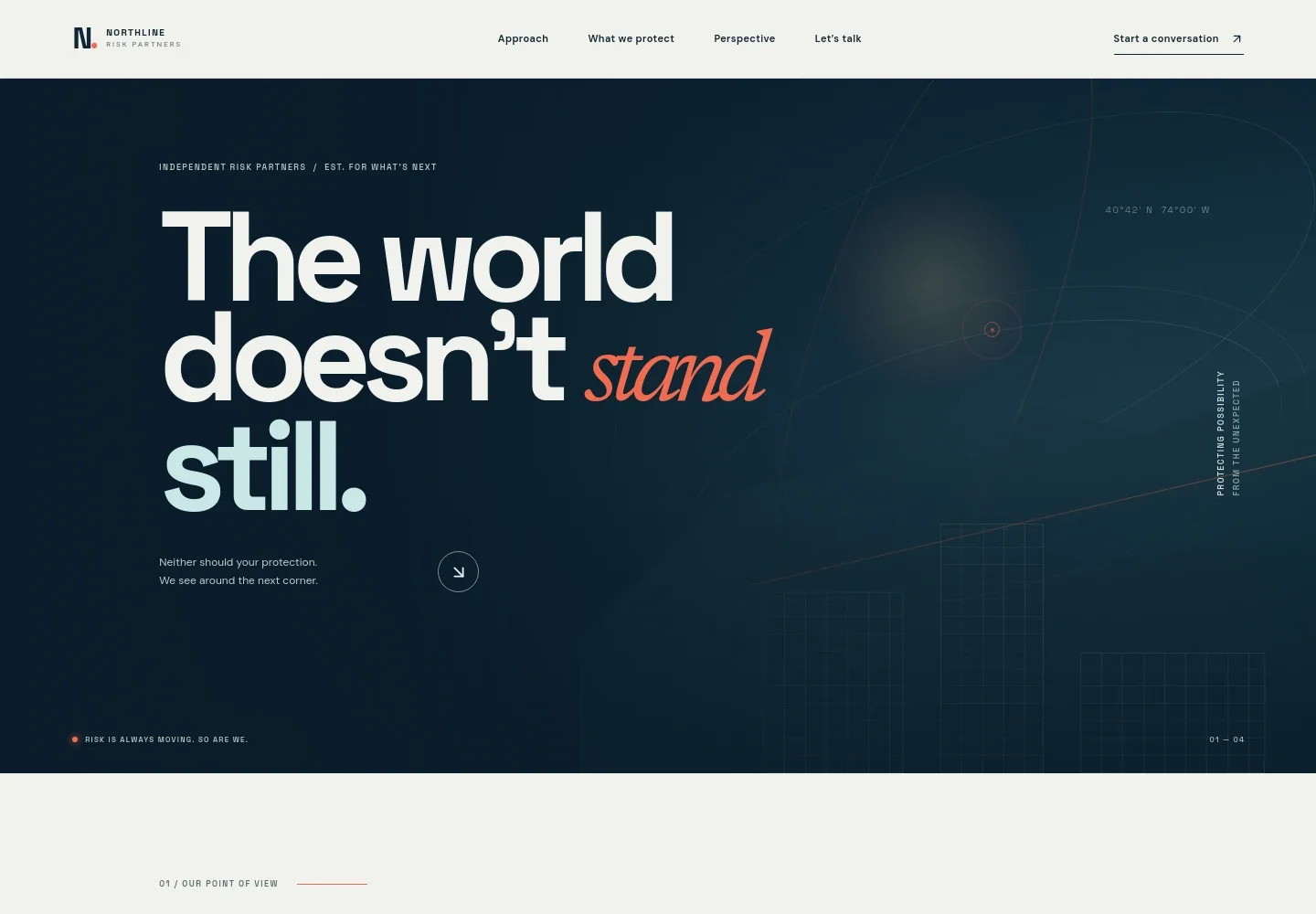
- Hero and navigation
- A distinctive opening headline introduces a forward-looking risk perspective. Navigation links take visitors to the approach, coverage areas, perspective, and contact section.
- Brokerage approach
- Explains the independent brokerage’s focus on understanding a client’s real circumstances, reviewing exposures and the market, and shaping coverage around their life or business.
- Coverage areas
- Three linked categories organize the offer: business and enterprise coverage, personal coverage, and specialty or complex risks. Supporting details name examples such as property, liability, cyber, home, auto, and layered programs.
- Advisory process
- Four steps describe listening to the client, making risks and trade-offs visible, shaping options with insurers, and keeping coverage under review as circumstances change.
- Contact invitation and footer
- A closing invitation encourages visitors to start a conversation. The footer repeats the brokerage identity and provides a return-to-top link.
How to use this template
Open in Revamp
Click Use this template and sign in or create an account. You’ll start with your own copy of the design, ready to personalize.
Bring your content
Replace the sample text, photos, and logo with your own. Share your content, a document, or an existing website, and ask Revamp to adapt the template to your business.
Refine and publish
Ask Revamp to adjust the colors, layout, or sections, or edit directly on the page. Review desktop and mobile, then publish. You can keep making changes after launch.
Put your website to work
Support timely lead follow-up and organized client relationships by asking Revamp to add tools that fit your brokerage’s day-to-day work.
-

Organize prospective client relationships
HubSpotKeep prospect details and follow-up activity together. Ask Revamp to add CRM workflows with HubSpot.
-

Make introductory meetings easier to arrange
CalendlyLet prospective clients request a convenient meeting time. Ask Revamp to add consultation booking with Calendly.
-

Coordinate meetings with your team calendar
Google CalendarHelp clients find a suitable time while keeping appointments organized. Ask Revamp to add booking with Google Calendar.
Frequently asked questions
Is this insurance broker template free?
Yes. The premium template is free to use through Use this template. This applies to the template itself, not hosting or other services.
Can I use my own content?
Yes. Ask Revamp to personalize the copy, contact details, coverage descriptions, and other page content for your brokerage.
Do I need coding skills?
No. Ask Revamp to make content and design changes for you, without coding.
Can I change the design?
Yes. Ask Revamp to adjust the colors, layout, typography, and other design details to suit your brokerage.
Can I keep editing after publishing?
Yes. You can keep asking Revamp to update the site after launch as your services, content, or design needs change.