About this template
Help visitors understand how your studio turns a story into an experience people can enter. The page introduces decision-led narratives, immersive environments, and interactive film, then explains a three-step creative process from finding a human spark to building for the moment.
A dark, editorial layout pairs oversized headlines and cinematic imagery with numbered story categories, process steps, and a clear invitation to make contact. Use it to explain your practice and give cultural institutions, filmmakers, artists, and brands a direct way to discuss a project.
Who it’s for
Independent interactive storytelling studios, narrative designers, filmmakers, and creative teams working with cultural institutions, artists, or brands.
What’s included
The design guides prospective collaborators from the studio's point of view to its types of work, creative process, audience, and contact invitation. Chapter controls in the hero and numbered content sections reinforce the sense of entering a story.
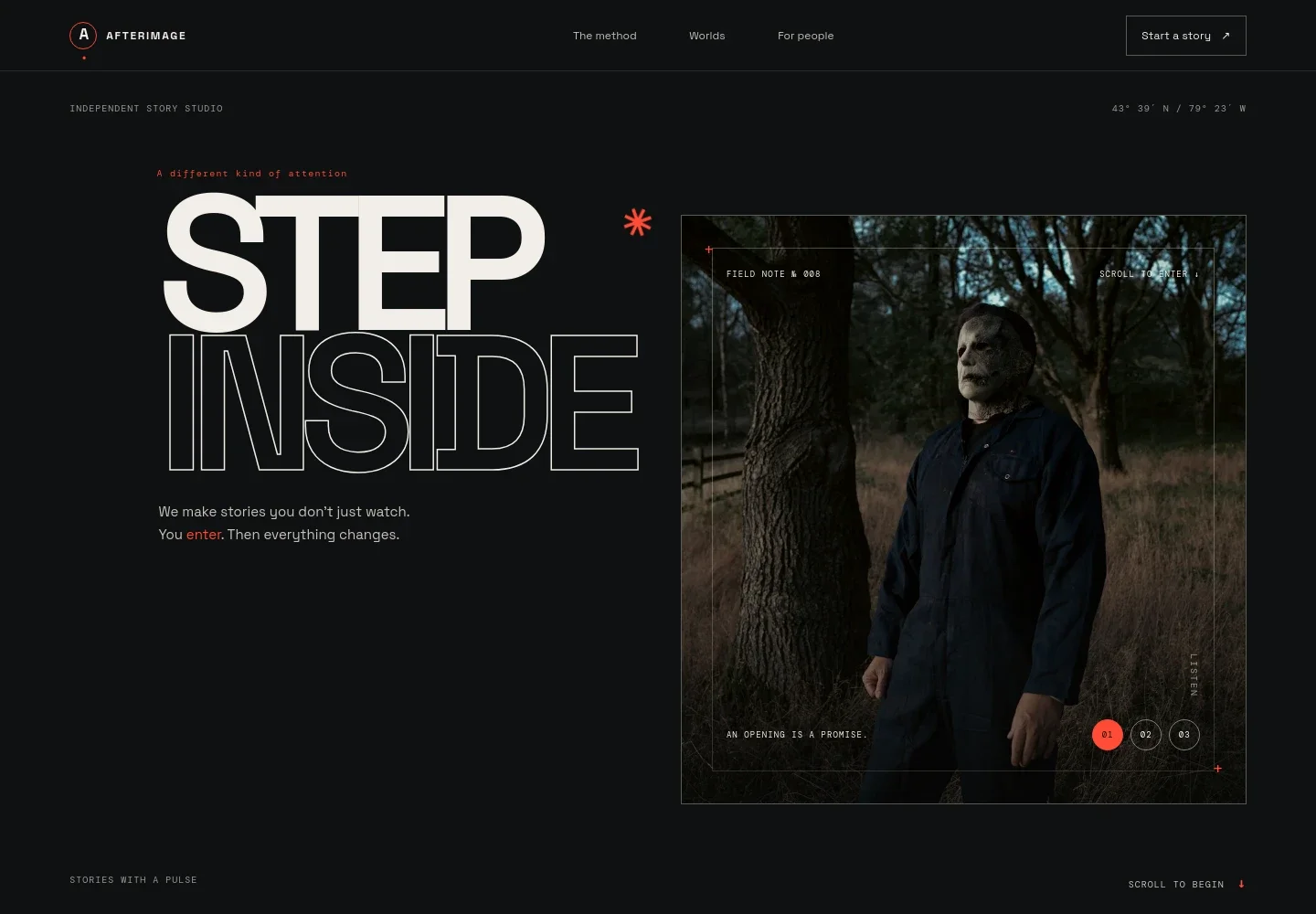
- Hero with interactive story chapters
- A cinematic forest image sits beneath the studio introduction, with three selectable chapter controls labeled Listen, Follow, and Return. The large Step Inside headline and scroll cue frame the page as an invitation into a story.
- Studio belief and approach
- A manifesto section explains the idea of giving audiences agency while preserving the surprise of a well-told story, with a link leading visitors to the studio's work.
- Story formats
- Three numbered entries describe decision-led narrative, immersive experiences, and interactive film. Each includes a short explanation and a link toward the contact section.
- How a story unfolds
- A theatre image accompanies a three-step sequence: find the human spark, design the invitation, and build for the moment. Supporting copy connects writing, creative technology, and spatial thinking.
- Who the studio serves
- This section names cultural institutions, filmmakers, artists, and ambitious brands, and lists creative direction and narrative design, interactive film and digital story worlds, immersive environments and live moments, and prototyping, production, and launch.
- Contact invitation and footer
- A closing prompt invites visitors to share what they are imagining, with an email contact link and a back-to-top link.
How to use this template
Open in Revamp
Click Use this template and sign in or create an account. You’ll start with your own copy of the design, ready to personalize.
Bring your content
Replace the sample text, photos, and logo with your own. Share your content, a document, or an existing website, and ask Revamp to adapt the template to your business.
Refine and publish
Ask Revamp to adjust the colors, layout, or sections, or edit directly on the page. Review desktop and mobile, then publish. You can keep making changes after launch.
Put your website to work
Make project inquiries easier to manage and keep collaborators aligned. Ask Revamp to add or connect the tools that fit your studio's way of working.
-

Schedule introductory calls
CalendlyGive prospective collaborators a simple way to find a time to talk. Ask Revamp to add consultation booking with Calendly.
-

Track incoming project inquiries
HubSpotKeep prospective projects and follow-ups organized in one place. Ask Revamp to connect HubSpot for contact and inquiry management.
-

Coordinate creative production
AsanaPlan tasks, timelines, and shared project work with your team. Ask Revamp to connect Asana for project coordination.
Frequently asked questions
Is this template free?
Yes. This premium template is free to use when you select Use this template. Free refers to the template itself.
Can I use my own content?
Yes. Ask Revamp to personalize the text, imagery, studio details, and contact information with your own content.
Do I need coding skills?
No. You can ask Revamp to personalize the content and design without coding.
Can I change the design?
Yes. Ask Revamp to change the colors, images, typography, layout, or other design details to suit your studio.
Can I keep editing after publishing?
Yes. You can keep editing the site after launch by asking Revamp to make updates.


