About this template
Help prospective clients understand how your IT agency can simplify their technology environment. This design brings managed IT and support, cloud services, and security into a clear capabilities section, alongside a straightforward explanation of your approach.
The page guides visitors from your point of view to your services, working method, and contact invitation. Editorial typography, numbered sections, and technology-focused imagery give an IT business a polished way to explain complex services in approachable language.
Who it’s for
IT agencies, managed service providers, cloud consultants, cybersecurity firms, and technology partners serving growing businesses.
What’s included
A complete IT agency landing page that helps business visitors understand your capabilities, how you work, and how to start a conversation.
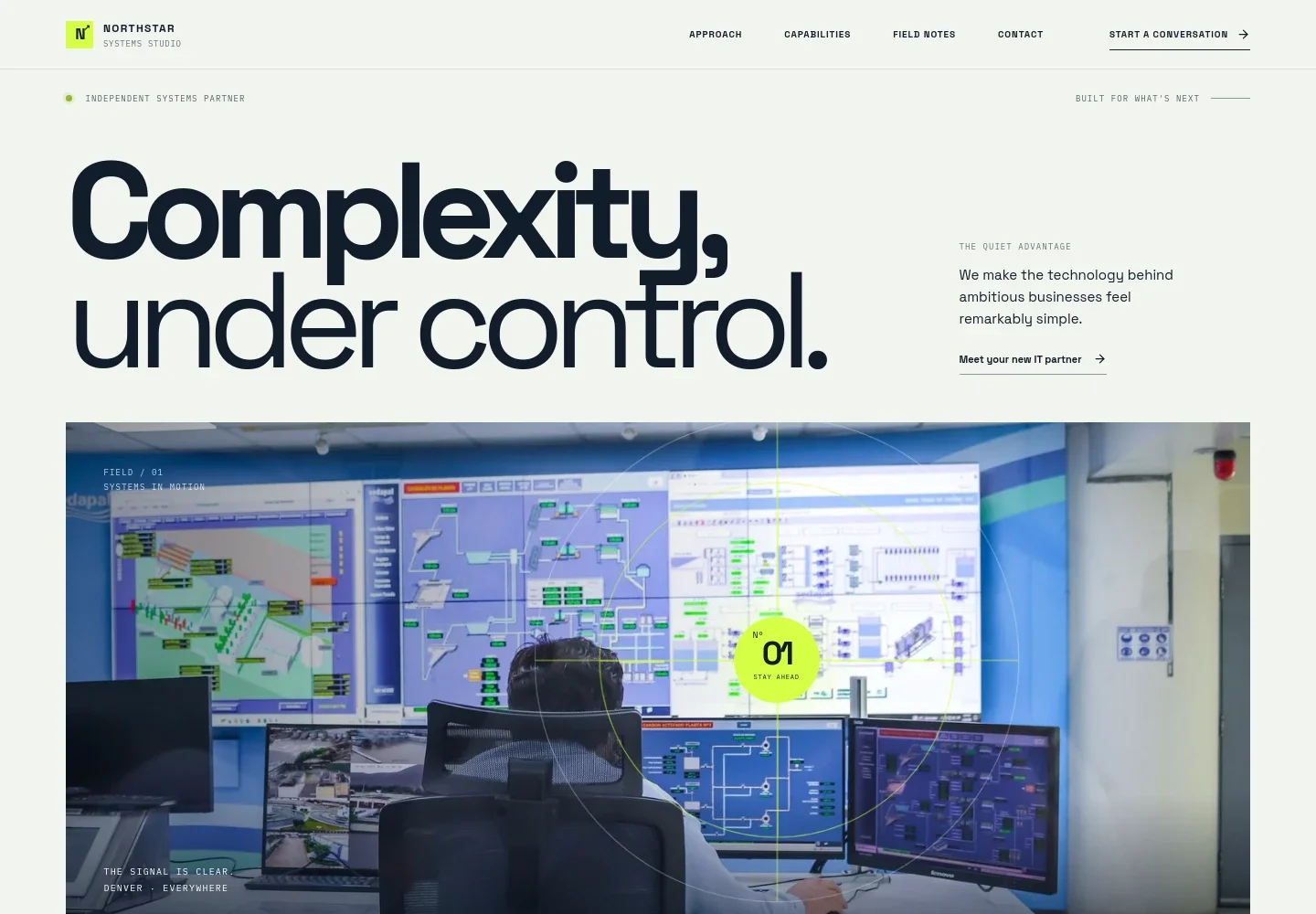
- Hero and navigation
- A prominent headline, brief positioning statement, technology operations image, and navigation links introduce the agency and point visitors toward its approach, capabilities, field notes, and contact information.
- Approach
- A short statement explains the value of choosing appropriate, connected, and protected technology, followed by a description of the agency's role in designing and managing business infrastructure.
- Capabilities
- Three clearly separated service areas cover managed IT and support, cloud and modern workplace, and security and resilience. Each includes a concise explanation to help prospective clients identify relevant services.
- Working method
- A three-step sequence presents the agency's approach: understand how the client's business works, connect the right tools with a considered rollout, and continue supporting and improving the systems.
- Field notes and point of view
- A technology infrastructure image accompanies a perspective on responsive, personal IT support, giving the agency space to communicate its service philosophy.
- Contact
- A closing invitation asks visitors what is slowing them down and offers a direct email contact link as the next step.
How to use this template
Open in Revamp
Click Use this template and sign in or create an account. You’ll start with your own copy of the design, ready to personalize.
Bring your content
Replace the sample text, photos, and logo with your own. Share your content, a document, or an existing website, and ask Revamp to adapt the template to your business.
Refine and publish
Ask Revamp to adjust the colors, layout, or sections, or edit directly on the page. Review desktop and mobile, then publish. You can keep making changes after launch.
Put your website to work
Make it easier to manage service requests, client relationships, and recurring support. Ask Revamp to add or connect tools that fit your agency's operations.
-

Organize client relationships and sales follow-up
HubSpotKeep prospective and existing client conversations in one place. Ask Revamp to connect HubSpot for contact and deal management.
-

Track IT service requests and support work
ConnectWise PSAGive your team a structured way to manage incidents, service requests, and ongoing client support. Ask Revamp to connect ConnectWise PSA.
-

Coordinate internal and client-facing work
AsanaBring project tasks and delivery timelines into a shared workspace. Ask Revamp to connect Asana for project coordination.
Frequently asked questions
Is this template free?
Yes. This premium template is free to use when you select Use this template. This applies to the template itself.
Can I use my own content?
Yes. Ask Revamp to personalize the text, images, service details, and contact information for your business.
Do I need coding skills?
No. Ask Revamp to make content and design changes in plain language, without coding.
Can I change the design?
Yes. Ask Revamp to adjust the layout, colors, typography, imagery, or other design details to suit your IT agency.
Can I keep editing after publishing?
Yes. You can keep asking Revamp to update your site after launch as your services and business change.


