About this template
Help prospective clients understand your IT services, from day-to-day workplace support and device management to cloud infrastructure, security, and technology planning. The page presents these services in clear, distinct sections so visitors can see how the parts fit together.
The design also explains an approachable, people-first working style, then gives visitors a direct way to start a conversation. Its dark, editorial look, restrained network illustration, and service list suit an IT firm that wants to communicate technical care in clear business language.
Who it’s for
Independent IT providers, managed service firms, and technology consultants offering workplace support, cloud and infrastructure services, security, or strategic guidance to organizations.
What’s included
The page moves from a concise IT-focused introduction to the firm's approach, a detailed service list, and a conversation prompt. This helps business visitors understand both the work on offer and how to take a first step.
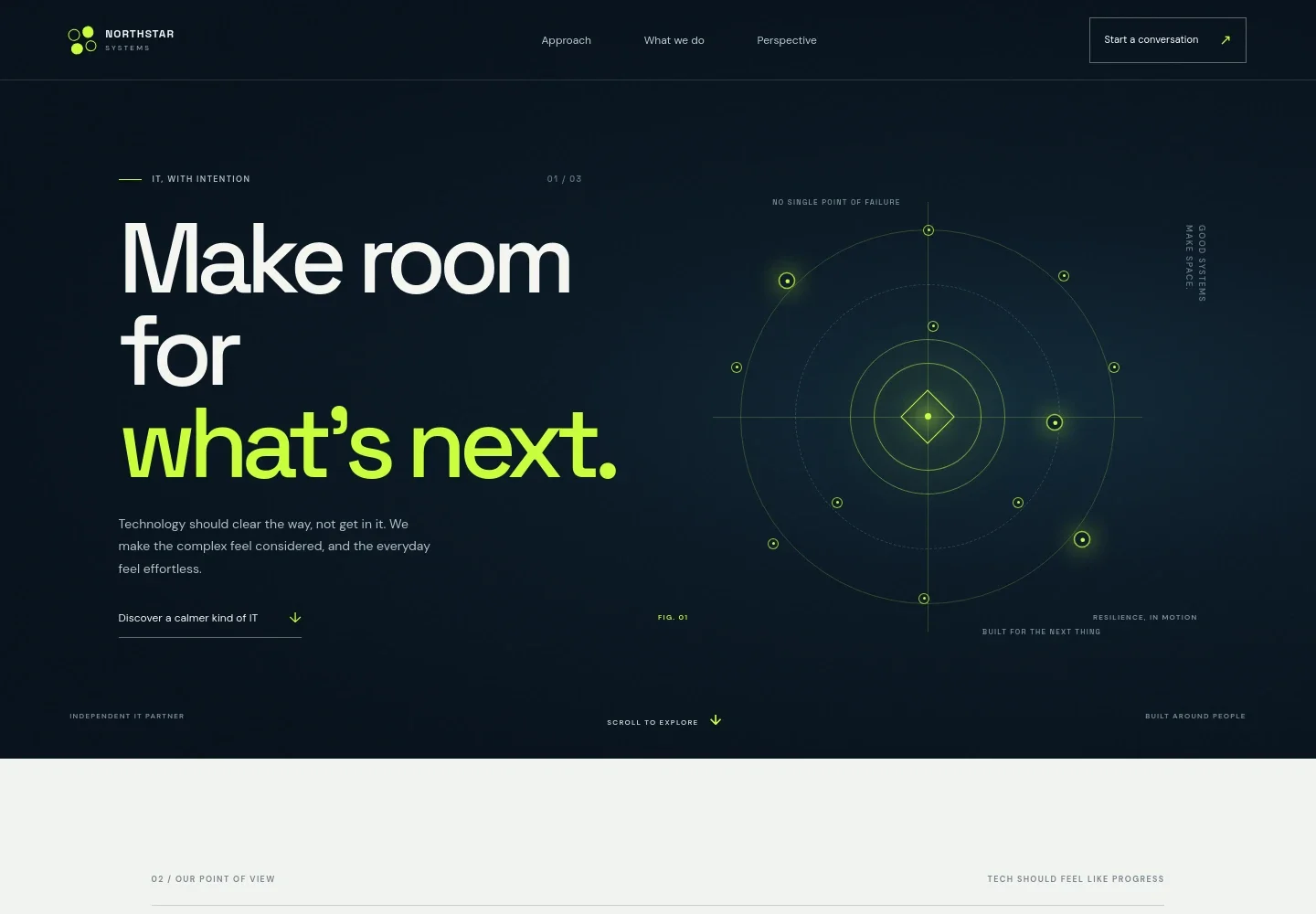
- Hero and navigation
- A prominent headline and short introduction establish the firm's point of view. Navigation links take visitors to the approach, services, and perspective sections, with a clear call to start a conversation.
- Approach
- An editorial statement explains the value of connected, low-friction technology and the relationship between people, systems, and security.
- IT services
- Four numbered service rows describe workplace support, cloud and infrastructure, security and resilience, and strategy and evolution. Each row pairs a concise summary with more specific detail.
- Partner perspective
- A photo-led section describes a listening-first, people-focused approach and emphasizes clear advice without unnecessary complexity.
- Contact call to action
- A closing invitation asks visitors to share what is working, what is not, and what they want to achieve, with an email link as the contact route.
- Footer
- The footer repeats the firm identity and tagline, includes a back-to-top link, and provides a compact closing detail.
How to use this template
Open in Revamp
Click Use this template and sign in or create an account. You’ll start with your own copy of the design, ready to personalize.
Bring your content
Replace the sample text, photos, and logo with your own. Share your content, a document, or an existing website, and ask Revamp to adapt the template to your business.
Refine and publish
Ask Revamp to adjust the colors, layout, or sections, or edit directly on the page. Review desktop and mobile, then publish. You can keep making changes after launch.
Put your website to work
Help prospective clients move from interest to a useful next step. Ask Revamp to add or connect business tools that support enquiries, service communication, and customer management.
-

Organize client enquiries and follow-ups
HubSpotKeep prospective-client conversations and next steps visible in one place. Ask Revamp to add HubSpot CRM for enquiry tracking and follow-up.
-

Make it easier to schedule an introductory call
CalendlyLet prospective clients choose a convenient time for an initial conversation. Ask Revamp to add consultation booking with Calendly.
-

Give customers a clear support channel
FreshserviceHelp customers submit and follow support requests through a dedicated service desk. Ask Revamp to connect the site with Freshservice for IT service management.
Frequently asked questions
Is this IT services template free?
Yes. The premium template is free to use when you select Use this template. This applies to the template itself, not hosting or other services.
Can I use my own business content?
Yes. Ask Revamp to personalize the text, services, images, contact details, and other content for your IT business.
Do I need coding skills to customize it?
No coding skills are needed. Ask Revamp to make content and design changes in plain language.
Can I change the design?
Yes. Ask Revamp to adjust the colors, typography, layout, imagery, and other design details to suit your brand.
Can I keep editing after publishing?
Yes. You can keep asking Revamp to update the site after launch as your services, messaging, or business details change.


