About this template
Help prospective clients understand your technology services, your approach to complex problems, and how to start a conversation. The page introduces systems and cloud work, purposeful software and automation, and security and resilience in distinct service sections.
A dark, editorial design pairs a bold introductory message with a signal-inspired graphic, concise service rows, and a clear contact section. Approach and working-method sections give visitors context on how you collaborate, from listening and clarifying the problem to working alongside a client team.
Who it’s for
IT startups, technology consultancies, and small engineering teams presenting cloud, platform, software, automation, or security services to founders and technology leaders.
What’s included
The page guides visitors from a clear technology-partner introduction through your principles, services, and working approach to a direct contact invitation.
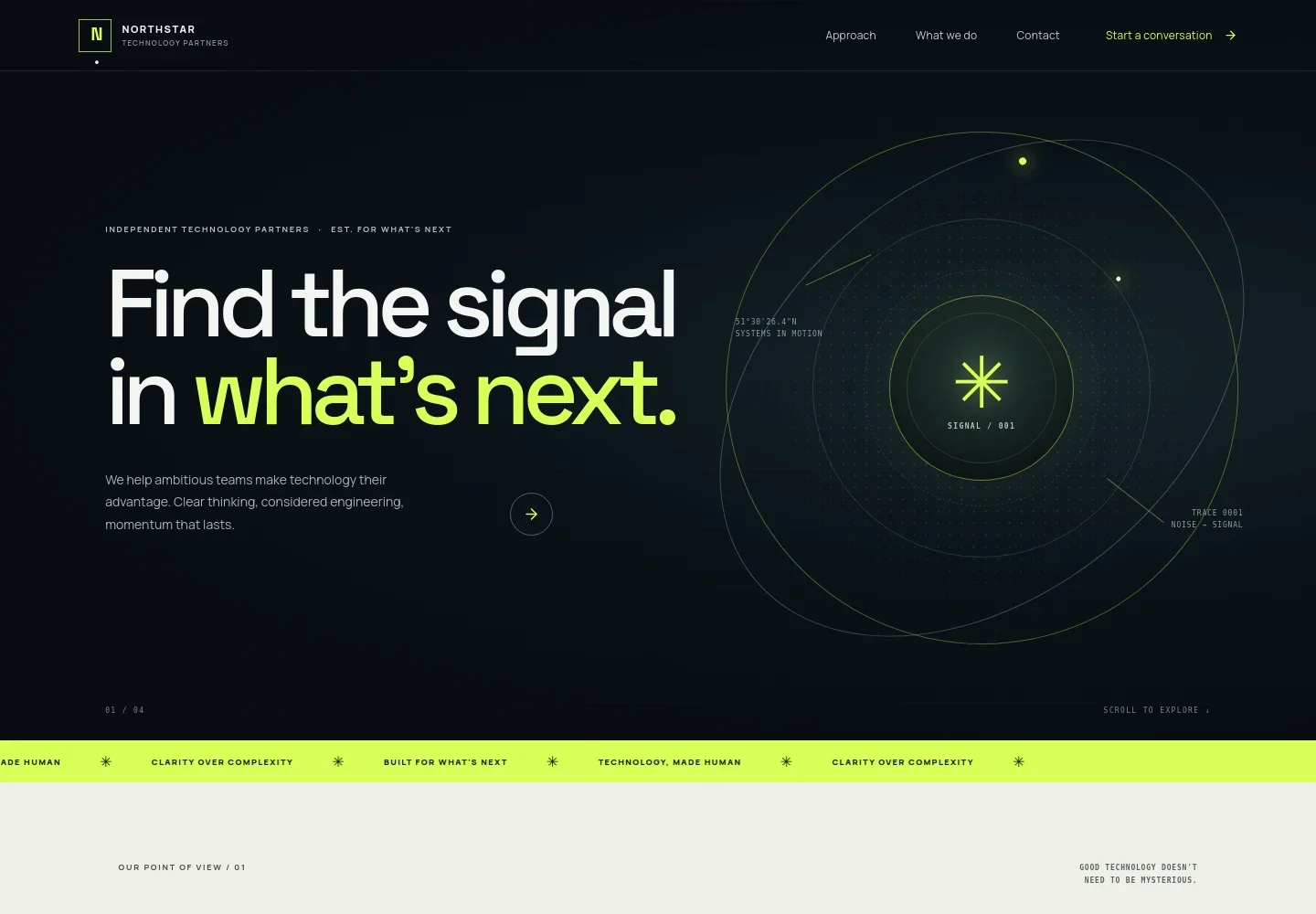
- Hero and navigation
- A prominent headline and supporting introduction establish the technology-partner offer. Navigation links lead to the approach, services, and contact sections, with a conversation call to action.
- Approach and principles
- A point-of-view section explains a focus on clarity and collaboration, followed by three principles about making complexity understandable, working within real constraints, and strengthening client teams.
- Capabilities
- Three service rows describe systems and scaling, software and automation, and security and resilience. Each gives visitors a concrete starting point for understanding the work.
- How we work
- A three-step sequence covers listening to client context, clarifying the problem and useful progress, and working together to put the solution into practice.
- Contact
- A closing invitation encourages visitors to bring a problem or decision and provides an email contact link. The displayed address is identified in the design as illustrative.
- Footer
- The footer repeats the brand, summarizes its focus on clear thinking and considered technology, and includes a back-to-top link.
How to use this template
Open in Revamp
Click Use this template and sign in or create an account. You’ll start with your own copy of the design, ready to personalize.
Bring your content
Replace the sample text, photos, and logo with your own. Share your content, a document, or an existing website, and ask Revamp to adapt the template to your business.
Refine and publish
Ask Revamp to adjust the colors, layout, or sections, or edit directly on the page. Review desktop and mobile, then publish. You can keep making changes after launch.
Put your website to work
Make it easier to qualify inquiries, coordinate work, and keep prospective clients informed. Ask Revamp to add or connect tools that suit your team's workflow.
-

Organize prospective-client conversations
HubSpotKeep incoming inquiries and follow-ups visible in one sales workspace. Ask Revamp to connect HubSpot for contact and pipeline management.
-

Let visitors request a meeting time
CalendlyReduce scheduling back-and-forth for introductory conversations. Ask Revamp to add meeting booking with Calendly.
-

Coordinate consultations around team availability
Google CalendarHelp prospects choose a suitable time for an initial discussion. Ask Revamp to add scheduling with Google Calendar.
Frequently asked questions
Is this template free?
Yes. This premium template is free to use through Use this template. Free refers to the template itself, not hosting or other services.
Can I use my own content?
Yes. Ask Revamp to personalize the page with your business name, service details, contact information, and other content.
Do I need coding skills?
No. Ask Revamp to personalize the content and design without coding.
Can I change the design?
Yes. Ask Revamp to adjust the layout, colors, typography, imagery, or other design details to suit your business.
Can I keep editing after publishing?
Yes. You can keep editing after launch. Ask Revamp to update your content or design as your business changes.


