About this template
Show visitors the sound, style, and event settings your jazz band suits. The design introduces an ensemble through a prominent stage photograph, a concise musical point of view, and descriptions of different set moods.
Visitors can see how the band adapts to a room, learn about ensemble options, and find a direct way to enquire about an event. The deep blue palette, expressive typography, and music photography give the page a late-night jazz character.
Who it’s for
Jazz bands, small ensembles, and working musicians promoting live performances for private gatherings, dinners, celebrations, galleries, and cultural events.
What’s included
The page guides prospective event clients from the band’s sound and performance style to a practical enquiry, with dedicated sections for set moods, on-stage approach, and event contexts.
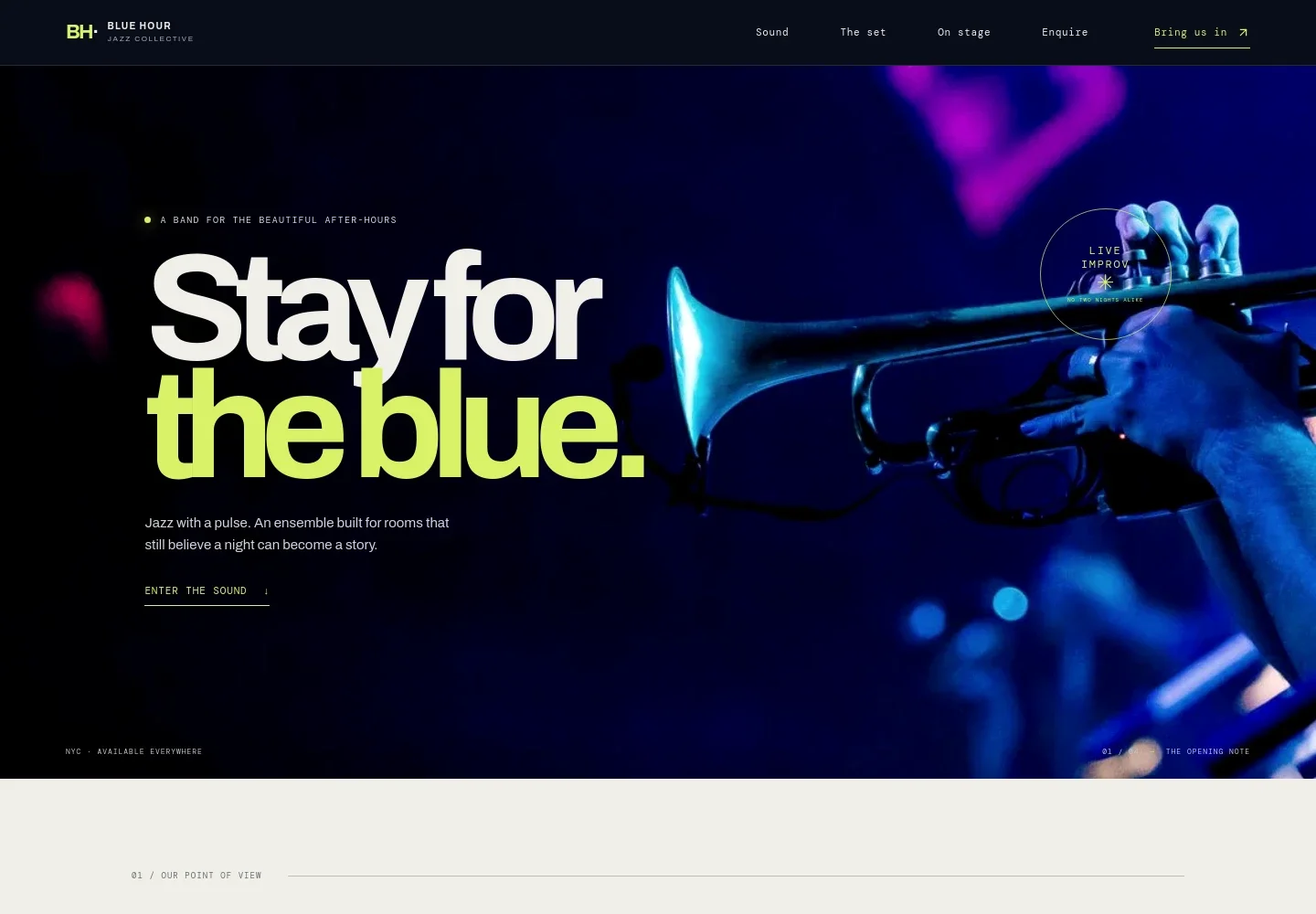
- Stage-led opening
- A full-width photograph of a trumpeter under blue stage light introduces the band’s atmosphere. The opening copy and enquiry link help visitors quickly understand the act and where to continue.
- Sound and musical point of view
- A short introduction describes the ensemble’s trumpet, piano, bass, and drums, and frames its music as responsive to the room rather than background accompaniment.
- Set moods
- Three distinct performance descriptions cover a close, considered dinner set, warm music for a long-table celebration, and a more groove-focused late set. This helps event planners picture different parts of an evening.
- How the band plays
- A musician portrait accompanies copy about adapting the music to a space and its energy. Visitors can also read about choosing an intimate quartet or building out the ensemble.
- Band approach statement
- A brief typographic feature captures the band’s musical point of view and adds a visual pause between the performance details and enquiry section.
- Event enquiry
- The closing section prompts visitors to share the date, room, and feeling they have in mind. It names private gatherings, dinners and celebrations, and cultural events, with a direct email link.
How to use this template
Open in Revamp
Click Use this template and sign in or create an account. You’ll start with your own copy of the design, ready to personalize.
Bring your content
Replace the sample text, photos, and logo with your own. Share your content, a document, or an existing website, and ask Revamp to adapt the template to your business.
Refine and publish
Ask Revamp to adjust the colors, layout, or sections, or edit directly on the page. Review desktop and mobile, then publish. You can keep making changes after launch.
Put your website to work
Make it easier to manage performance enquiries, availability, and client follow-up. Ask Revamp to add or connect tools that suit the way your band handles bookings.
-

Organize performance enquiries
HubSpotKeep prospective event clients and follow-up details organized in one place. Ask Revamp to connect HubSpot for enquiry management.
-

Coordinate dates and rehearsals
Google CalendarKeep performance dates and band commitments visible on a shared calendar. Ask Revamp to connect Google Calendar for scheduling.
-

Offer a time to discuss an event
CalendlyGive prospective clients a straightforward way to request a conversation about their event. Ask Revamp to add consultation booking with Calendly.
Frequently asked questions
Is this template free?
Yes. This premium template is free to use through Use this template. Free refers to the template itself.
Can I use my own content?
Yes. Ask Revamp to personalize the text, photos, band details, performance options, and contact information for your ensemble.
Do I need coding skills?
No. Ask Revamp to personalize the content and design without coding.
Can I change the design?
Yes. Ask Revamp to adjust the colors, typography, images, layout, or other design details to suit your band.
Can I keep editing after publishing?
Yes. You can keep editing after launch. Ask Revamp to update the site as your music, performance options, or event information changes.


