About this template
Help shoppers find useful kitchen tools by organizing the store around everyday cooking tasks, from chopping and searing to setting the table. Product categories name the kinds of gear customers can browse, including knives, cookware, utensils, serveware, and linens.
A point-of-view section explains the shop’s focus on practical, thoughtfully chosen tools, while editorial food and kitchen photography gives visitors a sense of how the products fit into daily cooking. A final contact section invites shoppers to describe what they need and ask for guidance.
Who it’s for
Independent kitchenware shops, cookware retailers, and specialty cooking stores serving home cooks or professional cooks who want a clear way to present their products and help shoppers choose.
What’s included
The page pairs a task-based product overview with the store’s buying perspective and a direct invitation to ask for help. This makes it easy for visitors to understand what the shop carries, how it thinks about kitchen tools, and where to start with a question.
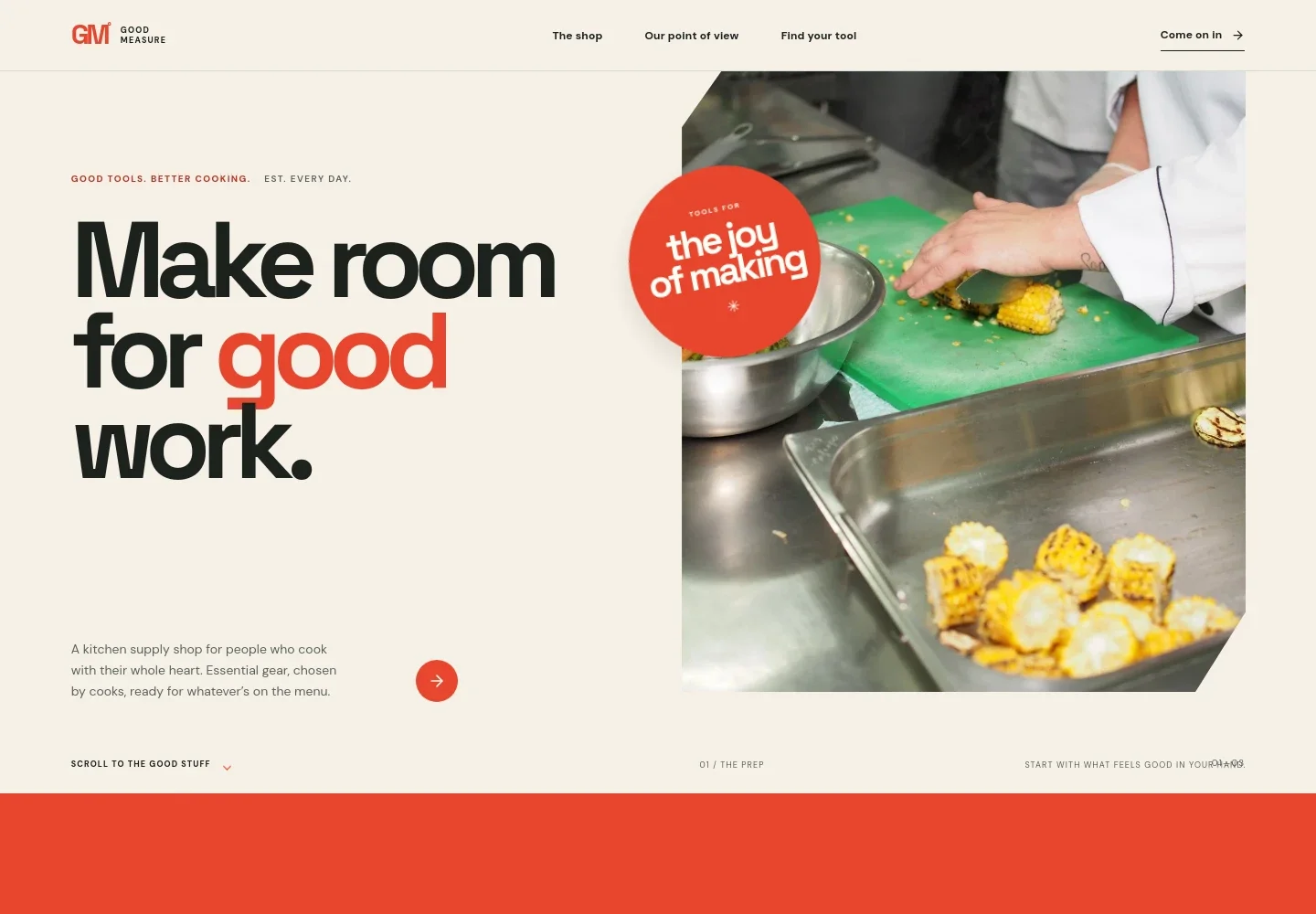
- Hero and shop introduction
- A large cooking image, concise store introduction, and prominent route into the shop establish the kitchen focus and invite visitors to browse.
- The store’s point of view
- A short brand story describes choosing useful, durable tools over buying more, supported by bold, expressive typography and a visual statement.
- Browse by cooking task
- Four linked categories organize products around cutting, cooking with heat, stirring and tasting, and setting the table. Each includes examples such as knives and sharpening stones, pots and pans, utensils, serveware, and linens.
- Tools in use
- A close-up image of food searing in a pan accompanies copy about materials, details, and products intended for regular use.
- Personal shopping contact
- A closing prompt asks what the visitor is making and encourages them to get in touch for help choosing a suitable kitchen tool.
- Footer
- The footer repeats the store name and short brand line, with a link back to the top of the page.
How to use this template
Open in Revamp
Click Use this template and sign in or create an account. You’ll start with your own copy of the design, ready to personalize.
Bring your content
Replace the sample text, photos, and logo with your own. Share your content, a document, or an existing website, and ask Revamp to adapt the template to your business.
Refine and publish
Ask Revamp to adjust the colors, layout, or sections, or edit directly on the page. Review desktop and mobile, then publish. You can keep making changes after launch.
Put your website to work
Make product discovery and follow-up easier by asking Revamp to add or connect tools that support online retail.
-

Sell products online
ShopifyGive shoppers a way to browse a catalog and place orders. Ask Revamp to add an online store with Shopify.
-

Manage products and inventory
Square for RetailKeep product listings, stock, and orders organized for a growing retail operation. Ask Revamp to connect Square for Retail.
-

Reach customers by email
MailchimpShare new kitchen arrivals and store updates with interested shoppers. Ask Revamp to add an email signup and connect Mailchimp.
Frequently asked questions
Is this kitchen supply store template free?
Yes. This premium template is free to use when you select Use this template. The offer is for the template itself, not hosting or other services.
Can I use my own store content?
Yes. Ask Revamp to personalize the page with your store name, product categories, photography, brand story, and contact details.
Do I need coding skills?
No. You can ask Revamp to personalize the content and design without coding.
Can I change the design?
Yes. Ask Revamp to adjust the layout, colors, typography, imagery, or other design details to suit your kitchenware shop.
Can I keep editing after publishing?
Yes. You can continue editing after launch. Ask Revamp to update your content or design as your store changes.


