About this template
Help homeowners understand your mowing services, what a finished visit includes, and how to start a conversation about their lawn. The page presents regular cuts, a one-off first reset, and edging and clear-up as distinct services.
A seasonal lawn-care note explains why mowing height can change with conditions, giving visitors a practical sense of your approach. The illustrated lawn, clean service list, and direct contact section keep the focus on the work and the next step.
Who it’s for
Independent lawn mowing businesses and garden maintenance professionals who want to explain their services and invite residential customers to get in touch.
What’s included
The design takes visitors from a clear introduction to lawn mowing, through your approach and service options, to a direct contact prompt. Its illustrated striped lawn and editorial-style sections make the work easy to scan while keeping the tone considered and approachable.
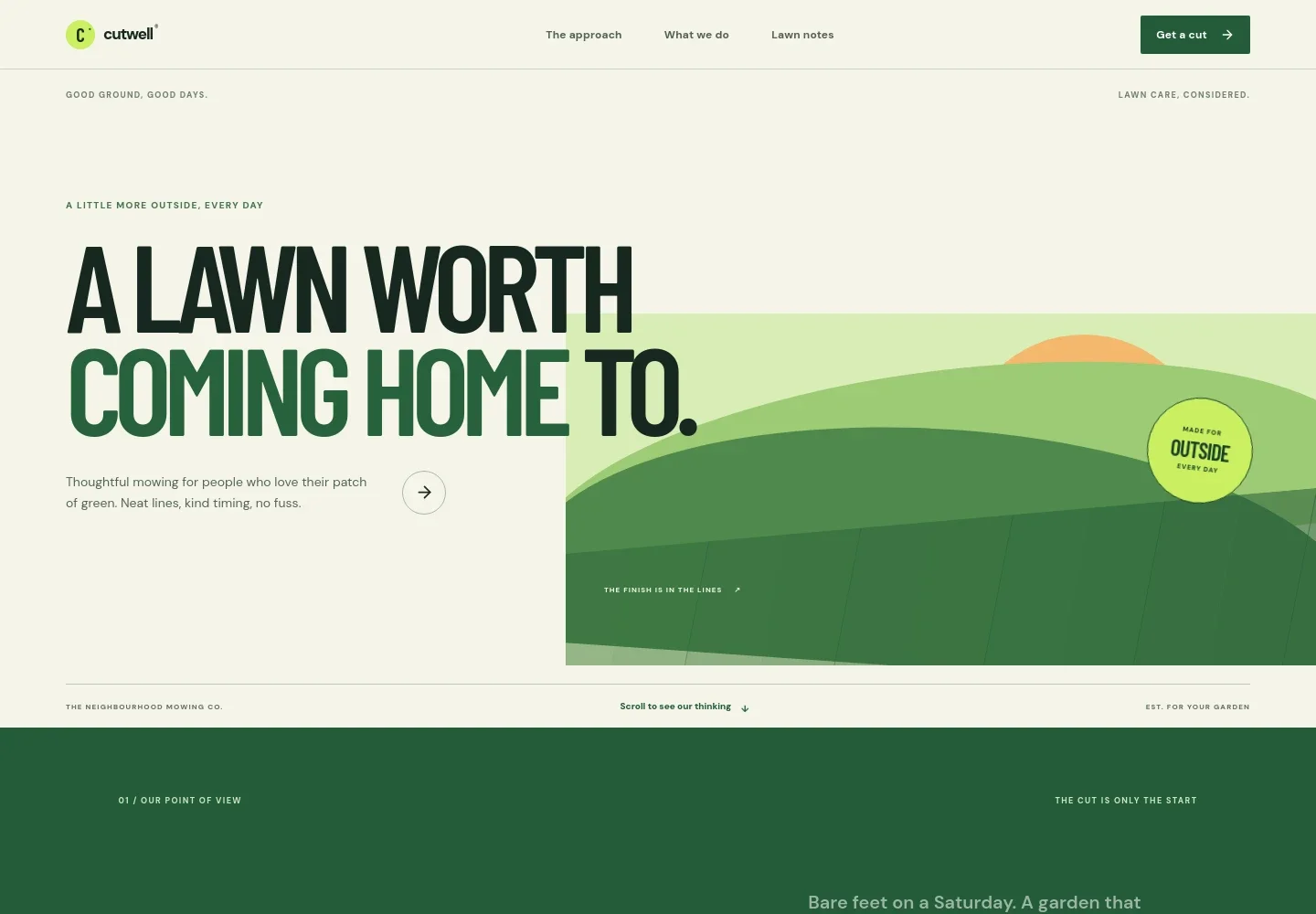
- Hero and navigation
- A prominent lawn-care headline and striped-lawn illustration establish the service at a glance. Navigation links take visitors to your approach, services, lawn notes, and contact details.
- Approach
- Introduce how you think about lawn care, including showing up as agreed, mowing with the season in mind, and giving edges attention alongside the main cut.
- Mowing services
- Three service entries distinguish regular weekly mowing, a one-off first reset for overgrown lawns, and a clean finish with crisp edges and clippings cleared.
- Seasonal lawn note
- A field-note style feature explains that grass height can be adjusted to conditions, with an example of leaving extra length in warm weather to shade soil and retain moisture.
- Contact
- A closing invitation asks visitors to describe their lawn and the help they need, with a direct email link to begin a conversation.
- Footer
- A compact branded footer repeats the business identity and gives visitors a link back to the top of the page.
How to use this template
Open in Revamp
Click Use this template and sign in or create an account. You’ll start with your own copy of the design, ready to personalize.
Bring your content
Replace the sample text, photos, and logo with your own. Share your content, a document, or an existing website, and ask Revamp to adapt the template to your business.
Refine and publish
Ask Revamp to adjust the colors, layout, or sections, or edit directly on the page. Review desktop and mobile, then publish. You can keep making changes after launch.
Put your website to work
Make it easier to coordinate mowing visits, track customer details, and follow up on enquiries. Ask Revamp to add or connect tools that fit how you run your lawn-care business.
-

Simplify visit scheduling
CalendlyGive customers a way to request or arrange a service time. Ask Revamp to add appointment booking with Calendly.
-

Keep customer and job details organized
HubSpotManage customer records, service notes, and follow-ups in one place. Ask Revamp to connect HubSpot for contact management.
-

Track enquiries and service plans
Google SheetsKeep a simple record of prospective customers, recurring visits, and follow-up tasks. Ask Revamp to connect Google Sheets for a shared tracking sheet.
Frequently asked questions
Is this template free?
Yes. This premium template is free to use when you select Use this template. Free refers to the template itself.
Can I use my own content?
Yes. Ask Revamp to personalize the page with your business name, service descriptions, service area, contact details, and lawn-care photos.
Do I need coding skills?
No. You can ask Revamp to personalize the content and design without coding.
Can I change the design?
Yes. Ask Revamp to adjust the colors, typography, illustrations, layout, or other design details to suit your business.
Can I keep editing after publishing?
Yes. You can keep editing after launch. Ask Revamp to update your services, seasonal guidance, contact information, or design as your business changes.