About this template
Help visitors understand your learning app through a clear introduction, a short explanation of its teaching approach, and a three-step learning journey. The sample presents learning as brief, curiosity-led lessons rather than a race to finish a syllabus.
A set of sample lesson cards shows topics in the natural world, language and ideas, and space and time, with short reading times and prompts for further exploration. A closing contact section gives interested visitors a next step.
Who it’s for
For founders and teams introducing a learning app, especially products built around bite-sized lessons, independent exploration, and everyday learning.
What’s included
The design pairs warm editorial imagery and generous space with direct explanations of how the learning experience works. Its sections take visitors from the app’s point of view to a sample journey, lesson topics, and a contact invitation.
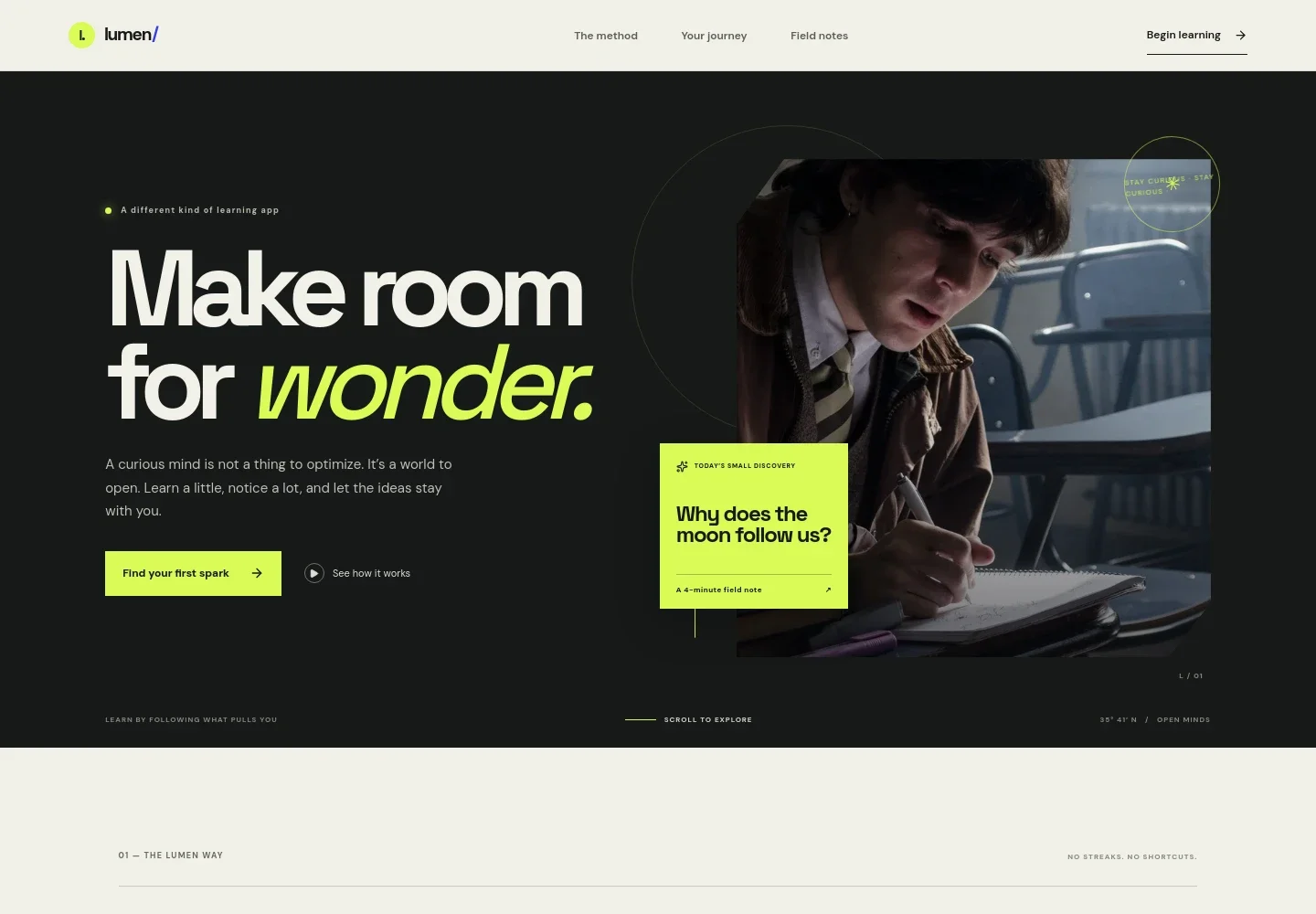
- Hero introduction
- A prominent headline, short product statement, study image, and links to the method and beginning sections establish the app’s learning philosophy and direct visitors onward.
- Learning approach
- Explains the idea behind the app with supporting copy and a visual sequence built around noticing, wondering, and wandering.
- Learning journey
- Shows a three-step path: choose a question, make a small discovery, and return to see familiar things differently. An accompanying notebook image gives the section an informal study feel.
- Sample lesson topics
- Three colored lesson rows preview subjects across nature, language and ideas, and space and time, each with an estimated lesson time and a short invitation.
- Contact invitation and footer
- A closing section invites visitors to get in touch, followed by the brand mark, return-to-top link, and a simple concept footer.
How to use this template
Open in Revamp
Click Use this template and sign in or create an account. You’ll start with your own copy of the design, ready to personalize.
Bring your content
Replace the sample text, photos, and logo with your own. Share your content, a document, or an existing website, and ask Revamp to adapt the template to your business.
Refine and publish
Ask Revamp to adjust the colors, layout, or sections, or edit directly on the page. Review desktop and mobile, then publish. You can keep making changes after launch.
Put your website to work
If your learning app needs a way to manage subscriptions, send product updates, or track sign-ups, Ask Revamp to add or connect tools that support those tasks.
-

Manage recurring app subscriptions
StripeOffer a familiar way to handle paid plans and recurring billing. Ask Revamp to connect Stripe for subscription payments.
-

Keep learners informed
MailchimpSend lesson announcements and learning updates to your mailing list. Ask Revamp to connect Mailchimp for email campaigns.
-

Organize app interest and inquiries
HubSpotKeep track of prospective users and partnership inquiries in one place. Ask Revamp to connect HubSpot for contact management.
Frequently asked questions
Is this template free?
Yes. This premium template is free to use when you select Use this template. This applies to the template itself, not hosting or other services.
Can I use my own content?
Yes. Ask Revamp to personalize the copy, lesson topics, images, and contact details for your learning app.
Do I need coding skills?
No coding skills are needed. Ask Revamp to make content and design changes in plain language.
Can I change the design?
Yes. Ask Revamp to adjust the colors, typography, imagery, layout, and other design details to suit your app.
Can I keep editing after publishing?
Yes. You can continue asking Revamp to update your content and design after your site launches.


