About this template
Help visitors understand life cover options and how to begin a considered conversation. This one-page design introduces term life, whole life and family income cover, with plain-language explanations of each.
A horizon slider gives visitors an interactive way to consider coverage length, while dedicated sections explain the people-first approach and answer common questions about timing, cover amounts and policy types. The design closes with a clear invitation to start a conversation.
Who it’s for
Life insurance advisers, brokers and insurance businesses that want to explain coverage options clearly and give prospective clients a welcoming way to ask questions.
What’s included
The page guides visitors from the reasons to consider life insurance through coverage options and practical questions, ending with a conversation prompt. Its editorial typography, warm illustrations and generous spacing support a personal, approachable presentation of a serious financial decision.
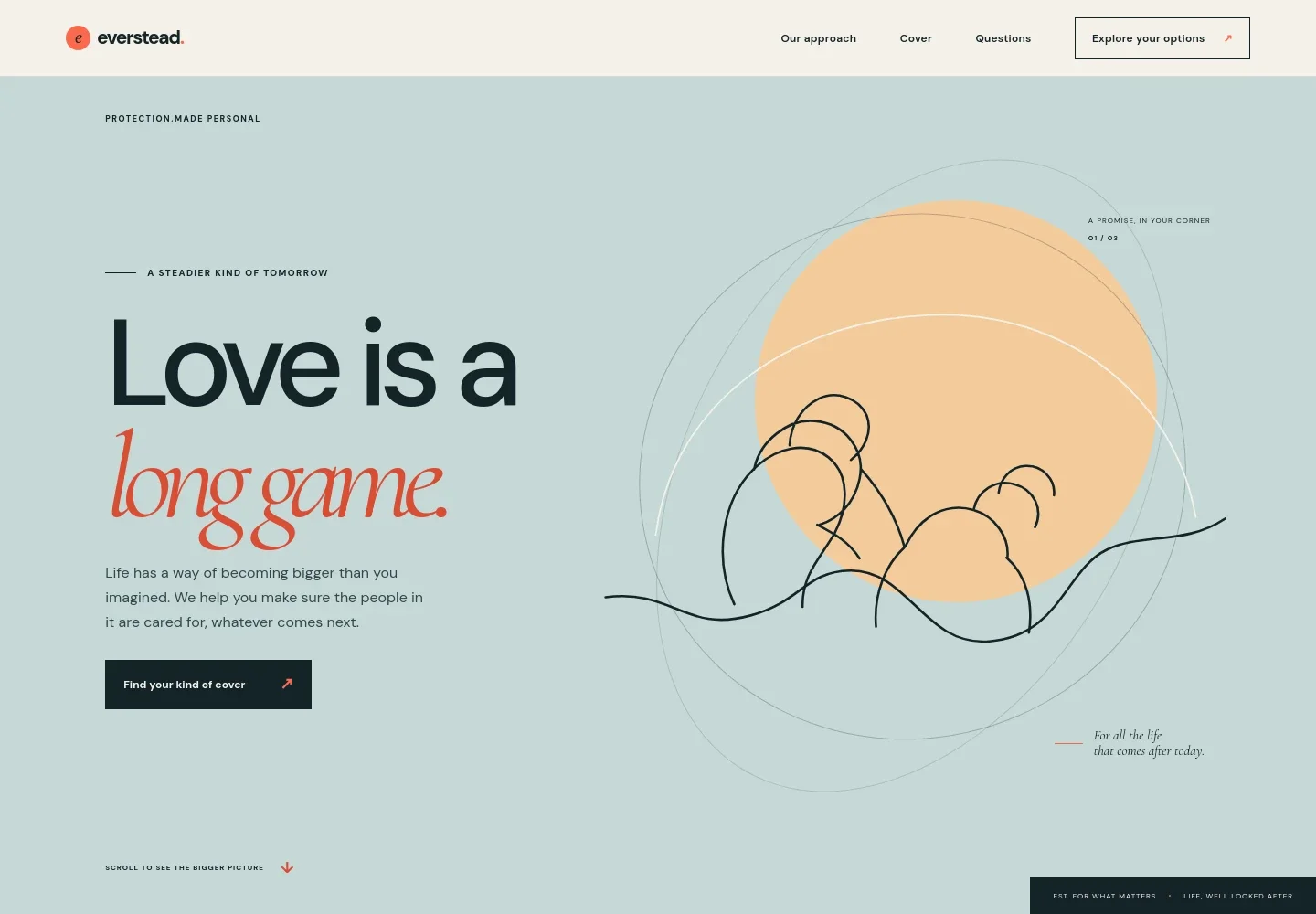
- Hero and coverage invitation
- A prominent message about protecting the people visitors care about introduces the service and directs them toward exploring cover options.
- Approach
- A short statement presents protection as a personal decision and emphasizes clear explanations and human guidance.
- Interactive coverage horizon
- A slider changes the displayed coverage horizon from 10 to 30 years, paired with an illustration of home and family life. It helps visitors think about duration without presenting a personalized recommendation.
- Coverage options
- Three rows describe term life, whole life and family income cover, giving visitors a concise starting point for comparing different types of protection.
- People-first service
- A dedicated section describes listening, explaining trade-offs in plain language and allowing space for a decision.
- Life insurance questions
- An expandable FAQ addresses when to consider cover, how to think about an amount, the difference between term and whole life, and whether a decision is needed immediately.
- Conversation call to action
- A closing section invites visitors to begin a conversation, followed by a simple footer with contact details.
How to use this template
Open in Revamp
Click Use this template and sign in or create an account. You’ll start with your own copy of the design, ready to personalize.
Bring your content
Replace the sample text, photos, and logo with your own. Share your content, a document, or an existing website, and ask Revamp to adapt the template to your business.
Refine and publish
Ask Revamp to adjust the colors, layout, or sections, or edit directly on the page. Review desktop and mobile, then publish. You can keep making changes after launch.
Put your website to work
Make it easier to respond to inquiries and keep prospective clients organized. Ask Revamp to add connections to tools such as:
-

Manage prospective clients
HubSpotKeep inquiry details and follow-up activity organized in one place. Ask Revamp to connect HubSpot for contact and pipeline management.
-

Let visitors choose a meeting time
CalendlyGive prospective clients a convenient way to schedule an introductory conversation. Ask Revamp to add consultation booking with Calendly.
-

Coordinate adviser appointments
Google CalendarHelp visitors find an available time for a discussion and keep appointments organized. Ask Revamp to connect Google Calendar for scheduling.
Frequently asked questions
Is this template free?
Yes. This premium template is free to use through Use this template. The offer is for the template itself.
Can I use my own content?
Yes. Ask Revamp to personalize the page with your business name, coverage details, contact information and other content.
Do I need coding skills?
No coding skills are needed. Ask Revamp to personalize the content and design for your business.
Can I change the design?
Yes. Ask Revamp to adjust the colors, typography, layout and other design details to suit your business.
Can I keep editing after publishing?
Yes. You can continue editing your site after launch. Ask Revamp whenever you want to update content or make design changes.