About this template
Introduce a live music business through a full-screen concert image, a clear point of view, and sections explaining its work. The layout covers live experiences, artist partnerships, and music for brands and communities, then gives prospective clients a direct way to start a conversation.
The dark, editorial design uses stage photography, bold type, and concise field notes to convey an atmosphere-led approach while keeping the services and contact details easy to find. Use it to show what makes your music work distinct and explain how you shape an experience from artist curation through production.
Who it’s for
Independent live music studios, concert and event producers, artist bookers, music promoters, and teams creating live music experiences for brands or communities.
What’s included
A complete single-page presentation for explaining your live music practice, showing the kinds of experiences and partnerships you offer, and inviting prospective clients to get in touch.
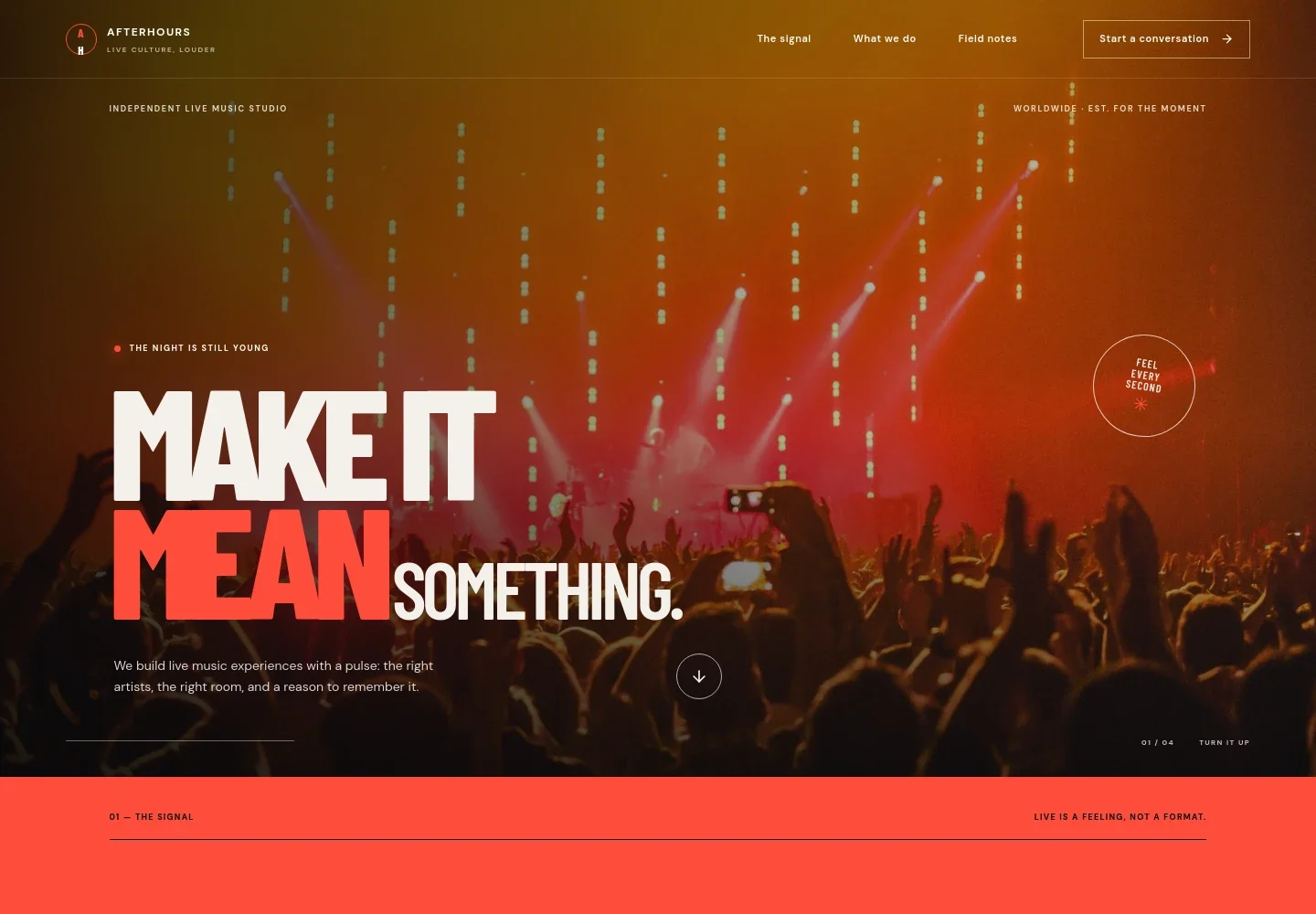
- Concert-image hero
- A dramatic audience photograph, studio identity, concise positioning, and a link into the page introduce the atmosphere and purpose of your live music work.
- Point of view
- A statement-led section explains the belief that live music is about how a room feels, supported by a graphic sound-wave illustration and short supporting copy.
- Live experiences
- A featured service pairs a performance image with copy about artist curation, production, atmosphere, and creative direction, with a prompt to discuss a show.
- Artist partnerships
- A dedicated service description presents thoughtful booking and long-term artist relationships as part of the studio's work.
- Culture in motion
- A separate service description frames live music for brands and communities around participation and a considered fit.
- Field notes
- Three short principles cover listening before building, making room for unexpected moments, and caring for artists, crews, guests, and venues.
- Contact
- A closing invitation encourages prospective clients to share an idea and provides a prominent email link that can be replaced with the business's preferred contact.
How to use this template
Open in Revamp
Click Use this template and sign in or create an account. You’ll start with your own copy of the design, ready to personalize.
Bring your content
Replace the sample text, photos, and logo with your own. Share your content, a document, or an existing website, and ask Revamp to adapt the template to your business.
Refine and publish
Ask Revamp to adjust the colors, layout, or sections, or edit directly on the page. Review desktop and mobile, then publish. You can keep making changes after launch.
Put your website to work
Make it easier to promote shows, manage event details, and keep your audience informed. Ask Revamp to add or connect tools that suit the way your music business works.
-

Promote upcoming shows
BandsintownGive fans a clear place to find dates and ticket links. Ask Revamp to add event listings connected to Bandsintown.
-

Share tickets for live events
EventbriteHelp audiences discover and purchase tickets for your shows. Ask Revamp to add event and ticket links with Eventbrite.
-

Keep your mailing list informed
MailchimpShare announcements about new shows and artist news with subscribers. Ask Revamp to connect Mailchimp for email marketing.
Frequently asked questions
Is this template free?
Yes. This premium template is free to use when you select Use this template. Free refers to the template itself.
Can I use my own content?
Yes. Ask Revamp to personalize the wording, images, artist information, services, and contact details for your business.
Do I need coding skills?
No. Ask Revamp to personalize the content and design without coding.
Can I change the design?
Yes. Ask Revamp to adjust the colors, typography, imagery, layout, and other design details to suit your brand.
Can I keep editing after publishing?
Yes. You can keep editing after launch. Ask Revamp to update the content or design as your business and upcoming shows change.


