About this template
Help homeowners and small businesses quickly understand the locksmith services you offer, from rekeying and lock repair to help with lockouts and practical access control. The page explains your approach in plain language and gives visitors a clear way to call.
A restrained visual style pairs close-up lock and door photography with concise service descriptions, a section about how you work, and a prominent contact area. Ask Revamp to personalize the service details, wording, images, and contact information for your business.
Who it’s for
Independent locksmiths and locksmith businesses serving residential customers, small businesses, or both, especially those who want visitors to understand their services and contact them by phone.
What’s included
The layout guides visitors from a clear introduction to your locksmithing approach, specific service categories, and a direct phone contact. Close-up hardware imagery and concise copy make the subject matter easy to recognize and the next step easy to find.
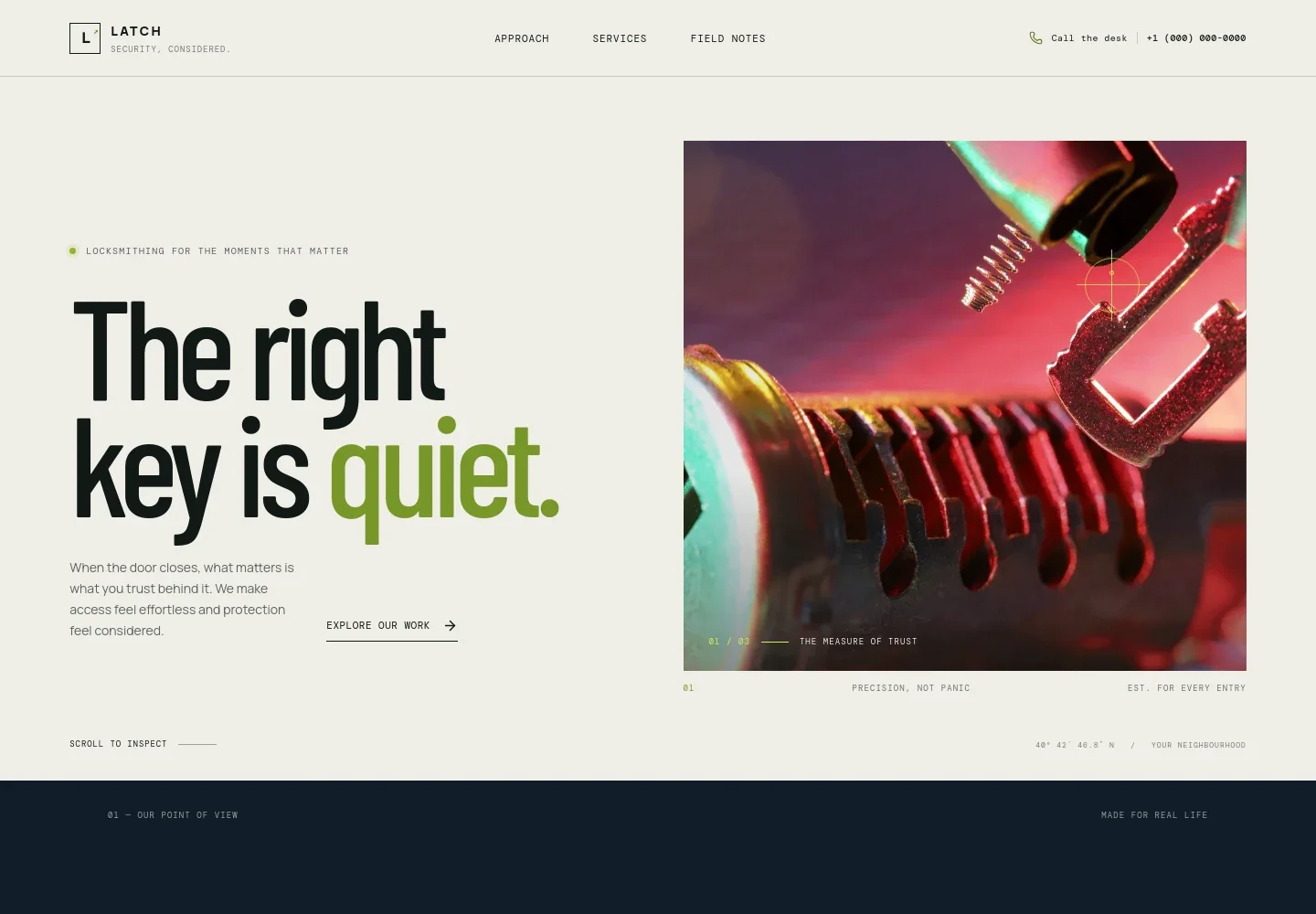
- Hero with lock photography
- Introduces the locksmith business with a prominent headline, a short statement about access and protection, a detailed lock image, and a link to the services.
- Approach
- Explains a customer-focused process: understand the door, describe options plainly, and recommend work suited to the situation.
- Services
- Groups offerings into home and entry, lockout and missing-key help, and small-business services such as master-key planning and access control. Each category has a phone contact link.
- The Latch standard
- Uses a close-up door and lock image alongside copy about explaining findings and recommendations, with a link to discuss a door by phone.
- Contact band
- Closes with a direct invitation to call and discuss the visitor’s next step. Replace the illustrative phone number and contact details with your own before publishing.
- Navigation and footer
- Provides links to the approach, services, and field notes sections, plus a back-to-top link.
How to use this template
Open in Revamp
Click Use this template and sign in or create an account. You’ll start with your own copy of the design, ready to personalize.
Bring your content
Replace the sample text, photos, and logo with your own. Share your content, a document, or an existing website, and ask Revamp to adapt the template to your business.
Refine and publish
Ask Revamp to adjust the colors, layout, or sections, or edit directly on the page. Review desktop and mobile, then publish. You can keep making changes after launch.
Put your website to work
To help handle incoming calls and organize field work, ask Revamp to add or connect tools that suit the way your locksmith business operates.
-

Organize jobs and customer records
JobberKeep track of service calls, customer details, and invoices in one place. Ask Revamp to connect Jobber for locksmith job management.
-

Manage field service appointments
Housecall ProCoordinate customer requests and field visits with service-management software. Ask Revamp to connect Housecall Pro for scheduling and customer management.
-

Offer a way to request a service visit
CalendlyGive customers a way to request a time for planned lock work. Ask Revamp to add appointment booking with Calendly.
Frequently asked questions
Is this template free?
Yes. This premium template is free to use when you select Use this template. This applies to the template itself.
Can I use my own content?
Yes. Ask Revamp to personalize the copy, services, images, phone number, and other content for your locksmith business.
Do I need coding skills?
No. Ask Revamp to personalize the content and design without coding.
Can I change the design?
Yes. Ask Revamp to adjust the layout, colors, imagery, and other design details to better suit your business.
Can I keep editing after publishing?
Yes. You can keep editing after launch. Ask Revamp to update your content or design as your services and business details change.