About this template
Help visitors see what your magic shop offers, from close-up and card magic to classic apparatus, books, and learning. The design pairs a clear overview of the shop with an invitation to ask for guidance, making it easier for curious newcomers and experienced magicians to find a starting point.
A dark, theatrical opening introduces the shop with an interactive mystery card. Editorial sections explain its point of view and product categories, while a step-by-step sequence presents a simple path from curiosity to practice. A visit and contact area gives people a place to plan their next step.
Who it’s for
Independent magic shops, magic retailers, and emporiums that want to present their products, explain their approach, and help customers choose a first trick, prop, or book.
What’s included
The layout moves from a memorable introduction to the shop’s point of view, product categories, learning approach, and visit information. The sequence helps visitors understand both what they can browse and how they might begin.
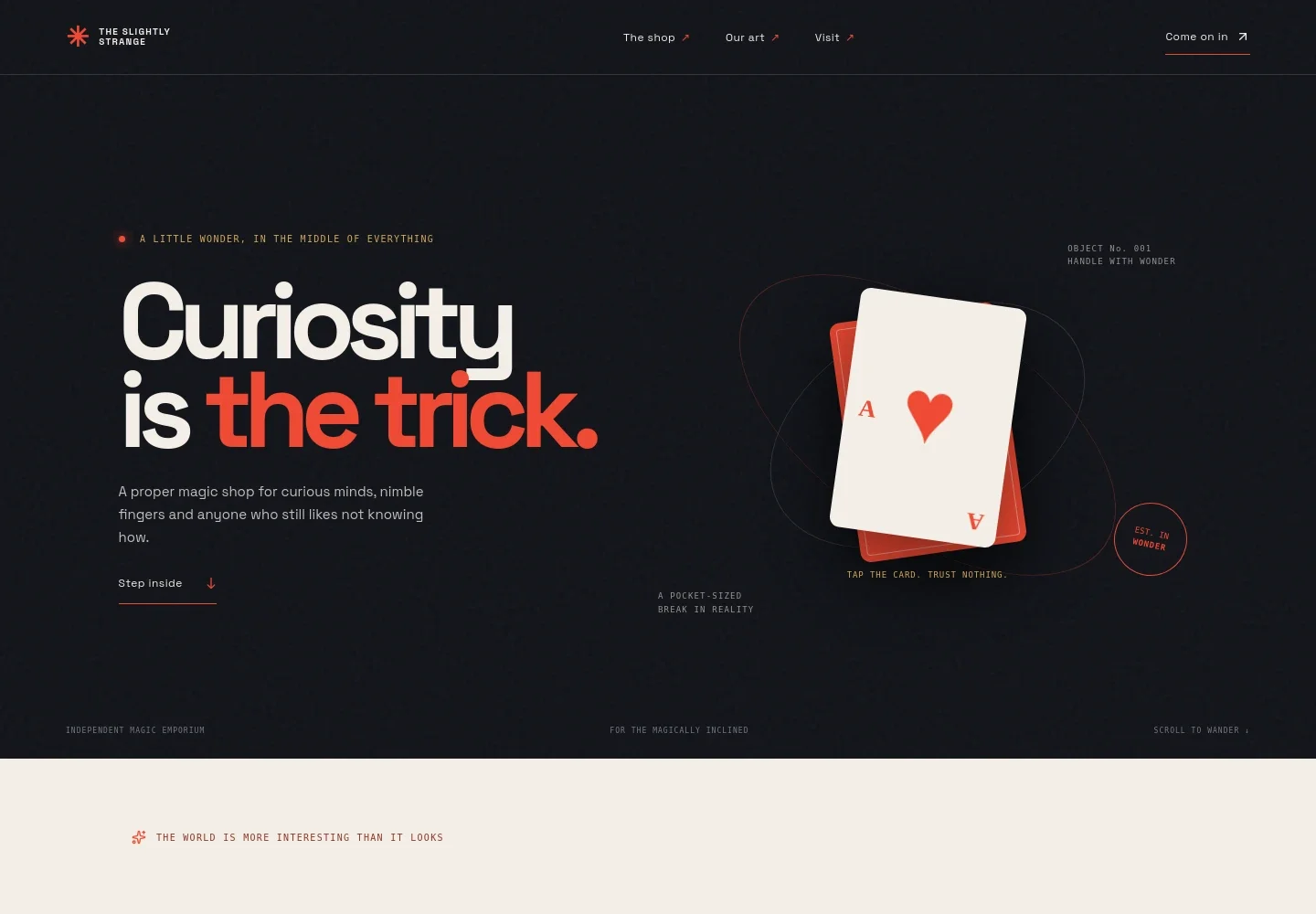
- Interactive hero
- A dramatic headline and introductory copy set the shop’s tone. A tappable mystery playing card gives visitors an immediate, playful interaction.
- Shop point of view
- An editorial section explains the appeal of everyday magic and the shop’s focus on clever props, well-made classics, and know-how.
- Shop and product categories
- A featured playing-card image sits beside categories for close-up and card magic, classic apparatus, and books and learning, with short descriptions for each.
- A path into magic
- Three numbered steps guide the story from choosing a question to learning a secret and making a trick your own. This gives beginners a useful sense of how to get started.
- Invitation to ask for guidance
- A full-width performance image accompanies copy for visitors looking for a gift, a new interest, or a moment to share, with a prompt to talk with the shop.
- Visit and contact
- The closing section invites visitors to browse and ask questions, with space for location and email details. Replace the illustrative details with the shop’s own information.
How to use this template
Open in Revamp
Click Use this template and sign in or create an account. You’ll start with your own copy of the design, ready to personalize.
Bring your content
Replace the sample text, photos, and logo with your own. Share your content, a document, or an existing website, and ask Revamp to adapt the template to your business.
Refine and publish
Ask Revamp to adjust the colors, layout, or sections, or edit directly on the page. Review desktop and mobile, then publish. You can keep making changes after launch.
Put your website to work
Make it easier to sell magic supplies, answer customer questions, and keep shoppers informed. Ask Revamp to add connections with tools that suit your store’s sales and communications.
-

Sell magic products online
ShopifyGive visitors a way to browse products and place orders online. Ask Revamp to add an online storefront with Shopify.
-

Keep product and order records organized
SquareManage inventory, orders, and customer details from a retail point-of-sale platform. Ask Revamp to connect Square for retail sales.
-

Share shop news with customers
MailchimpSend updates about new arrivals, events, or learning sessions to your mailing list. Ask Revamp to add email marketing with Mailchimp.
Frequently asked questions
Is this template free?
Yes. The premium template is free to use when you select Use this template. This applies to the template itself, not hosting or other services.
Can I use my own content?
Yes. Ask Revamp to personalize the text, images, product categories, shop details, and contact information for your business.
Do I need coding skills?
No. Ask Revamp to make content and design changes in natural language, without coding.
Can I change the design?
Yes. Ask Revamp to adjust the colors, typography, imagery, layout, or other design details to suit your magic shop.
Can I keep editing after publishing?
Yes. You can keep asking Revamp to update your content and design after your site launches.


