About this template
Help prospective members understand what your makerspace is for, what they can make, and how to take a first step. The design introduces a hands-on workshop community and describes wood and furniture, digital fabrication, clay and material play, and repair and rework.
A clear, step-by-step first-visit section explains how newcomers can share their interests, learn by doing, and build at their own pace. A direct closing invitation gives visitors a way to ask about visiting.
Who it’s for
Makerspace operators, community workshop organizers, and creative learning spaces looking to explain their materials, workshop areas, and first-visit experience to curious beginners and returning makers.
What’s included
The page moves from the makerspace's purpose to the kinds of making visitors can try, then explains what a first visit involves and closes with an invitation to get in touch. This gives newcomers practical context before asking them to plan a visit.
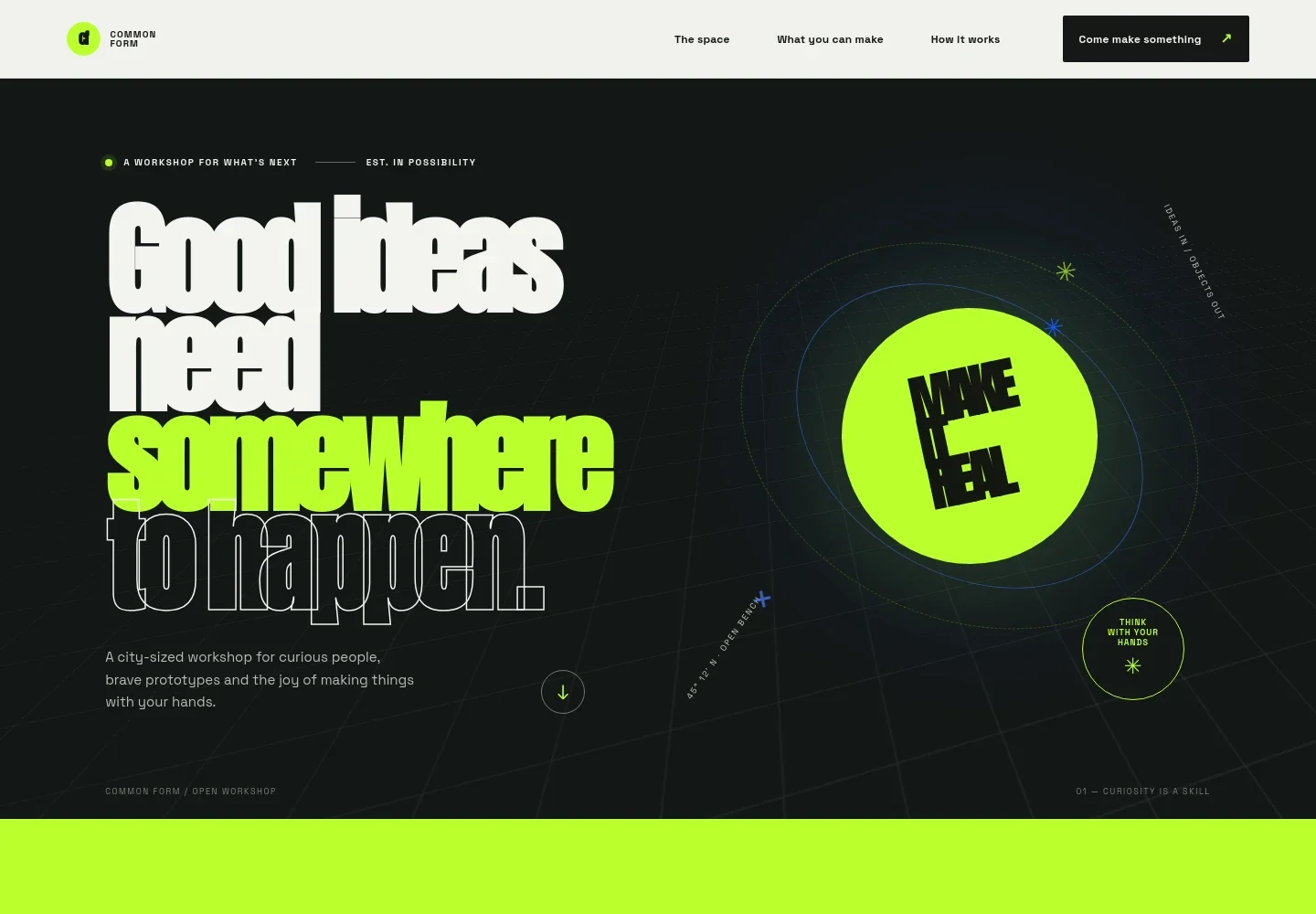
- Workshop introduction
- A bold headline and concise introduction frame the space as a place where people can turn ideas into tangible projects, supported by a graphic, workshop-themed hero design.
- Purpose and approach
- A short statement explains the makerspace's belief in learning through trying and brings together people, tools, and know-how as the basis for getting started.
- What you can make
- Four clearly organized areas describe wood and furniture, digital fabrication, clay and material play, and repair and rework, helping visitors find a starting point that matches their interests.
- The making process
- A visual story follows an idea through imagining, experimenting, and making, communicating that projects can develop through hands-on exploration.
- First-visit steps
- A photo-led section lays out three steps: share what you are curious about, learn by doing, and make at your own pace with help nearby. A call to action invites visitors to plan a first visit.
- Contact invitation
- A prominent closing section encourages visitors to talk about a first visit, followed by footer links back to the makerspace's approach, making areas, and contact invitation.
How to use this template
Open in Revamp
Click Use this template and sign in or create an account. You’ll start with your own copy of the design, ready to personalize.
Bring your content
Replace the sample text, photos, and logo with your own. Share your content, a document, or an existing website, and ask Revamp to adapt the template to your business.
Refine and publish
Ask Revamp to adjust the colors, layout, or sections, or edit directly on the page. Review desktop and mobile, then publish. You can keep making changes after launch.
Put your website to work
Make it easier to welcome new makers and coordinate visits. Ask Revamp to add connections to tools that suit your workshop's booking and community communication needs.
-

Manage workshop bookings
CalendlyGive visitors a straightforward way to reserve an introductory session. Ask Revamp to add appointment booking with Calendly.
-

Organize member and class information
AirtableKeep workshop registrations and participant details organized. Ask Revamp to connect your makerspace with Airtable.
-

Keep your community informed
MailchimpShare workshop news and upcoming activities with your mailing list. Ask Revamp to connect your email sign-up with Mailchimp.
Frequently asked questions
Is this template free?
Yes. This premium template is free to use through Use this template. Free refers to the template itself, not hosting or other services.
Can I use my own content?
Yes. Ask Revamp to personalize the copy, photos, workshop areas, and contact details for your makerspace.
Do I need coding skills?
No. You can ask Revamp to personalize the content and design without coding.
Can I change the design?
Yes. Ask Revamp to adjust the visual style, layout, colors, or other design details to suit your workshop.
Can I keep editing after publishing?
Yes. You can keep asking Revamp to update your content and design after your site is published.


