About this template
Help prospective clients understand your makeup services, artistic approach, and how to start a conversation. This editorial-style design presents makeup as personal artistry, with dedicated sections for weddings and occasions, editorial and campaign work, and one-to-one lessons.
Large beauty portraits, thoughtful copy, and clear service descriptions give the work room to make an impression while helping visitors find the details relevant to their plans. The contact section offers a direct next step for inquiries.
Who it’s for
Independent makeup artists, bridal makeup professionals, editorial and campaign artists, and makeup educators looking to present their approach and services.
What’s included
The page pairs striking beauty imagery and editorial typography with practical service information, guiding visitors from your point of view to the right service and a way to get in touch.
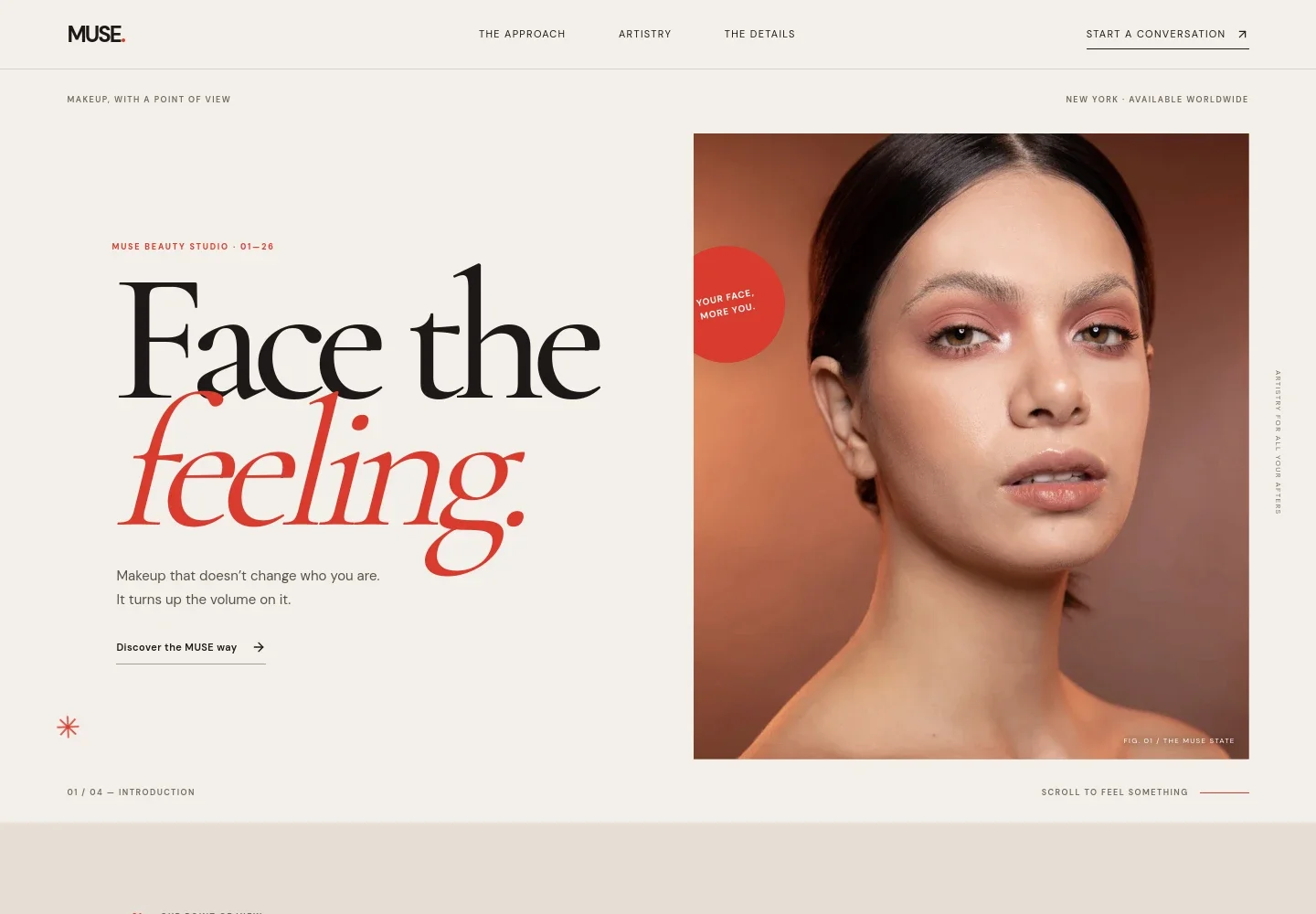
- Image-led introduction
- A large portrait, concise makeup-focused headline, and prominent link introduce the artist’s style and lead visitors into the page.
- Approach
- A statement about beauty and the artist’s point of view helps visitors understand the philosophy behind the work.
- The makeup experience
- An artist-at-work image and copy describe a conversation-led process, from understanding what a client wants to creating a look for the setting.
- Artistry feature
- Editorial portraits and short supporting copy highlight a skin-focused, expressive approach to makeup.
- Services
- Three clearly separated offerings describe wedding and occasion makeup, editorial and campaign artistry, and one-to-one makeup lessons.
- Contact and footer
- A closing inquiry prompt and email link give visitors a clear way to begin a conversation, followed by the studio name and concept-template note.
How to use this template
Open in Revamp
Click Use this template and sign in or create an account. You’ll start with your own copy of the design, ready to personalize.
Bring your content
Replace the sample text, photos, and logo with your own. Share your content, a document, or an existing website, and ask Revamp to adapt the template to your business.
Refine and publish
Ask Revamp to adjust the colors, layout, or sections, or edit directly on the page. Review desktop and mobile, then publish. You can keep making changes after launch.
Put your website to work
Make inquiries easier to manage by asking Revamp to add scheduling or client-management tools suited to makeup bookings.
-

Offer appointment booking
CalendlyGive clients a convenient way to request lesson or consultation times. Ask Revamp to add appointment booking with Calendly.
-

Manage appointments and client details
VagaroKeep makeup appointments and client information organized in one place. Ask Revamp to connect booking and client management with Vagaro.
-

Coordinate availability
Google CalendarMake it easier to keep your calendar up to date when discussing event dates and lessons. Ask Revamp to add calendar scheduling with Google Calendar.
Frequently asked questions
Is this makeup artist template free?
Yes. This premium template is free to use when you select Use this template. The offer applies to the template, not hosting or other services.
Can I use my own content?
Yes. Ask Revamp to personalize the copy, photos, services, and contact details with your own business content.
Do I need coding skills?
No. Ask Revamp to personalize the content and design without coding.
Can I change the design?
Yes. Ask Revamp to adjust the visual style, imagery, layout, and other design details to suit your makeup business.
Can I keep editing after publishing?
Yes. You can keep editing after launch. Ask Revamp to update your content or design as your services and work evolve.