About this template
Help marketing and IT leaders explain how they bring strategy and software together. The page introduces marketing architecture, platform and data orchestration, automation, and governance as connected areas of work.
A point-of-view section frames the challenge of fragmented tools and workflows, followed by a practical description of the service approach. The method section emphasizes understanding how a team works, identifying useful connections, and enabling the team to own the path forward.
A clear contact section invites prospective clients to start a conversation about a platform decision, a difficult handoff, or data that needs attention.
Who it’s for
Marketing technology consultants, marketing operations leaders, and independent partners working with marketing and IT teams on systems, data, automation, and governance.
What’s included
The design guides visitors from a clear position on connected marketing systems to the specific services, working principles, and contact invitation. Its numbered service rows make a technical offer easier to scan, while the method section explains the practical approach behind the work.
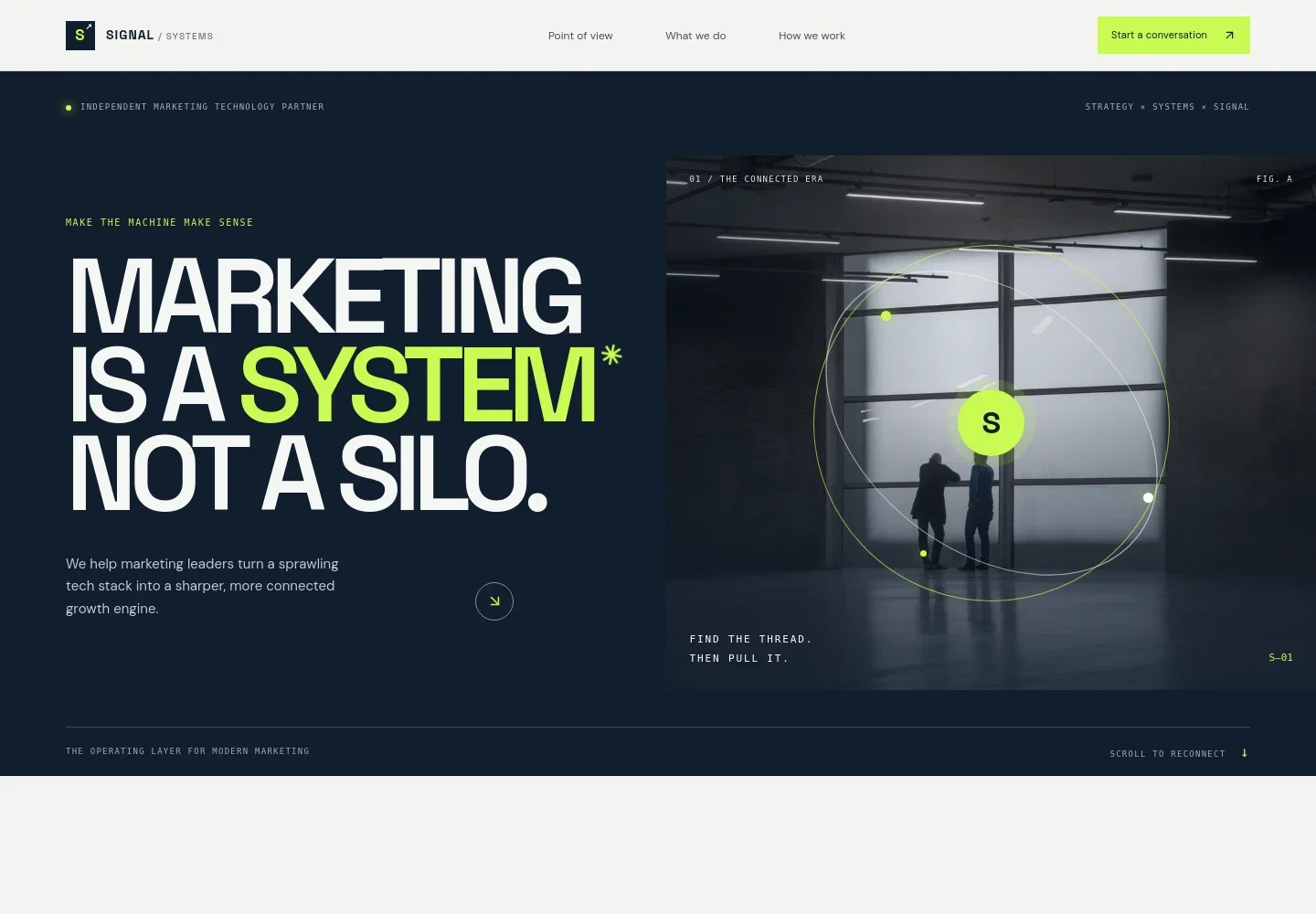
- Hero and navigation
- A bold headline presents marketing as a connected system, supported by an introductory statement about turning a sprawling technology stack into a more connected growth engine. Navigation links lead to the point of view, services, working method, and contact section.
- Point of view
- Explains how disconnected platforms, data, workflows, and decisions can slow momentum. The copy positions clear architecture, useful automation, and better signals as ways to help existing systems work together.
- Services
- Four numbered rows describe marketing architecture, platform and data orchestration, automation with intent, and governance and enablement. Each combines a service name with a concise explanation of the work.
- How we work
- Sets out an approach that starts with how the team works, makes the current state visible, and identifies valuable connections. Three principles, listen, simplify, and enable, give the approach an easy-to-follow structure.
- Contact invitation
- A direct closing prompt invites visitors to discuss a platform decision, a handoff, or a data challenge, with a contact link and illustrative email address.
How to use this template
Open in Revamp
Click Use this template and sign in or create an account. You’ll start with your own copy of the design, ready to personalize.
Bring your content
Replace the sample text, photos, and logo with your own. Share your content, a document, or an existing website, and ask Revamp to adapt the template to your business.
Refine and publish
Ask Revamp to adjust the colors, layout, or sections, or edit directly on the page. Review desktop and mobile, then publish. You can keep making changes after launch.
Put your website to work
Give prospective clients a clearer way to book an introductory conversation, and make it easier to follow up on inquiries. Ask Revamp to add or connect tools that fit your consulting workflow.
-

Make introductory calls easier to schedule
CalendlyAsk Revamp to add consultation booking with Calendly so prospective clients can choose a time to talk.
-

Keep inquiry follow-up organized
HubSpotAsk Revamp to connect HubSpot to help organize prospective client details and follow-up activity.
-

Coordinate meetings around your availability
Google CalendarAsk Revamp to add Google Calendar scheduling details so visitors can request a conversation that fits your calendar.
Frequently asked questions
Is this template free?
Yes. This premium template is free to use when you select Use this template. This applies to the template itself.
Can I use my own content?
Yes. Ask Revamp to personalize the copy, contact details, services, and imagery with your business content.
Do I need coding skills?
No. Ask Revamp to personalize the content and design without coding.
Can I change the design?
Yes. Ask Revamp to adjust the layout, colors, typography, imagery, and other design details to suit your business.
Can I keep editing after publishing?
Yes. You can keep editing the site after launch. Ask Revamp to make updates as your services and business details change.