About this template
Help prospective clients understand your masonry services, approach to materials, and the kinds of work you take on. The design presents architectural stonework, landscape masonry, and restoration and repair in a clear, easy-to-scan format.
A process section walks through seven considerations, from reading the ground and choosing stone to finishing by hand. A dedicated materials section introduces limestone, fieldstone, and reclaimed stone, giving visitors useful context before they start a conversation.
Who it’s for
Masonry contractors, stonework studios, restoration specialists, and landscape masonry businesses looking to present their services and invite project inquiries.
What’s included
The page is organized to take visitors from your approach to your services and materials, then toward a direct contact prompt. Stone imagery, an editorial layout, and concise service descriptions make the work and its context central.
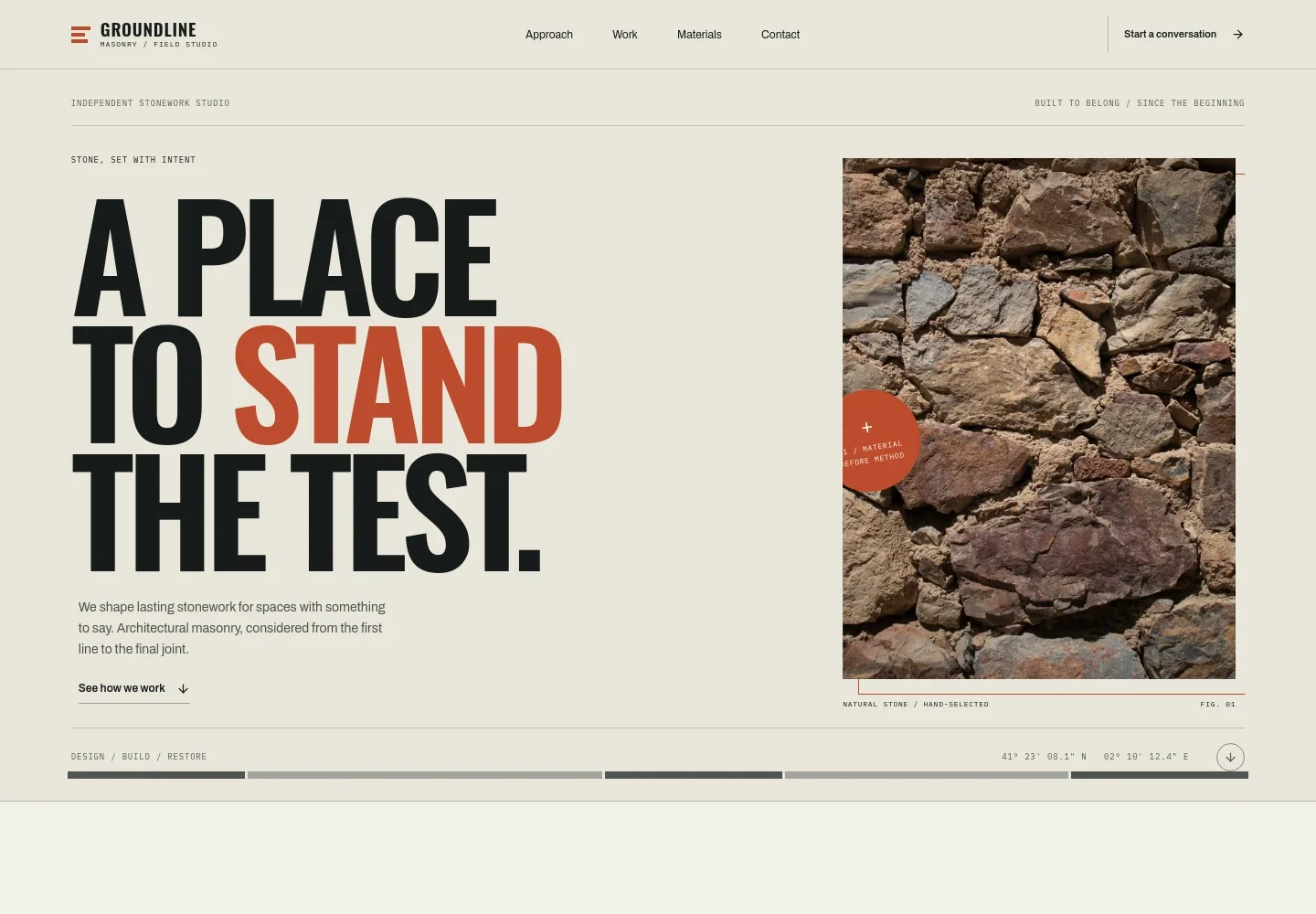
- Hero and studio introduction
- Opens with a stonework headline, a close view of natural stone, and a short introduction to architectural masonry. The visible design also includes a prompt to see how the studio works.
- Approach and process
- Pairs a description of how site, architecture, and material inform the work with a seven-step sequence, from reading the ground to leaving the finished work honest.
- Services and work
- Presents architectural stonework, landscape masonry, and restoration and repair as distinct service areas, alongside an image of a stone-vaulted passage.
- Materials
- Introduces limestone, fieldstone, and reclaimed stone, with copy about selecting material for the place and purpose.
- Contact
- Closes with a project invitation and a visible email link, giving prospective clients a straightforward next step to discuss an idea or site.
- Footer navigation
- Repeats the studio identity and provides a back-to-top link.
How to use this template
Open in Revamp
Click Use this template and sign in or create an account. You’ll start with your own copy of the design, ready to personalize.
Bring your content
Replace the sample text, photos, and logo with your own. Share your content, a document, or an existing website, and ask Revamp to adapt the template to your business.
Refine and publish
Ask Revamp to adjust the colors, layout, or sections, or edit directly on the page. Review desktop and mobile, then publish. You can keep making changes after launch.
Put your website to work
If you want to organize inquiries or keep project details in one place, Ask Revamp to add a tool suited to the way your masonry business works.
-

Track project inquiries
HubSpotKeep prospective client conversations and follow-ups organized. Ask Revamp to add HubSpot for managing masonry project inquiries.
-

Schedule site consultations
CalendlyLet prospective clients request a convenient time to discuss a project. Ask Revamp to add consultation booking with Calendly.
Frequently asked questions
Is this template free?
Yes. The premium template is free to use when you select Use this template. This applies to the template itself.
Can I use my own content?
Yes. Ask Revamp to personalize the copy, images, services, materials, and contact details for your masonry business.
Do I need coding skills?
No. Ask Revamp to personalize the content and design without coding.
Can I change the design?
Yes. Ask Revamp to adjust the layout, colors, imagery, and other design details to suit your business.
Can I keep editing after publishing?
Yes. You can keep asking Revamp to update your site after launch as your services, projects, or business details change.