About this template
Help prospective clients understand how your matrimonial service approaches introductions, from an initial conversation to a considered meeting. The design presents a people-first point of view, with space to explain how you listen for personal values, take cultural context into account, and respect each person's choices.
A welcoming hero leads into sections about your approach, your introduction process, and the care given to individual traditions and boundaries. The page closes with a direct invitation to start a conversation, giving visitors a clear next step without making the service feel transactional.
Who it’s for
For matrimonial services, matchmakers, marriage bureaus, and relationship introduction professionals who want to explain their approach and invite prospective clients to get in touch.
What’s included
The page moves from a clear introduction to the service's values, a three-step overview, a section on personal and cultural considerations, and a conversation-focused contact prompt. Its warm editorial typography, couple photography, and spacious sections support a thoughtful, personal service.
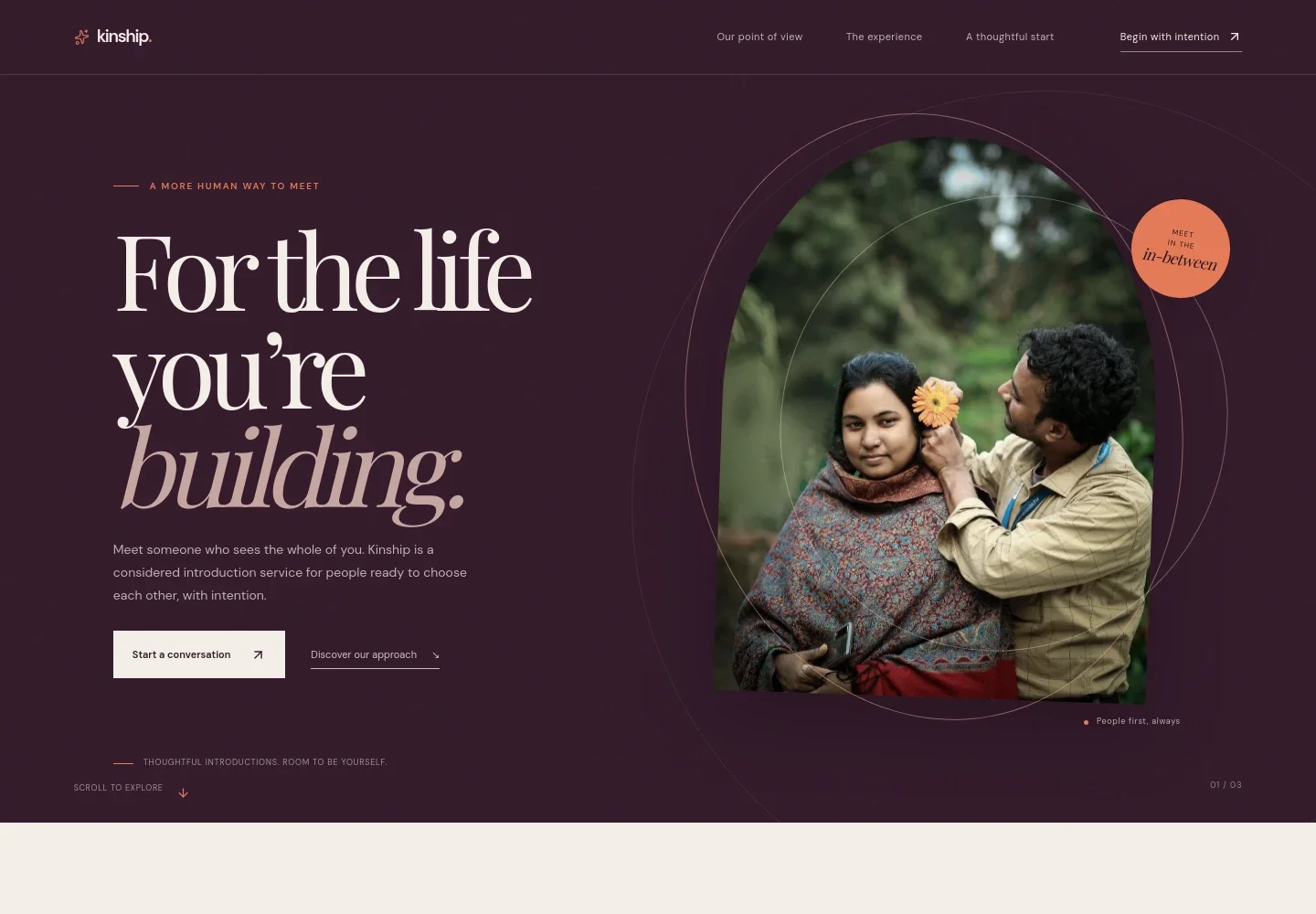
- Hero introduction
- A prominent statement, couple portrait, short service introduction, and links to the approach and contact sections help visitors quickly understand the service and find a next step.
- Point of view
- Explains the people-first approach to matchmaking, emphasizing personal values and the life someone hopes to build rather than a checklist of traits.
- Three-step experience
- Outlines listening to a person's priorities, bringing emotional insight and cultural understanding to introductions, and meeting with useful context.
- Practice of care
- Describes respect for personal traditions, boundaries, and choices about family involvement, alongside a supporting image and links to begin a conversation.
- Start a conversation
- A closing invitation encourages visitors to share what they are hoping for and contact the team with questions. The sample page uses an email link.
- Footer
- Provides a return-to-top link, brand mark, and brief closing note.
How to use this template
Open in Revamp
Click Use this template and sign in or create an account. You’ll start with your own copy of the design, ready to personalize.
Bring your content
Replace the sample text, photos, and logo with your own. Share your content, a document, or an existing website, and ask Revamp to adapt the template to your business.
Refine and publish
Ask Revamp to adjust the colors, layout, or sections, or edit directly on the page. Review desktop and mobile, then publish. You can keep making changes after launch.
Put your website to work
Make it easier to respond to enquiries, arrange introductory conversations, and keep client details organized. Ask Revamp to add or connect tools such as:
-

Schedule introductory conversations
CalendlyGive prospective clients a convenient way to choose a conversation time. Ask Revamp to add consultation booking with Calendly.
-

Keep enquiry follow-ups organized
HubSpotTrack prospective client conversations and follow-up tasks in one place. Ask Revamp to connect HubSpot for enquiry management.
-

Manage introductions and client records
Matchmaking InstituteKeep client profiles, notes, and relationship history organized for your practice. Ask Revamp to connect Matchmaking Institute's Matchmaking Software.
Frequently asked questions
Is this template free?
Yes. This premium template is free to use when you select Use this template. This applies to the template itself.
Can I use my own content?
Yes. Ask Revamp to personalize the text, images, contact details, and service information for your matrimonial business.
Do I need coding skills?
No. Ask Revamp to personalize the content and design in natural language, without coding.
Can I change the design?
Yes. Ask Revamp to adjust the colors, typography, images, layout, and other design details to suit your brand.
Can I keep editing after publishing?
Yes. You can keep editing the site after launch. Ask Revamp to make further updates as your service or content changes.


