About this template
Present a creative studio’s film, campaign, and storytelling services with a page that makes its point of view clear. The opening pairs a full-width film-set image with a direct headline, then leads visitors into the studio’s approach and selected work.
The layout gives brand campaigns and culture-led documentary work distinct space, while a service list explains the offering from creative direction through post-production. A prominent contact section gives prospective collaborators a clear next step.
Who it’s for
Independent film and video studios, creative agencies, documentary makers, and production teams looking to present their approach, selected work, services, and contact details.
What’s included
A cinematic, dark-toned portfolio layout combines large editorial headlines, film imagery, and clear section navigation to help prospective clients understand the studio’s creative approach and the work it takes on.
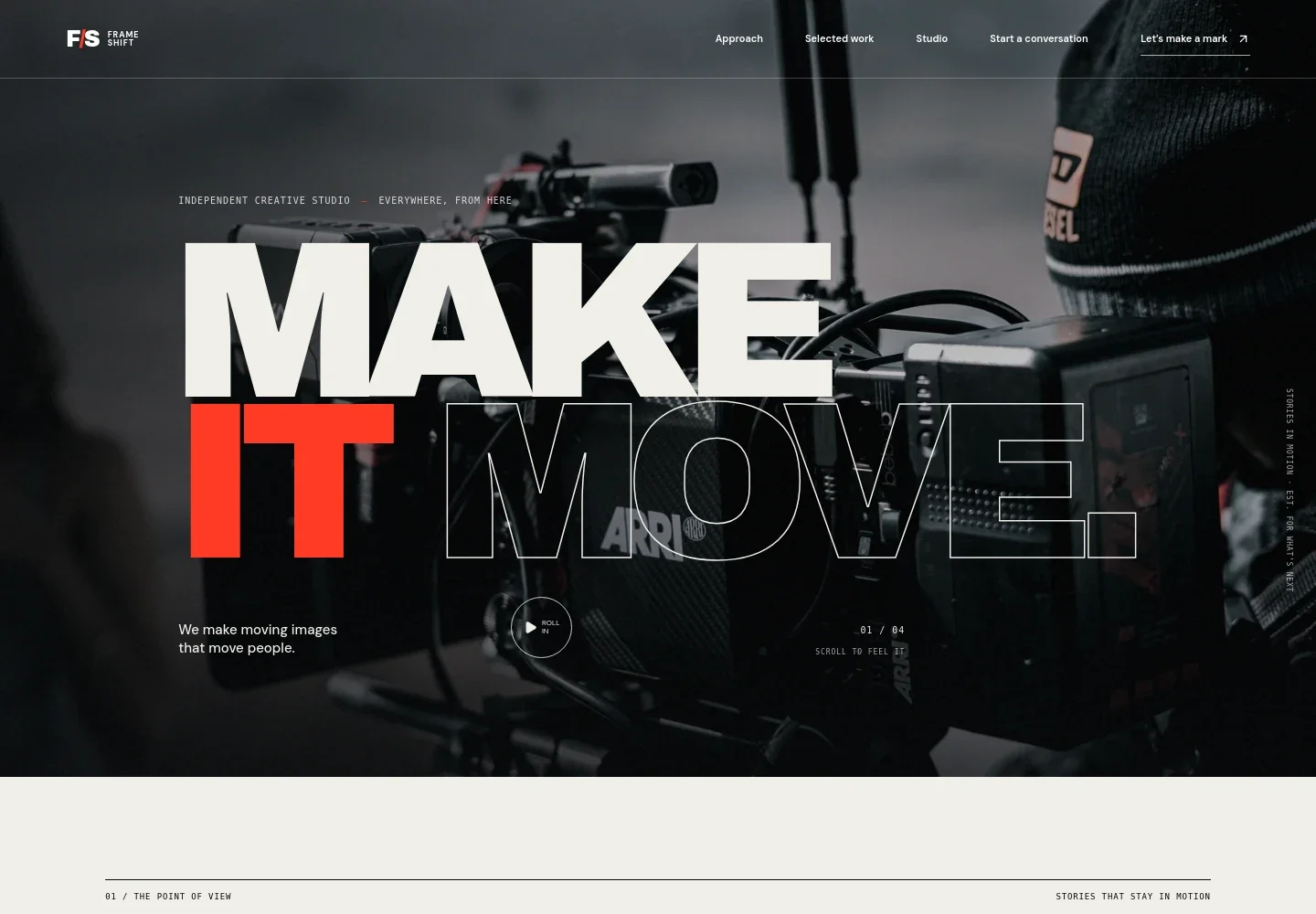
- Hero and navigation
- A full-width cinema camera image, studio headline, short positioning line, and navigation links introduce the business and guide visitors to its approach, work, studio, and contact sections.
- Approach
- A point-of-view statement and concise studio introduction explain the emphasis on human stories, creative direction, and work with a lasting impression.
- Selected work
- Two image-led project categories distinguish brand worlds and campaigns from culture-focused documentary and performance work, with descriptive copy and links toward starting a conversation.
- Studio and services
- An explanation of the collaborative process sits alongside four service rows covering creative direction, film and campaigns, original stories, and post-production finishing.
- Contact
- A prominent closing invitation encourages visitors to share what they are imagining, with an email contact and a link back to the top of the page.
How to use this template
Open in Revamp
Click Use this template and sign in or create an account. You’ll start with your own copy of the design, ready to personalize.
Bring your content
Replace the sample text, photos, and logo with your own. Share your content, a document, or an existing website, and ask Revamp to adapt the template to your business.
Refine and publish
Ask Revamp to adjust the colors, layout, or sections, or edit directly on the page. Review desktop and mobile, then publish. You can keep making changes after launch.
Put your website to work
Make it easier to manage project inquiries and keep prospective clients informed. Ask Revamp to add or connect business tools that suit your studio’s process.
-

Organize new business inquiries
HubSpotKeep prospective client conversations and follow-ups together. Ask Revamp to connect HubSpot for managing inquiries and business contacts.
-

Give prospects a direct way to book a conversation
CalendlyLet visitors choose a time for an introductory call. Ask Revamp to add consultation booking with Calendly.
-

Send studio updates to your audience
MailchimpShare project news and studio announcements with subscribers. Ask Revamp to connect Mailchimp for email marketing.
Frequently asked questions
Is this template free?
Yes. This premium template is free to use when you select Use this template. Free refers to the template itself.
Can I use my own content?
Yes. Ask Revamp to personalize the page with your studio name, writing, images, services, selected work, and contact details.
Do I need coding skills?
No. You can ask Revamp to personalize the content and design without coding.
Can I change the design?
Yes. Ask Revamp to adjust the visual style, page sections, imagery, and layout to better fit your studio.
Can I keep editing after publishing?
Yes. You can continue asking Revamp to update your content and design after your site launches.