About this template
Help visitors understand how mediation can give a difficult conversation structure without handing the decision to someone else. This design explains an impartial approach, outlines a four-step process, and presents family, workplace, business, and community mediation.
The page moves from the mediator's point of view to how the process works, the situations it can address, and who may find it useful. A closing contact section invites visitors to start with a conversation and provides example email and phone details to personalize.
Who it’s for
Independent mediators and mediation practices serving individuals, families, workplaces, business partners, or communities.
What’s included
A focused mediation practice page that helps prospective clients learn what mediation involves, see the kinds of conflicts addressed, and find a clear route to make contact.
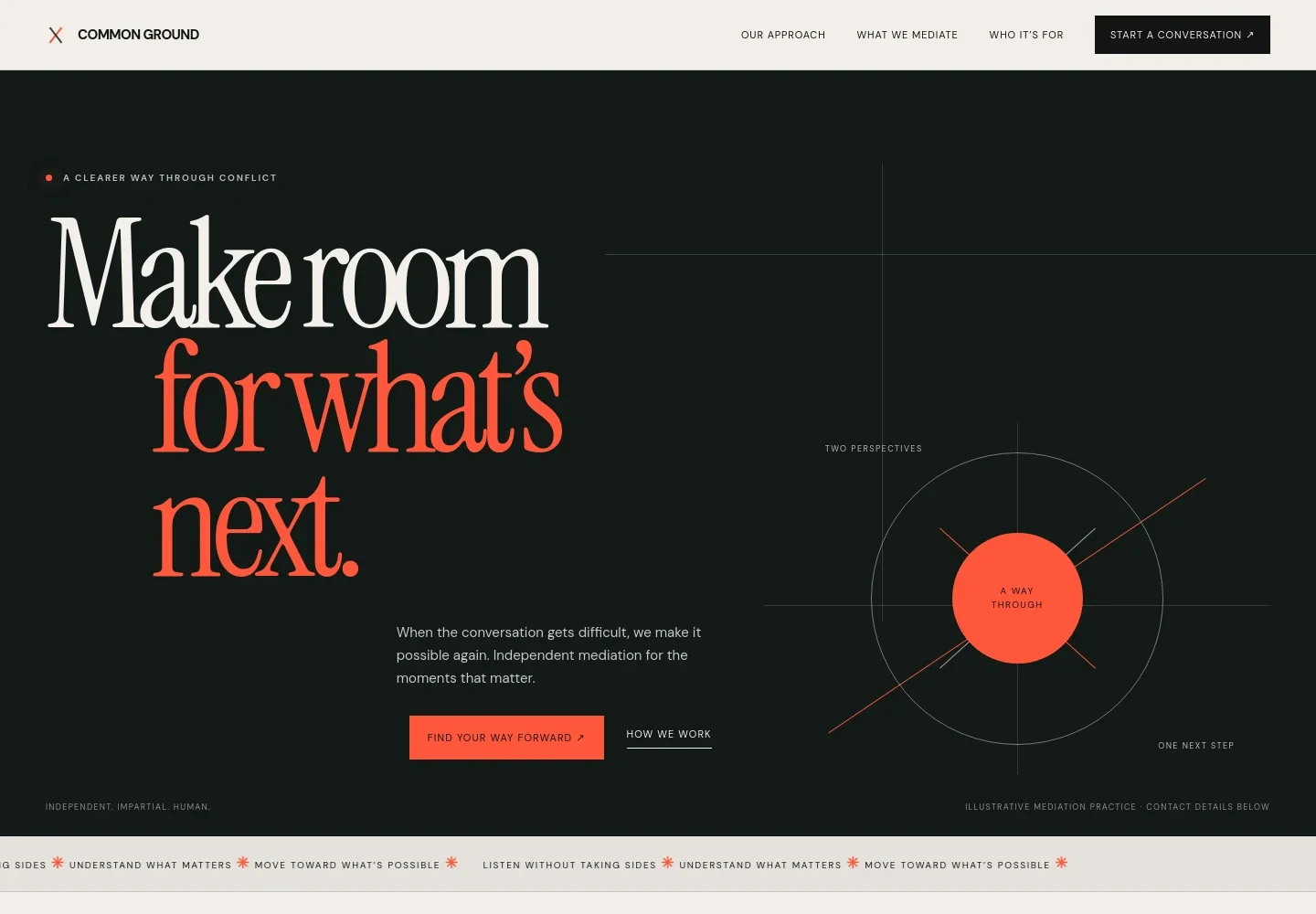
- Hero and contact invitation
- Introduces mediation as a way through conflict, with links to the approach and contact sections. An abstract paths illustration reinforces the idea of finding a shared next step.
- Mediation approach
- Explains the role of an impartial guide and how a structured conversation can help people understand each other and make their own decisions.
- Four-step process
- Presents preparation, listening, exploring options, and agreeing next steps, while noting that progress does not have to mean reaching a settlement.
- Mediation services
- Organizes family and separation, workplace, business and partnership, and community and neighbour disputes into clear service areas.
- Perspective and clarity
- Pairs an illustrative image with copy about separating what happened from what each person needs now, connecting the idea back to the mediator's approach.
- Who mediation may suit
- Addresses visitors who want a safer structure for a conversation, have questions about participation, or prefer to shape an outcome together.
- Contact and footer
- Invites visitors to describe their situation and ask questions, with example email and phone details clearly identified for replacement. The footer repeats the practice name and offers a return-to-top link.
How to use this template
Open in Revamp
Click Use this template and sign in or create an account. You’ll start with your own copy of the design, ready to personalize.
Bring your content
Replace the sample text, photos, and logo with your own. Share your content, a document, or an existing website, and ask Revamp to adapt the template to your business.
Refine and publish
Ask Revamp to adjust the colors, layout, or sections, or edit directly on the page. Review desktop and mobile, then publish. You can keep making changes after launch.
Put your website to work
Make it easier to coordinate initial conversations and manage enquiries. Ask Revamp to add or connect tools that suit your mediation practice.
-

Schedule initial conversations
CalendlyGive prospective clients a convenient way to find a time to talk. Ask Revamp to add consultation booking with Calendly.
-

Keep enquiries organized
HubSpotTrack prospective clients and follow-up conversations in one place. Ask Revamp to connect HubSpot for contact and enquiry management.
-

Coordinate consultations and sessions
Google CalendarKeep appointment availability aligned with your calendar. Ask Revamp to connect Google Calendar for scheduling coordination.
Frequently asked questions
Is this mediator website template free?
Yes. This premium template is free to use through Use this template. Free refers to the template itself, not hosting or other services.
Can I use my own content?
Yes. Ask Revamp to personalize the wording, practice details, mediation areas, contact information, and other content for your business.
Do I need coding skills?
No. You can ask Revamp to personalize the content and design without coding.
Can I change the design?
Yes. Ask Revamp to adjust the colors, typography, layout, and other design details to suit your practice.
Can I keep editing after publishing?
Yes. You can keep asking Revamp to update your site after it launches.


