About this template
Help diners quickly understand the restaurant’s food, cooking style, and welcoming table. The design introduces masa, comal cooking, fire-kissed fillings, and a concise menu through vivid food photography and clear section links.
A food story section explains the care behind the corn and tortillas, while the menu highlights tacos, slow-cooked dishes, and cold drinks. A gathering section invites guests to get in touch, making the page useful for both discovering the food and starting a conversation.
Who it’s for
Designed for Mexican restaurants, taquerías, and food businesses that want to present their cooking, menu highlights, and dining atmosphere to prospective guests.
What’s included
The page moves from a bold food-led introduction to the restaurant’s cooking story, menu highlights, and an invitation to gather. Its large taco and shared-table images make the food and communal dining experience easy to picture.
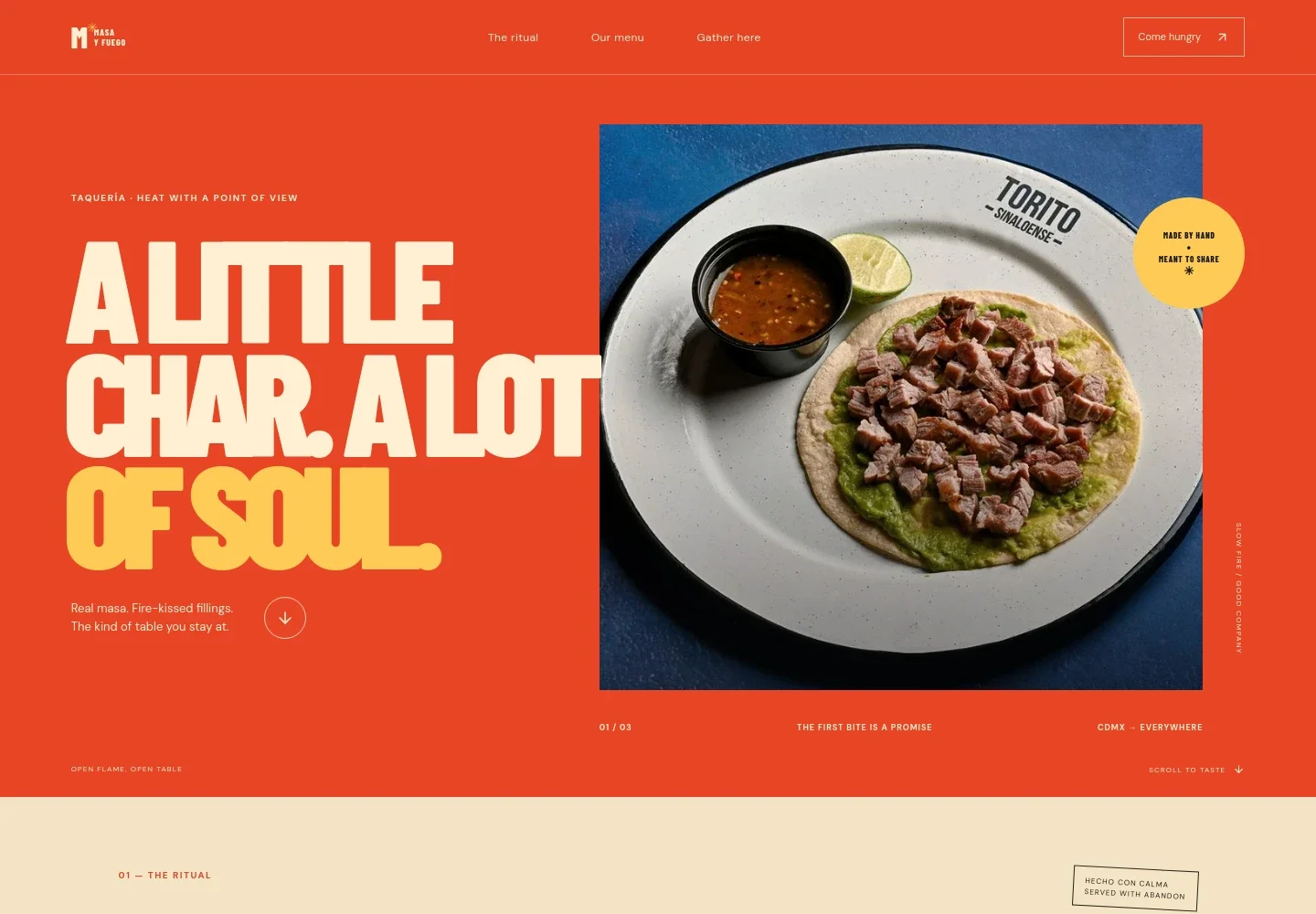
- Hero and navigation
- A prominent taco photograph and concise introduction establish the taquería’s focus on masa and fire. Links guide visitors to the cooking story, menu, and gathering section.
- The cooking ritual
- A short narrative describes the pace of preparing corn, warming the comal, and serving fresh tortillas, giving visitors context for the restaurant’s approach.
- From corn to comal
- A food image and focused copy explain nixtamalized corn and morning grinding, helping the restaurant share a specific detail about how its food begins.
- Menu highlights
- Three concise entries introduce comal tacos, slow-cooked dishes, and cold drinks, with descriptions that help diners get a sense of the menu.
- Gather here
- A shared-table photograph and welcoming message frame the restaurant as a place for meals together, followed by a contact link visitors can use to say hello.
- Footer
- The closing area repeats the restaurant identity and provides a return-to-top link.
How to use this template
Open in Revamp
Click Use this template and sign in or create an account. You’ll start with your own copy of the design, ready to personalize.
Bring your content
Replace the sample text, photos, and logo with your own. Share your content, a document, or an existing website, and ask Revamp to adapt the template to your business.
Refine and publish
Ask Revamp to adjust the colors, layout, or sections, or edit directly on the page. Review desktop and mobile, then publish. You can keep making changes after launch.
Put your website to work
Make it easier for guests to plan a visit, manage reservations, and hear about menu updates. Ask Revamp to add or connect tools that fit how your restaurant serves customers.
-

Take reservations online
OpenTableGive diners a convenient way to choose a table time. Ask Revamp to add reservation booking with OpenTable.
-

Manage reservations and guest details
ResyKeep reservation information and guest preferences organized. Ask Revamp to connect restaurant reservation management with Resy.
-

Share menu news with diners
MailchimpSend updates about seasonal dishes and restaurant news to your mailing list. Ask Revamp to connect email marketing with Mailchimp.
Frequently asked questions
Is this template free?
Yes. This premium template is free to use when you select Use this template. Free refers to the template itself.
Can I use my own restaurant content?
Yes. Ask Revamp to personalize the text, food photography, menu details, restaurant name, and contact information for your business.
Do I need coding skills?
No. Ask Revamp to personalize the content and design in natural language, without coding.
Can I change the design?
Yes. Ask Revamp to adjust the colors, typography, imagery, layout, or other design details to suit your restaurant.
Can I keep editing after publishing?
Yes. You can keep asking Revamp to update your site after launch, including menu details, imagery, and contact information.