About this template
Give diners a clear sense of your Mexican kitchen, from fresh masa and live-fire cooking to the dishes and atmosphere they can expect. The page pairs food photography with concise explanations of the kitchen’s approach and a section for visit details.
The design has a bold, late-night feel, with oversized headlines, warm food and dining-room images, and compact navigation to food, your approach, and visit information. Ask Revamp to personalize the copy, imagery, colors, and details for your restaurant.
Who it’s for
Independent Mexican restaurants, taquerias, and neighborhood kitchens that want to introduce their food, explain what makes their cooking distinctive, and help diners find out how to visit.
What’s included
The visible sections take visitors from the restaurant’s food and cooking approach to practical visit information, using clear navigation and prominent photography to support each step.
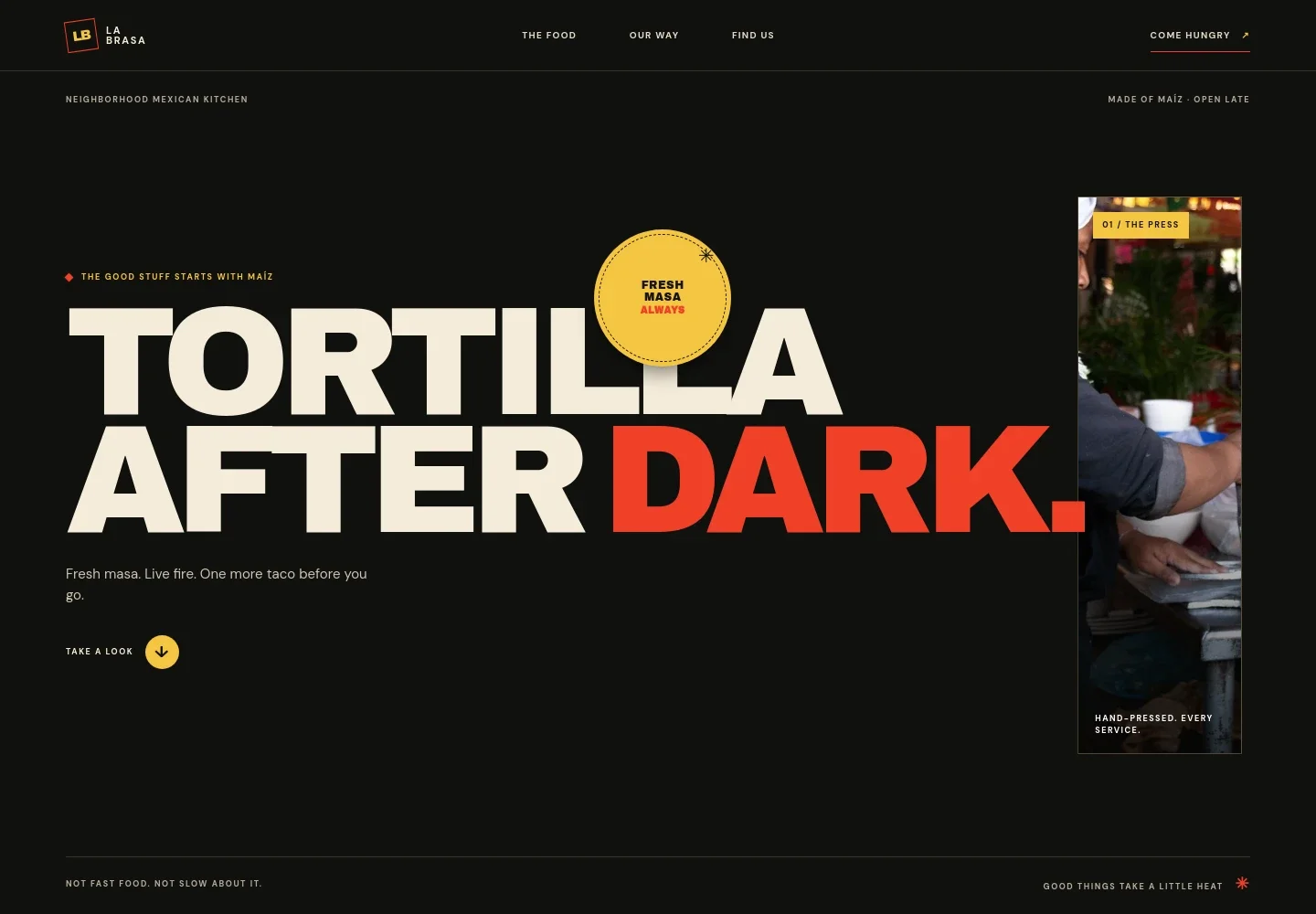
- Restaurant introduction
- A large headline, short message about fresh masa and live fire, and a close-up tortilla image introduce the restaurant’s style at a glance.
- Our way
- Three concise principles explain the kitchen’s approach: grinding heirloom corn, cooking over mesquite, and finishing dishes with salsa, lime, and cilantro.
- Food and menu story
- Taco photography, a short menu introduction, and dish names such as al pastor and rajas with crema help visitors picture the food. The copy notes that the menu changes with the market.
- From maíz to table
- A simple visual sequence connects corn, masa, fire, and the shared meal, reinforcing the restaurant’s ingredient-to-table story.
- Visit details
- A dining-room photo sits beside space for an address, opening hours, and contact details, giving visitors a clear place to check where and when to visit.
- Footer navigation
- The footer repeats the restaurant identity and offers a link back to the top of the page.
How to use this template
Open in Revamp
Click Use this template and sign in or create an account. You’ll start with your own copy of the design, ready to personalize.
Bring your content
Replace the sample text, photos, and logo with your own. Share your content, a document, or an existing website, and ask Revamp to adapt the template to your business.
Refine and publish
Ask Revamp to adjust the colors, layout, or sections, or edit directly on the page. Review desktop and mobile, then publish. You can keep making changes after launch.
Put your website to work
Online ordering and reservations can make it easier for guests to plan a meal or order ahead. Ask Revamp to add a connection suited to how your restaurant serves customers.
-

Take online orders
ToastGive guests a convenient way to order pickup or delivery. Ask Revamp to add online ordering with Toast.
-

Manage restaurant reservations
OpenTableHelp diners find and request a table online. Ask Revamp to add reservation booking with OpenTable.
-

Offer another reservation option
ResyLet guests request a booking through a restaurant reservation platform. Ask Revamp to add reservation booking with Resy.
Frequently asked questions
Is this template free?
Yes. This premium template is free to use via Use this template. Free refers to the template itself, not hosting or other services.
Can I use my own content?
Yes. Ask Revamp to personalize the page with your restaurant’s name, menu details, photos, location, hours, and contact information.
Do I need coding skills?
No coding skills are needed. Ask Revamp to personalize the content and design in plain language.
Can I change the design?
Yes. Ask Revamp to adjust the colors, typography, imagery, layout, and other design details to suit your restaurant.
Can I keep editing after publishing?
Yes. You can keep editing your site after launch. Ask Revamp to update your content or design as your restaurant changes.