About this template
Help visitors understand how your microfinance organization approaches financing for small businesses, household plans, and groups. The page explains a people-first approach, clear communication about repayment expectations, and the value of discussing each person's circumstances.
Visitors can compare three pathways: working capital for a business, support for personal or household plans, and group-based finance. Each pathway leads to a conversation, giving prospective clients a clear next step without presenting a one-size-fits-all answer.
Who it’s for
Microfinance organizations, community lenders, and financial service providers serving small business owners, individuals planning household needs, and groups pursuing shared goals.
What’s included
The design guides visitors from your approach to the financing pathways you serve, then toward a direct conversation. Its distinct sections help explain your principles and audiences without relying on unsupported rates, eligibility claims, or financial results.
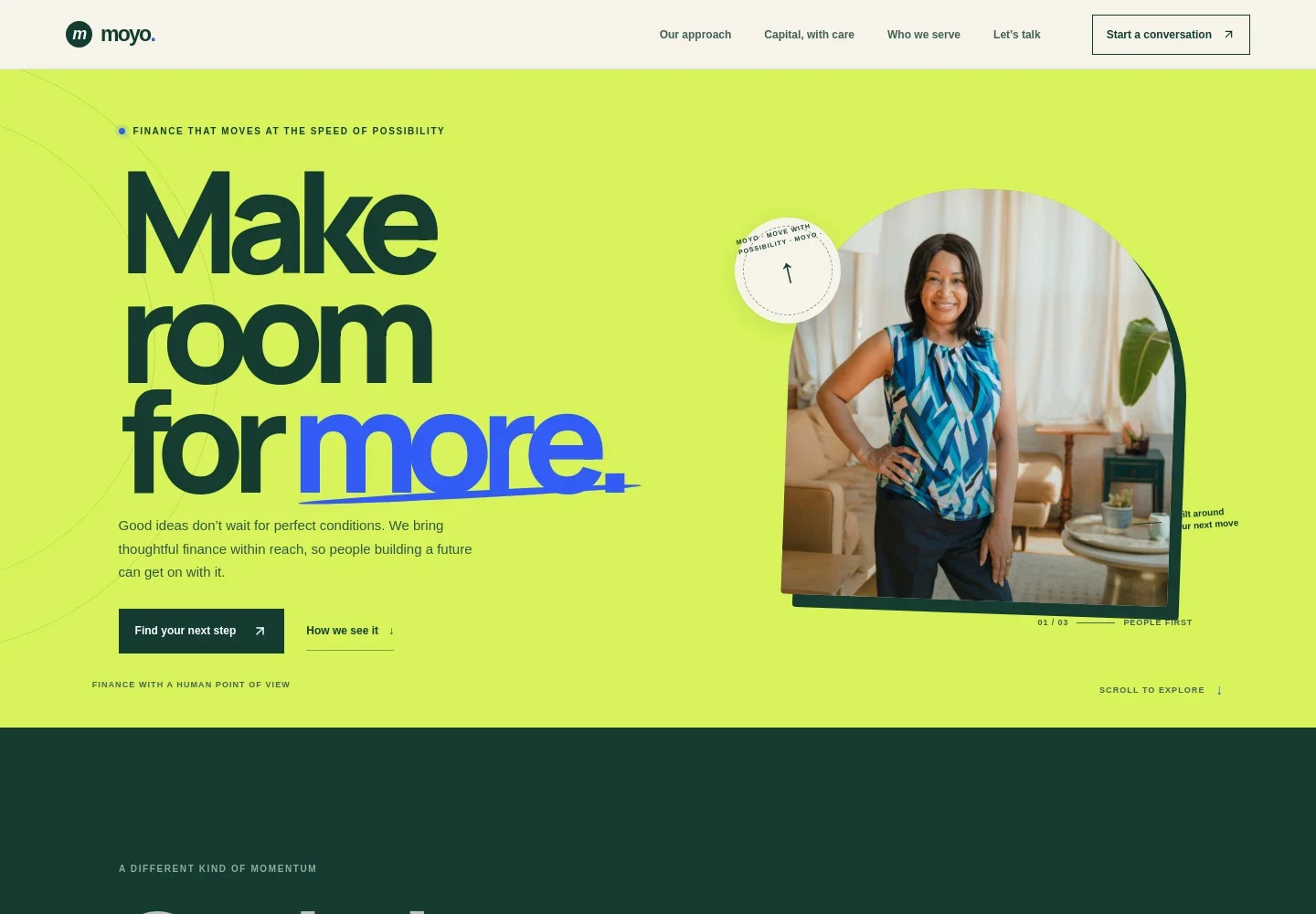
- Hero and contact prompt
- An introductory statement about making finance more accessible sits beside an illustrative small-business portrait. Prominent links guide visitors to the finance section or invite them to start a conversation.
- Approach
- A short explanation frames finance around the realities of people's lives. A three-step Listen, Shape, Grow sequence shows how the organization can describe its approach to understanding plans and identifying a useful next step.
- Finance principles
- Three principle cards cover clear explanations of repayment expectations, understanding each person's context, and allowing people to consider options at their own pace. Supporting imagery adds a visual reference to small enterprise and craft.
- Who we serve
- Three pathways distinguish business working capital, household and personal plans, and group-based finance. Each includes a short explanation and a link to discuss that area.
- Conversation and footer
- A closing section invites visitors to share what they are working toward and ask questions, with an email contact link. The footer repeats the brand statement and provides a back-to-top link.
How to use this template
Open in Revamp
Click Use this template and sign in or create an account. You’ll start with your own copy of the design, ready to personalize.
Bring your content
Replace the sample text, photos, and logo with your own. Share your content, a document, or an existing website, and ask Revamp to adapt the template to your business.
Refine and publish
Ask Revamp to adjust the colors, layout, or sections, or edit directly on the page. Review desktop and mobile, then publish. You can keep making changes after launch.
Put your website to work
A customer can ask Revamp to add tools that help organize prospective-client conversations, manage relationships, or track financial operations.
-

Organize client relationships
HubSpotKeep prospective-client details and follow-up activity organized. Ask Revamp to add a HubSpot CRM workflow for managing inquiries.
-

Track financial records
QuickBooksManage bookkeeping and cash-flow records in a familiar accounting tool. Ask Revamp to connect QuickBooks for accounting workflows.
-

Coordinate conversations
CalendlyMake it easier for prospective clients to find a meeting time. Ask Revamp to add appointment booking with Calendly.
Frequently asked questions
Is this template free?
Yes. This premium template is free to use when you select Use this template. This applies to the template itself.
Can I use my own content?
Yes. Ask Revamp to personalize the copy, images, contact details, and finance pathways to reflect your organization and the people it serves.
Do I need coding skills?
No coding skills are needed. Ask Revamp to make content and design changes in plain language.
Can I change the design?
Yes. Ask Revamp to adjust the colors, imagery, layout, and other design details to suit your organization.
Can I keep editing after publishing?
Yes. You can continue asking Revamp to edit your site after launch as your content and needs change.