About this template
Show visitors what your mobile app is for, how its core experience works, and what makes its approach distinct. This design introduces AURA as a wellbeing app for everyday pauses, using a clear product story rather than a list of broad promises.
A phone mockup presents an example app moment, while the practice section walks through three beats: Notice, Choose, and Return. Further sections explain the product’s perspective on wellbeing and give visitors a direct way to say hello.
Who it’s for
Designed for mobile app founders, product teams, and professionals introducing a wellbeing or mindfulness app. Adapt the copy, app screens, visual identity, and contact details to present your own product.
What’s included
The page guides visitors from the app’s purpose to a sample of its in-app experience, then closes with the thinking behind the product and a contact invitation. Its numbered sections and compact phone preview make the product story easy to scan.
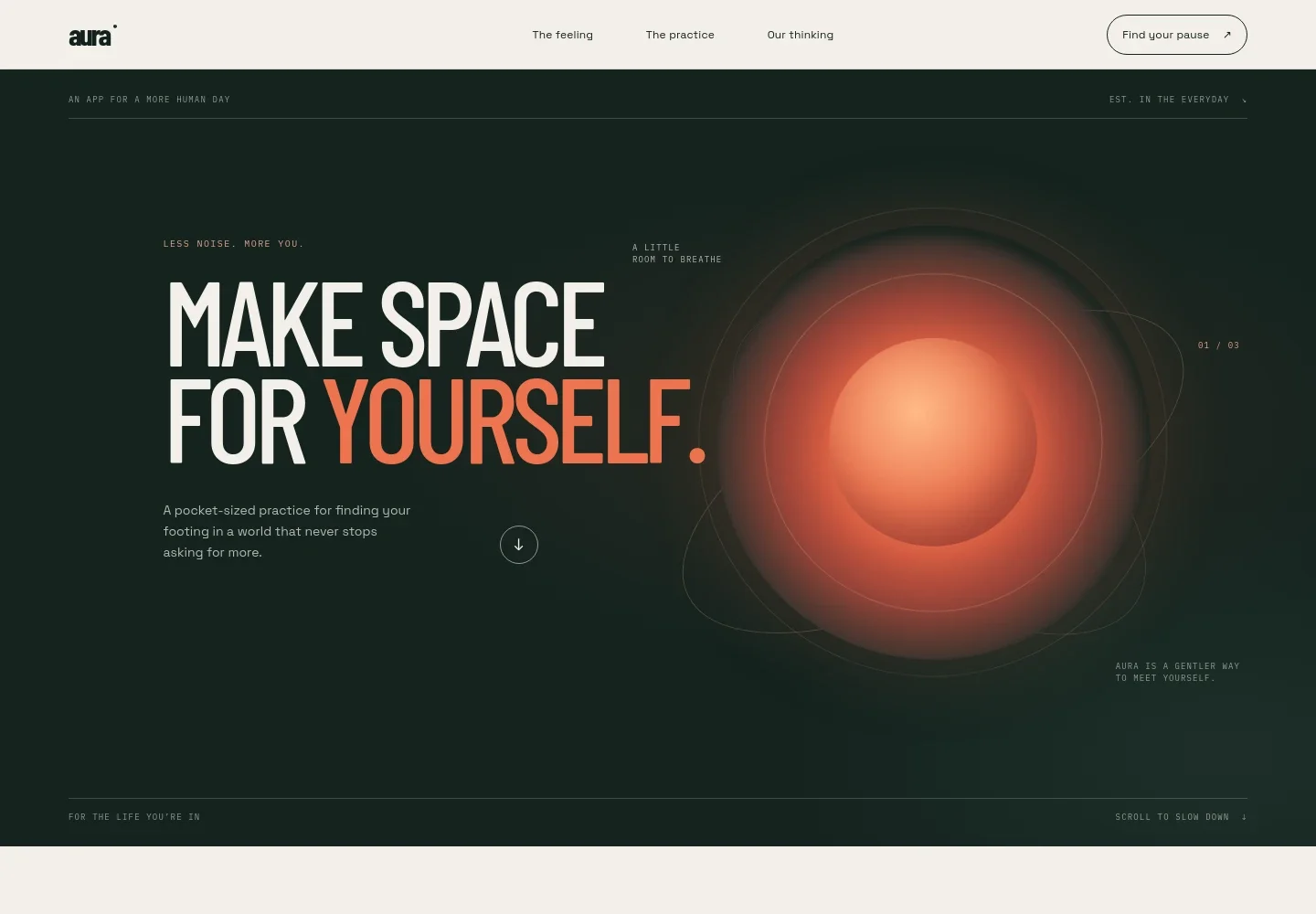
- Product introduction
- A prominent headline and short supporting copy frame the app as a pocket-sized practice for finding a little breathing room in everyday life.
- The feeling
- Introduces the problem the app addresses through short, human-centered copy and a concise set of ideas: no streaks, no guilt, just a way back.
- The practice
- Pairs an app-screen mockup with a three-part walkthrough of Notice, Choose, and Return, helping visitors picture how a brief in-app moment might feel.
- Our thinking
- Explains the product’s view of wellbeing with a prominent statement and supporting copy about designing for real days rather than ideal ones.
- Contact invitation
- Closes with a simple call to say hello and illustrative contact details that can be replaced with your business information.
- Navigation and footer
- Provides links to the main sections, a prominent invitation to find a pause, and a footer with the brand name and a back-to-top link.
How to use this template
Open in Revamp
Click Use this template and sign in or create an account. You’ll start with your own copy of the design, ready to personalize.
Bring your content
Replace the sample text, photos, and logo with your own. Share your content, a document, or an existing website, and ask Revamp to adapt the template to your business.
Refine and publish
Ask Revamp to adjust the colors, layout, or sections, or edit directly on the page. Review desktop and mobile, then publish. You can keep making changes after launch.
Put your website to work
Make it easier for visitors to take the next step by asking Revamp to add a relevant signup, scheduling, or customer-management tool to your app website.
-

Collect launch interest
MailchimpBuild an early audience by asking Revamp to add an email signup form connected to Mailchimp.
-

Book product conversations
CalendlyLet prospective partners or customers request a time by asking Revamp to add consultation booking with Calendly.
-

Organize prospective customers
HubSpotKeep track of conversations with app users and business leads by asking Revamp to connect a HubSpot contact form.
Frequently asked questions
Is this template free?
Yes. This premium template is free to use through Use this template. This applies to the template itself, not hosting or other services.
Can I use my own content?
Yes. Ask Revamp to personalize the copy, app details, images, contact information, and other content for your product.
Do I need coding skills?
No coding skills are needed. Ask Revamp to personalize the content and design in plain language.
Can I change the design?
Yes. Ask Revamp to adjust the colors, typography, layout, and other design details to suit your app and brand.
Can I keep editing after publishing?
Yes. You can keep editing after launch. Ask Revamp to update the page as your app, messaging, or contact details change.


