About this template
Help prospective clients understand how your mobile product studio takes an idea from early questions to a shipped app. The page introduces a human-centered approach, then sets out strategy, experience design, iOS and Android development, and ongoing product growth.
A bold editorial layout pairs a large mobile-focused headline with an abstract phone illustration, a three-part approach, and clearly described capabilities. The sections give business decision-makers a useful path from understanding your point of view to starting a conversation.
Who it’s for
Independent mobile development studios, app development firms, and product teams offering mobile strategy, design, and engineering to businesses.
What’s included
The template is organized to explain what your studio believes, how you work, what you offer, and how a prospective client can get in touch.
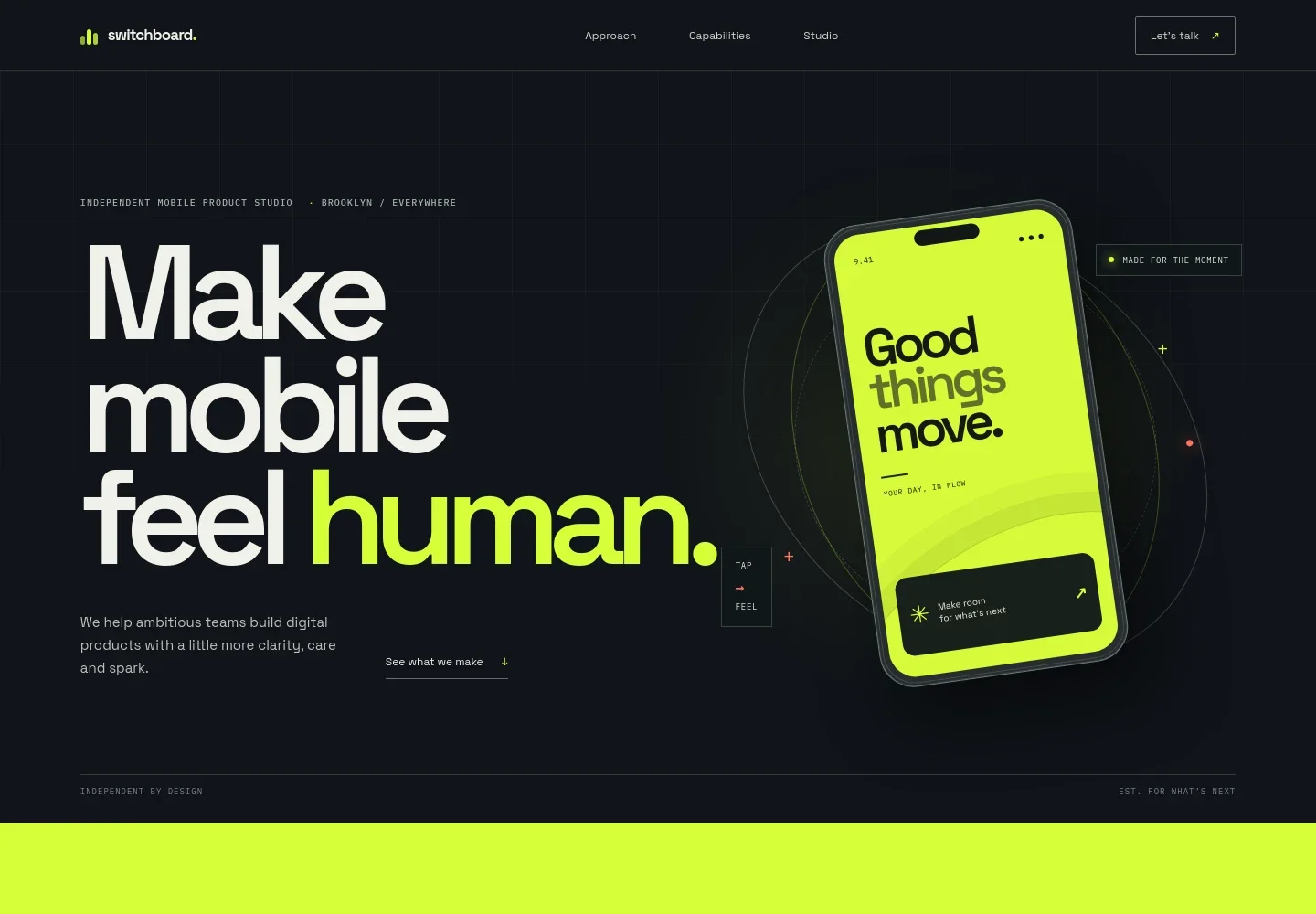
- Hero and mobile interface illustration
- A prominent mobile-focused headline and short studio introduction sit beside an abstract phone interface illustration. The composition quickly establishes the studio’s focus and provides a link to its capabilities.
- Studio point of view
- A statement about designing for mobile as part of people’s everyday lives gives visitors context for the studio’s approach and connects to a contact prompt.
- Three-part approach
- The approach is presented as Listen, Shape, and Ship, with descriptions covering business and user understanding, turning ideas into a working prototype and plan, and building, testing, and refining toward launch.
- Capabilities
- Four service rows explain product strategy, experience design, iOS and Android development, and growth and evolution. Each includes a concise description to help potential clients identify relevant expertise.
- Studio belief
- A short, prominent statement about making useful technology reinforces the studio’s perspective before the final contact section.
- Contact
- The closing section invites visitors to describe a product they want to improve and provides an email link. The displayed email is identified in the page as illustrative contact information.
How to use this template
Open in Revamp
Click Use this template and sign in or create an account. You’ll start with your own copy of the design, ready to personalize.
Bring your content
Replace the sample text, photos, and logo with your own. Share your content, a document, or an existing website, and ask Revamp to adapt the template to your business.
Refine and publish
Ask Revamp to adjust the colors, layout, or sections, or edit directly on the page. Review desktop and mobile, then publish. You can keep making changes after launch.
Put your website to work
Make it easier to turn site interest into organized sales conversations. Ask Revamp to add a suitable customer relationship or scheduling tool for your studio.
-

Track prospective client conversations
HubSpotKeep inquiries and follow-ups organized as your studio evaluates potential projects. Ask Revamp to connect HubSpot for lead management.
-

Let prospects book an introductory call
CalendlyGive prospective clients a straightforward way to choose a meeting time. Ask Revamp to add consultation booking with Calendly.
Frequently asked questions
Is this template free?
Yes. This premium template is free to use through Use this template. Free refers to the template itself.
Can I use my own content?
Yes. Ask Revamp to personalize the text, imagery, studio details, services, and contact information for your business.
Do I need coding skills?
No coding skills are needed. Ask Revamp to make content and design changes for you.
Can I change the design?
Yes. Ask Revamp to adjust the visual design, layout, colors, or typography to suit your studio.
Can I keep editing after publishing?
Yes. You can keep asking Revamp to update your content and design after your site launches.


