About this template
Show visitors how an international mobile top-up service works, from entering a phone number and selecting a destination to choosing local credit. The design uses a clear three-step explanation alongside a visual send-flow preview.
A dark, editorial layout pairs vivid phone imagery and lime accents with practical service details. Visitors can see a sample Kenya destination and KES 1,000 credit amount, while the surrounding copy explains the idea of sending prepaid mobile credit across borders.
Who it’s for
For mobile recharge and international top-up businesses introducing their service to people who want to send prepaid phone credit to friends and family abroad.
What’s included
The page guides visitors from the purpose of cross-border mobile credit to a simple explanation of the sending process, then presents an illustrative top-up interface and common questions.
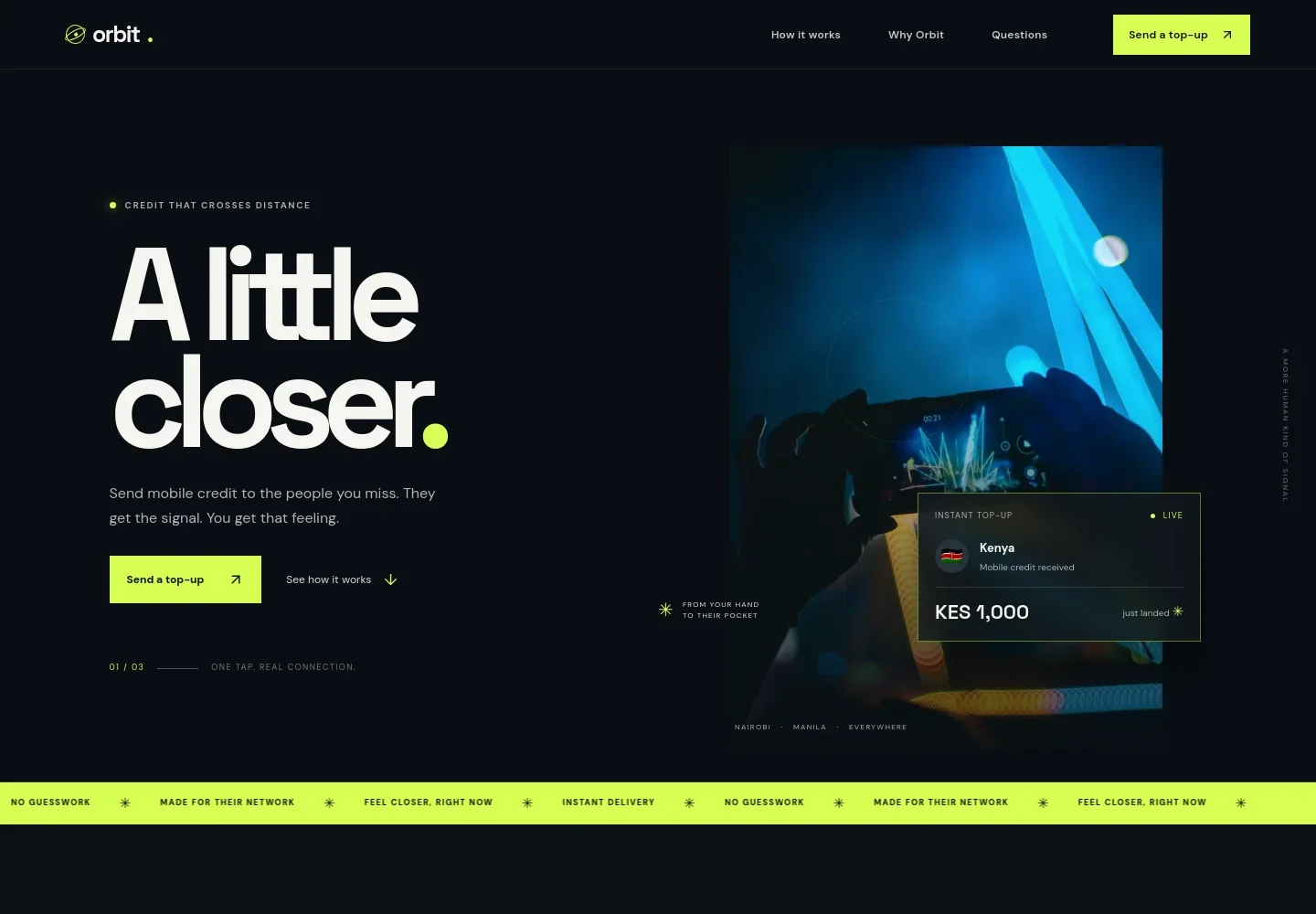
- Hero and send action
- A prominent headline, short introduction, night-time phone image, sample credit notification, and links direct visitors toward the send-flow preview.
- Service highlights
- A moving text strip emphasizes ideas such as delivery speed, choosing the right network, and keeping the process clear.
- How it works
- Three numbered steps explain entering a recipient’s mobile number, choosing a top-up amount, and delivering local credit.
- Why the service matters
- A short brand statement presents mobile credit as a practical way to stay connected across distance, supported by a simple orbit illustration.
- Top-up flow preview
- An illustrative interface shows a phone-number field, a Kenya destination selector, and a KES 1,000 local-credit example. Supporting copy identifies this as a concept preview.
- Frequently asked questions
- An accordion-style section introduces international mobile top-up and provides space for customer questions about sending credit.
- Footer
- The closing area repeats the brand, offers a return-to-top link, and ends with a concise message about staying close.
How to use this template
Open in Revamp
Click Use this template and sign in or create an account. You’ll start with your own copy of the design, ready to personalize.
Bring your content
Replace the sample text, photos, and logo with your own. Share your content, a document, or an existing website, and ask Revamp to adapt the template to your business.
Refine and publish
Ask Revamp to adjust the colors, layout, or sections, or edit directly on the page. Review desktop and mobile, then publish. You can keep making changes after launch.
Put your website to work
Make it easier to handle customer questions and understand interest in your top-up service. Ask Revamp to add or connect tools such as:
-

Manage customer enquiries
HubSpotKeep conversations and follow-ups organized as visitors ask about destinations, operators, and top-up options. Ask Revamp to connect HubSpot for customer relationship management.
-

Collect service interest
Google SheetsOrganize visitor feedback or requests for new destinations in a shared spreadsheet. Ask Revamp to connect Google Sheets for enquiry tracking.
-

Send product updates
MailchimpKeep subscribers informed about service news and destination updates. Ask Revamp to connect Mailchimp for email campaigns.
Frequently asked questions
Is this template free?
Yes. This premium template is free to use when you select Use this template. Free refers to the template itself.
Can I use my own content?
Yes. Ask Revamp to personalize the page with your brand, destinations, service details, images, and contact information.
Do I need coding skills?
No. Ask Revamp to personalize the content and design in plain language, without coding.
Can I change the design?
Yes. Ask Revamp to adjust the colors, imagery, layout, and other design details to suit your business.
Can I keep editing after publishing?
Yes. You can keep asking Revamp to update your content and design after launch.
Does the preview process a mobile top-up?
No. The displayed send flow is an illustrative concept preview. It does not process a payment or recharge.


