About this template
Help visitors understand how your currency exchange service works, review an indicative conversion, and know when to speak with your team for a current rate and details. The page brings together exchange guidance, travel money, international transfers, and business currency needs.
A currency converter lets visitors choose from USD, EUR, GBP, JPY, and CHF to view an approximate exchange. Clear notes explain that estimates are for planning and that rates, availability, and applicable fees should be confirmed with your team.
Use the approach, service, and contact sections to explain how you help customers prepare for travel, send money abroad, or manage cross-border business needs. Ask Revamp to personalize the wording, currencies, contact details, and visual design for your exchange business.
Who it’s for
Currency exchange bureaus, travel money providers, and foreign exchange businesses serving travelers, people sending money internationally, and companies with cross-border currency needs.
What’s included
The page guides visitors from an introduction to your exchange approach through an indicative currency conversion, a clear overview of services, and a personal contact invitation. Its conversion notes help set expectations before customers speak with your team.
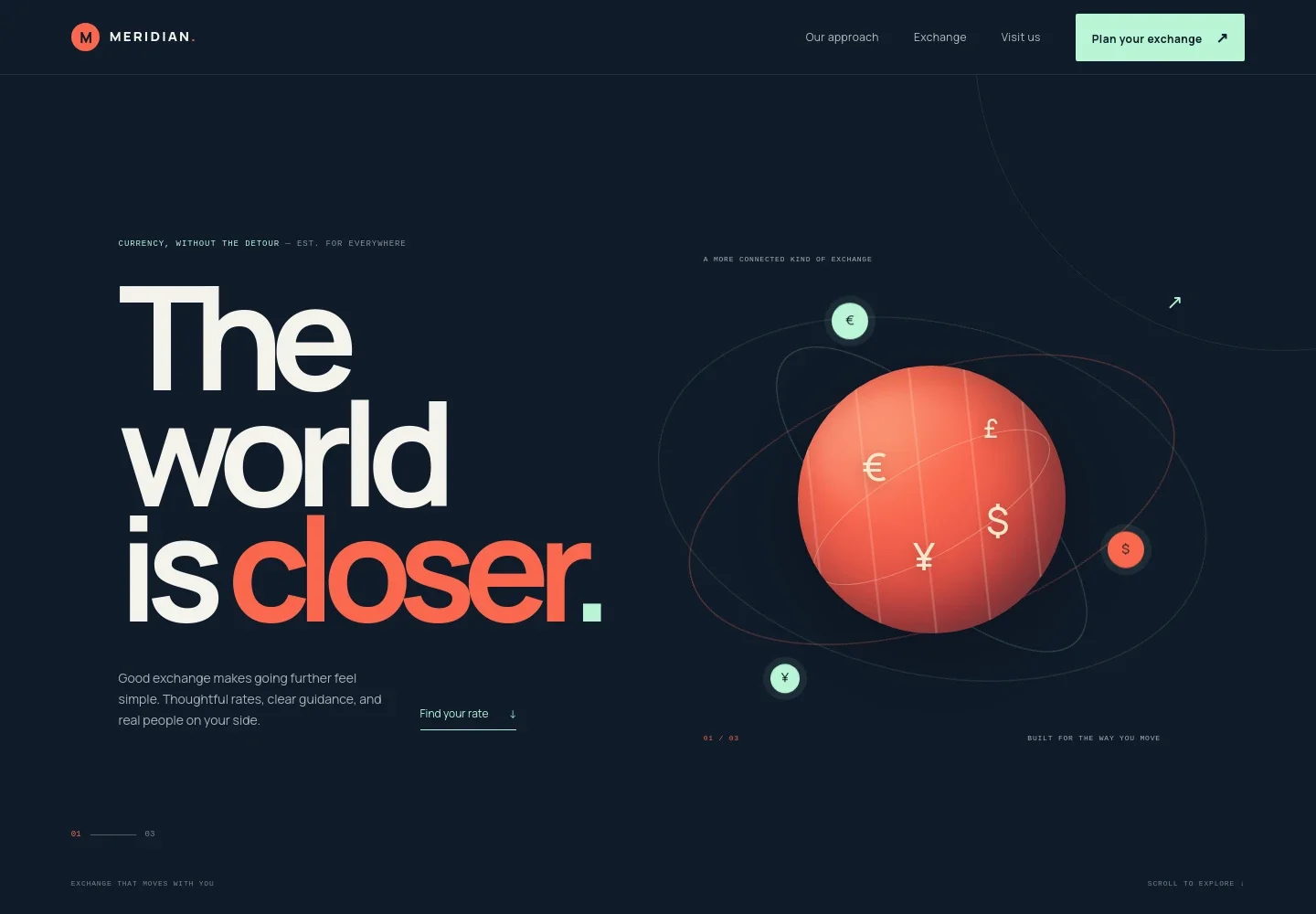
- Hero and navigation
- A prominent currency exchange introduction pairs with navigation to the approach, exchange, and visit sections, plus a call to plan an exchange.
- Our approach
- Explain how your team helps customers understand rates and applicable fees, compare currencies, and get personal guidance before deciding.
- Indicative currency converter
- Visitors can enter an amount and choose from USD, EUR, GBP, JPY, and CHF to see an approximate conversion. Prominent notes clarify that it is a planning guide, not a live quote or transaction offer.
- Travel story
- A travel-inspired editorial section connects currency preparation with the experience of arriving somewhere new.
- Ways we can help
- Three service rows introduce travel money, sending money abroad, and business currency needs, with links that direct visitors toward the converter or contact section.
- Talk with the team
- A closing contact section invites visitors to ask about options, current rates, and what to bring. It includes an illustrative email address and a prompt to ask about a local exchange desk.
- Footer navigation
- A compact footer repeats links to the approach, exchange, and contact sections.
How to use this template
Open in Revamp
Click Use this template and sign in or create an account. You’ll start with your own copy of the design, ready to personalize.
Bring your content
Replace the sample text, photos, and logo with your own. Share your content, a document, or an existing website, and ask Revamp to adapt the template to your business.
Refine and publish
Ask Revamp to adjust the colors, layout, or sections, or edit directly on the page. Review desktop and mobile, then publish. You can keep making changes after launch.
Put your website to work
Make it easier to handle customer questions, keep exchange inquiries organized, and send clear follow-ups. Ask Revamp to add connections to the tools your team uses.
-

Organize customer inquiries
HubSpotKeep prospective customer details and follow-up activity together. Ask Revamp to connect HubSpot for managing exchange inquiries.
-

Arrange consultation times
CalendlyGive visitors a straightforward way to request a conversation with your team. Ask Revamp to add consultation booking with Calendly.
-

Track exchange inquiries
Google SheetsKeep customer questions and follow-up notes organized in one place. Ask Revamp to connect Google Sheets for recording exchange inquiries.
Frequently asked questions
Is this template free?
Yes. This premium template is free to use through Use this template. The template is free; hosting and other services are separate.
Can I use my own content?
Yes. Ask Revamp to personalize the copy, exchange services, currencies, contact details, and other page content for your business.
Do I need coding skills?
No. Ask Revamp to personalize the content and design without coding.
Can I change the design?
Yes. Ask Revamp to adjust the layout, colors, typography, imagery, and other design details to suit your business.
Can I keep editing after publishing?
Yes. You can keep editing after launch. Ask Revamp to make updates as your services, currencies, or contact information change.