About this template
Help visitors make sense of their finances and see a practical next step. This template presents money guidance through clear service descriptions, a step-by-step approach, common questions and a direct invitation to start a conversation.
The page connects everyday financial concerns, including budgeting, debt and savings, with longer-term topics such as investing and retirement planning. Its orbit illustration links today, options, security and the future, giving visitors a visual sense of the broader purpose behind money management.
Who it’s for
Designed for financial coaches, money-management consultants and personal finance professionals who want to explain their approach and services to individuals seeking clearer plans for budgeting, debt, savings or future goals.
What’s included
The layout moves from a visual introduction to the guidance process, service areas, answers to common questions and a contact invitation. This gives prospective clients a clear path from understanding the approach to starting a conversation.
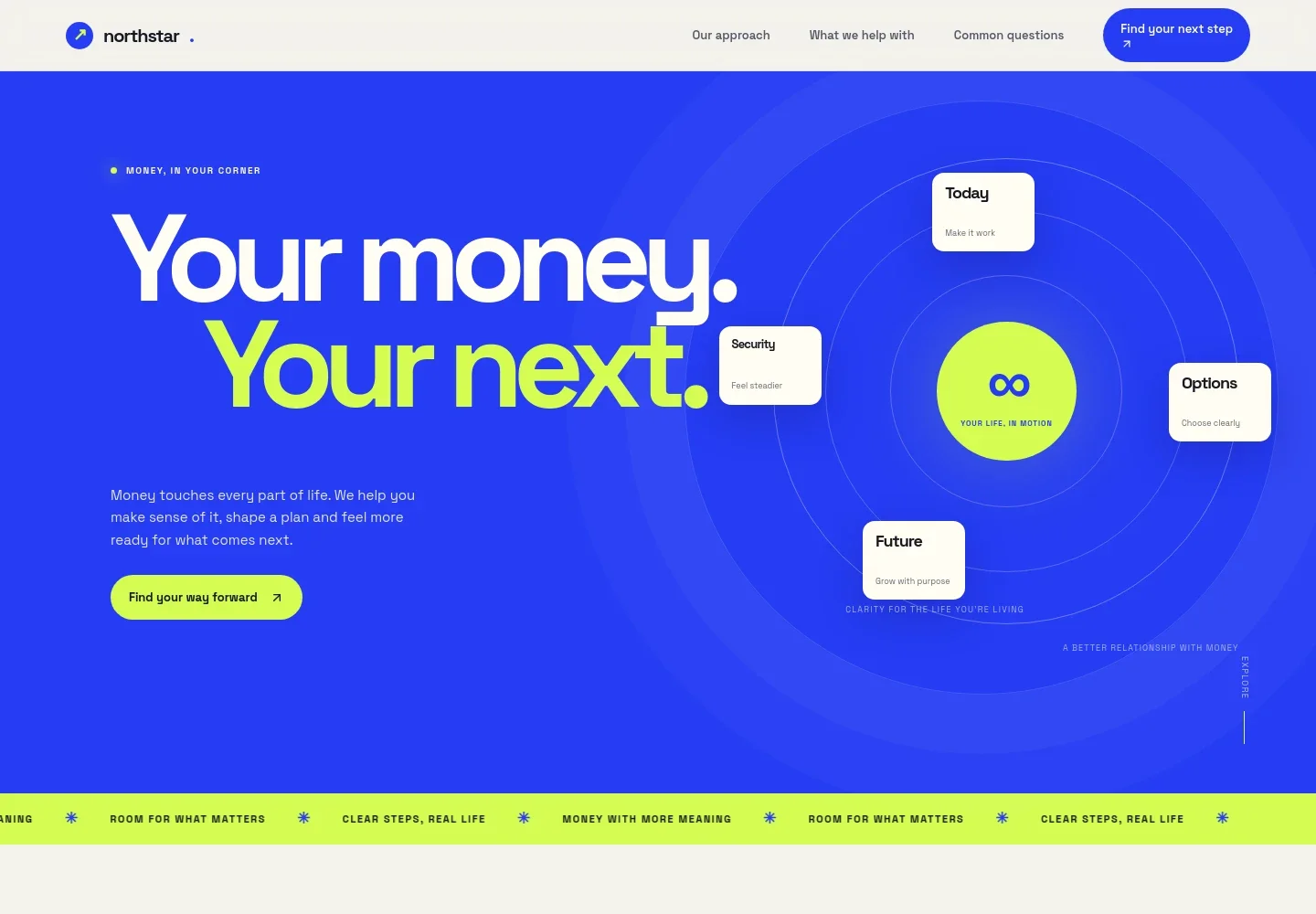
- Hero and money-flow illustration
- An opening message about making money work for the life visitors want sits beside an orbit-style illustration connecting today, options, security and the future. The prominent link leads visitors to the approach section.
- Approach
- Introduces the idea of making financial choices clearer and keeping a plan practical, with a link to the services that follow.
- A path you can see
- Four steps outline a client journey: discuss what matters, understand options, turn priorities into practical actions and revisit the plan as life changes.
- Money management services
- Four service entries cover building a working budget, choosing a debt repayment approach, creating a savings buffer, and learning about long-term investing and retirement planning.
- Guiding principle
- A prominent statement frames financial confidence as knowing what to do next, reinforcing the page's emphasis on clear, practical guidance.
- Common questions
- Expandable answers address who can benefit from guidance, what to expect in an initial conversation, investment education and how service costs are discussed.
- Contact invitation and footer
- A closing call to start a conversation is followed by contact details and a back-to-top link, giving visitors a direct way to continue.
How to use this template
Open in Revamp
Click Use this template and sign in or create an account. You’ll start with your own copy of the design, ready to personalize.
Bring your content
Replace the sample text, photos, and logo with your own. Share your content, a document, or an existing website, and ask Revamp to adapt the template to your business.
Refine and publish
Ask Revamp to adjust the colors, layout, or sections, or edit directly on the page. Review desktop and mobile, then publish. You can keep making changes after launch.
Put your website to work
Make it easier to welcome prospective clients, coordinate conversations and organize financial information. Ask Revamp to add or connect tools that fit the way your practice works.
-

Simplify consultation scheduling
CalendlyLet prospective clients choose a time to talk. Ask Revamp to add consultation booking with Calendly.
-

Keep client follow-up organized
HubSpotTrack prospective client conversations and next steps in one place. Ask Revamp to connect HubSpot for contact and relationship management.
-

Organize financial planning data
Google SheetsBring budgets and planning details into a familiar spreadsheet workflow. Ask Revamp to connect Google Sheets for financial tracking.
Frequently asked questions
Is this template free?
Yes. The premium template is free to use when you select Use this template. This applies to the template itself.
Can I use my own content?
Yes. Ask Revamp to personalize the text, financial guidance, service descriptions, contact details and other content for your business.
Do I need coding skills?
No. You can ask Revamp to personalize the content and design without coding.
Can I change the design?
Yes. Ask Revamp to adjust the layout, colors, typography and other design details to suit your practice.
Can I keep editing after publishing?
Yes. You can keep editing your website after launch by asking Revamp to make updates.