About this template
Help moviegoers see what is on screen, get a feel for your cinema, and find the information they need to plan a visit. The design pairs a full-width auditorium image and bold cinema branding with a featured-film presentation and clear links to screenings and visitor details.
A separate cinema story section, concession imagery, and a focused visit area give your venue room to present its atmosphere as well as practical contact and opening information. Ask Revamp to personalize the film details, imagery, address, hours, and copy for your theater.
Who it’s for
Designed for independent cinemas, neighborhood movie theaters, picture houses, and other film exhibition venues that want to present their screenings and visitor experience.
What’s included
The page moves from a cinematic welcome to a featured film, the character of the venue, and a practical visit section, helping guests understand both what the cinema is like and where to go next.
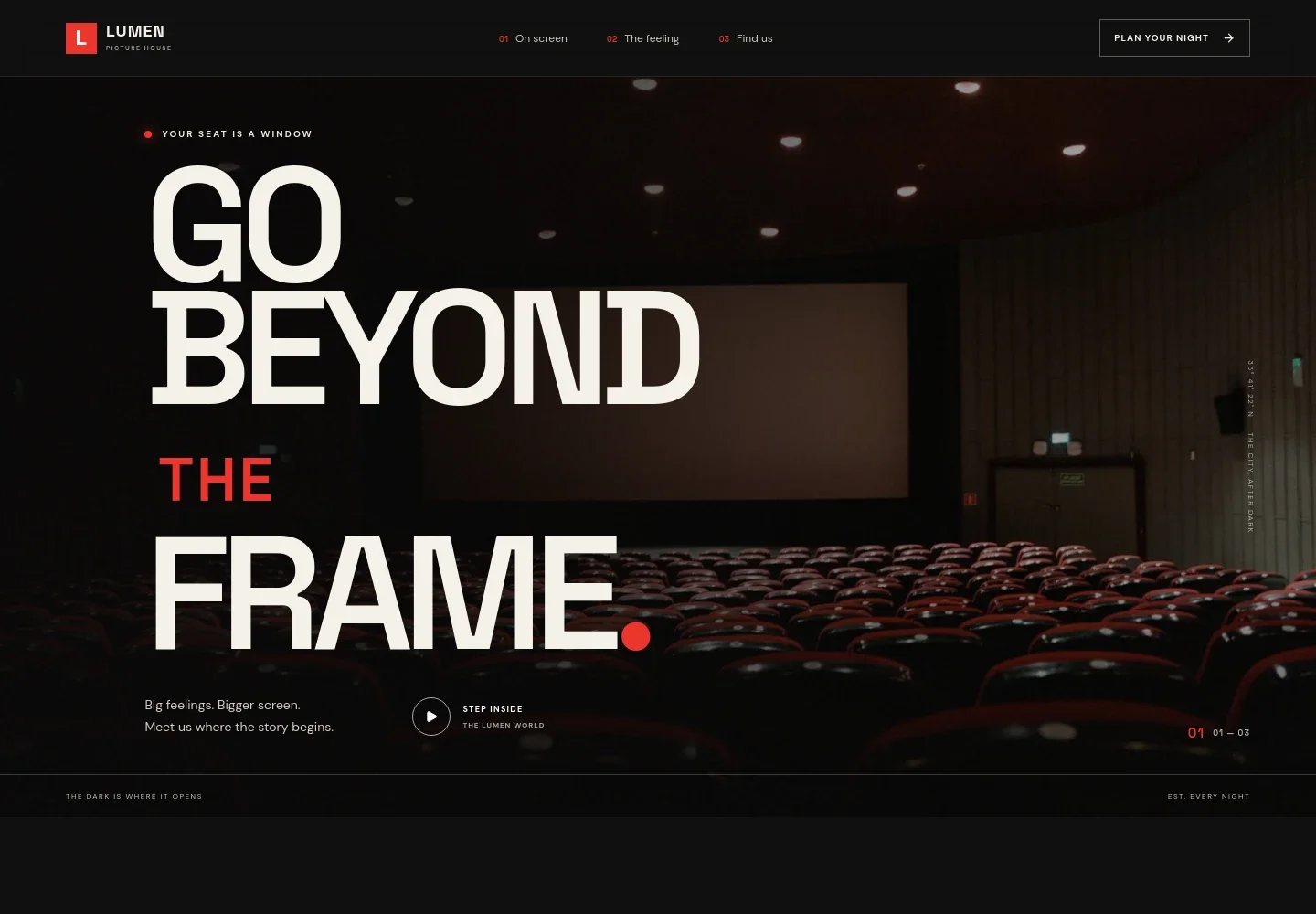
- Cinema welcome
- A dramatic auditorium photograph, cinema wordmark, and prominent navigation introduce the venue. Links lead visitors toward films on screen, the cinema story, and visit information.
- Featured film
- A large film image sits beside a featured-title description and sample genre, runtime, language, and caption details. A screening call to action gives moviegoers a clear next step.
- The cinema experience
- A statement-led section describes the shared atmosphere of watching a film in a theater, giving the venue space to explain what makes a night there distinctive.
- Concessions and arrival
- Popcorn photography and supporting copy highlight the small rituals around a cinema visit, from arriving to settling in before the film.
- Visit information
- A dedicated closing section presents an address, evening opening-time details, and an email contact, so visitors can find basic planning information in one place.
- Footer navigation
- The closing area repeats the cinema identity and provides a back-to-top link, giving visitors a simple way to return to the start of the page.
How to use this template
Open in Revamp
Click Use this template and sign in or create an account. You’ll start with your own copy of the design, ready to personalize.
Bring your content
Replace the sample text, photos, and logo with your own. Share your content, a document, or an existing website, and ask Revamp to adapt the template to your business.
Refine and publish
Ask Revamp to adjust the colors, layout, or sections, or edit directly on the page. Review desktop and mobile, then publish. You can keep making changes after launch.
Put your website to work
Make it easier for moviegoers to choose a screening and complete a booking. Ask Revamp to add connections to tools such as these for ticketing, scheduling, and cinema operations.
-

Sell tickets and manage screenings
VeeziGive guests a direct way to select showtimes and purchase seats. Ask Revamp to connect your site with Veezi for cinema ticketing.
-

Manage film schedules and box office
Vista CinemaCoordinate showtimes and ticket sales through a cinema-focused system. Ask Revamp to connect your site with Vista Cinema.
-

Track ticket sales and concessions
RollerBring admissions and point-of-sale operations into a cinema management workflow. Ask Revamp to connect your site with Roller.
Frequently asked questions
Is this movie theater template free?
Yes. The premium template is free to use through Use this template. Hosting or other services are separate.
Can I use my own cinema content?
Yes. Ask Revamp to personalize the film listings, screening information, cinema details, images, and copy with your content.
Do I need coding skills to customize it?
No coding skills are needed. Ask Revamp to personalize the content and design for your theater.
Can I change the design?
Yes. Ask Revamp to adjust the layout, colors, typography, imagery, and other design details to suit your cinema.
Can I keep editing after publishing?
Yes. You can keep asking Revamp to update your site after launch.


