About this template
Give an independent music publication a clear editorial home. The page introduces its point of view, highlights a featured scene report, profiles emerging artists, and invites readers and contributors to get in touch.
A dark, record-inspired visual style pairs oversized editorial headlines with music photography, issue details, and concise story excerpts. Visitors can quickly understand the publication’s focus and find their way to its coverage or contact section.
Who it’s for
Independent music journals, music magazines, editorial teams, and publications covering artists, live scenes, and emerging sounds.
What’s included
The page moves from the publication’s editorial perspective to featured coverage, an artist profile, and a direct invitation to make contact.
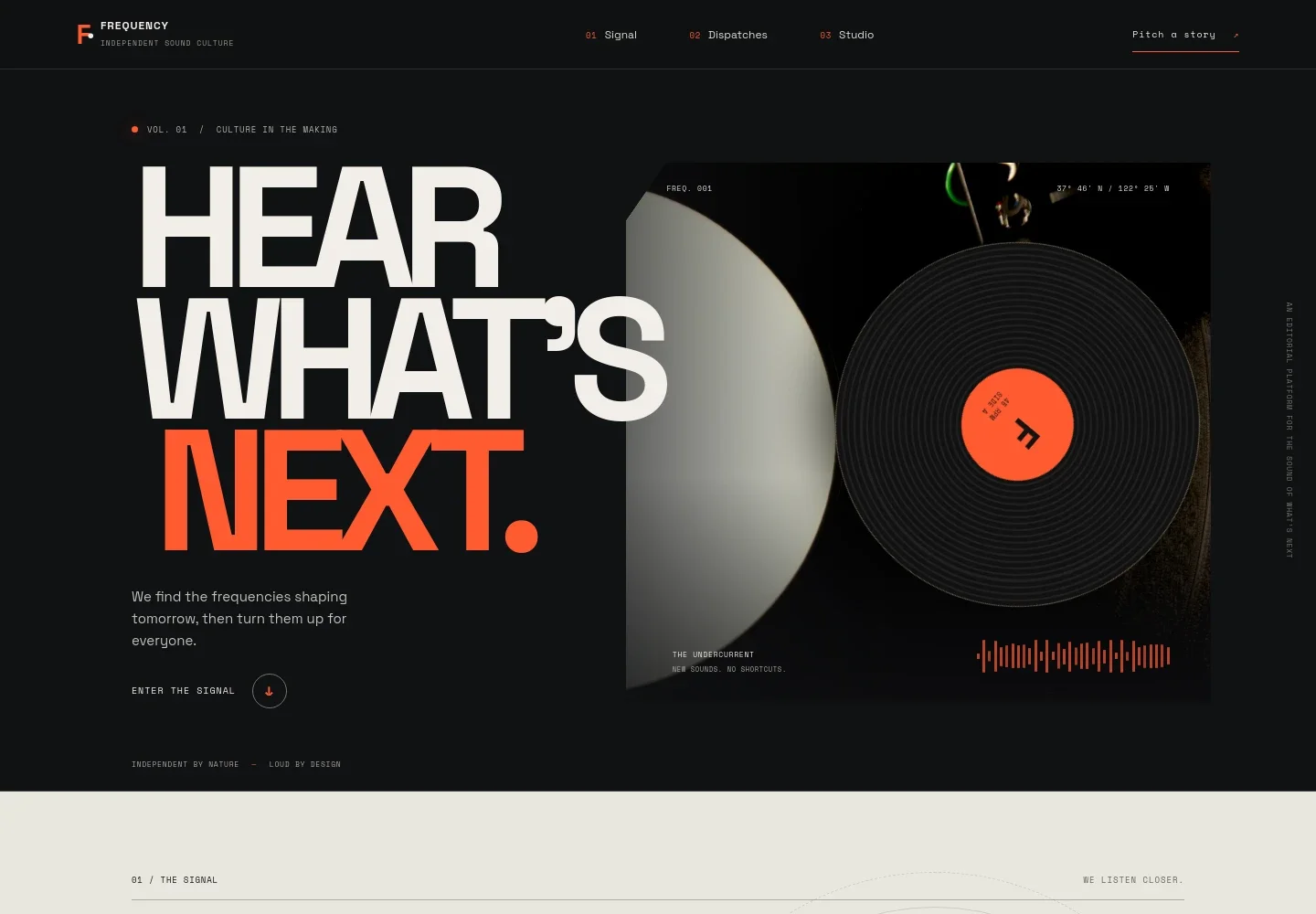
- Editorial introduction
- A prominent headline, short statement of purpose, and vinyl turntable imagery introduce the journal and its focus on new sounds.
- Editorial perspective
- A manifesto-style section explains the publication’s interest in music and scenes beyond algorithm-led discovery, alongside record-inspired artwork.
- Featured dispatch
- A scene-report feature combines concert photography, an article headline, a short excerpt, reading-time label, and issue details to give a sample of the publication’s coverage.
- Artist index feature
- A musician portrait and concise profile introduction show how the publication can present individual artists and their creative practice.
- Contact invitation
- An open-frequency section invites artists, listeners, and music-community contributors to start a conversation or pitch a story.
- Publication footer
- The footer repeats the journal identity and provides a return-to-top link and a closing editorial motto.
How to use this template
Open in Revamp
Click Use this template and sign in or create an account. You’ll start with your own copy of the design, ready to personalize.
Bring your content
Replace the sample text, photos, and logo with your own. Share your content, a document, or an existing website, and ask Revamp to adapt the template to your business.
Refine and publish
Ask Revamp to adjust the colors, layout, or sections, or edit directly on the page. Review desktop and mobile, then publish. You can keep making changes after launch.
Put your website to work
Make it easier to publish stories, share new coverage, and coordinate editorial work. Ask Revamp to add or connect tools that suit your publication’s workflow.
-

Publish and organize stories
WordPressManage article drafts, editorial calendars, and published stories in one publishing workspace. Ask Revamp to connect WordPress for your publication workflow.
-

Reach readers by email
MailchimpShare new features and publication updates with your subscriber list. Ask Revamp to connect Mailchimp for email newsletter campaigns.
-

Coordinate editorial work
TrelloOrganize story pitches, assignments, and production tasks for your team. Ask Revamp to connect Trello to support editorial planning.
Frequently asked questions
Is this template free?
Yes. This premium template is free to use through Use this template. Free refers to the template itself.
Can I use my own content?
Yes. Ask Revamp to personalize the page with your publication name, editorial approach, article copy, photography, and contact details.
Do I need coding skills?
No coding skills are needed. Ask Revamp to personalize the content and design in natural language.
Can I change the design?
Yes. Ask Revamp to adjust the visual style, layout, colors, and other design details to fit your publication.
Can I keep editing after publishing?
Yes. You can keep editing your website after launch and ask Revamp to make further content or design changes.


