About this template
Help listeners discover independent tracks, preview featured songs, and understand how to keep music for offline listening. The design presents a curated download shop with a clear path from browsing the featured selection to choosing a track and download format.
A bold editorial layout pairs artist imagery and a prominent introduction with a track list, short explanations of the shop’s approach, and a simple purchase-to-download overview. The dark palette, oversized type, and record-inspired visuals give an independent music brand a distinctive setting without obscuring the music and artist details.
Who it’s for
Independent music shops, music curators, small labels, and artist-led download stores that want to feature tracks, introduce their point of view, and explain how listeners can preview and keep music.
What’s included
The page guides visitors from the music shop’s identity to featured discoveries and the steps for making a track their own. Its visual sections balance artist-focused storytelling with practical listening and download information.
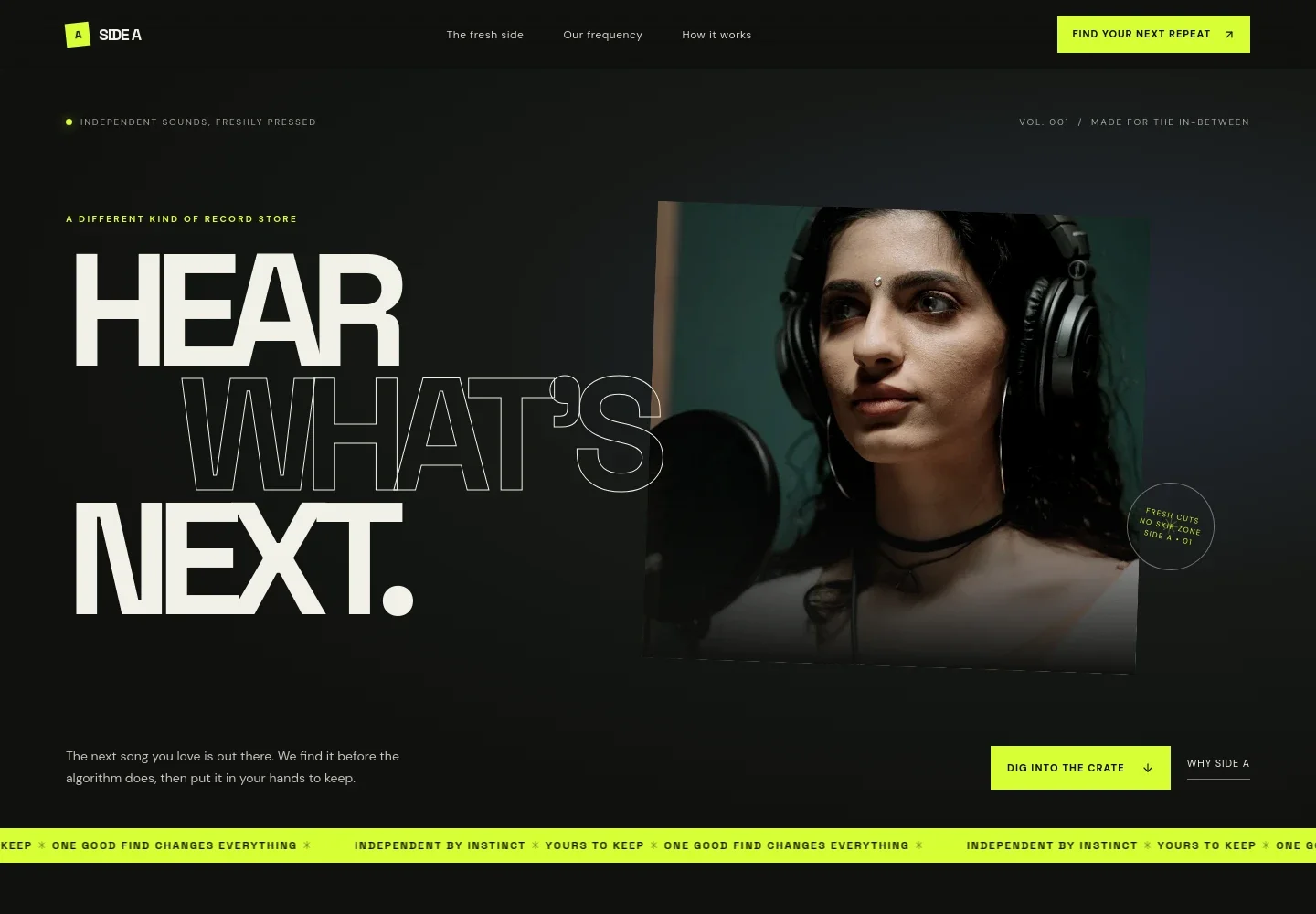
- Hero and navigation
- A prominent artist image, large headline, short introduction, and links to the featured tracks and shop story establish the music discovery focus and direct visitors into the page.
- Shop introduction
- A concise statement explains the shop’s independent, human-curated approach and its focus on letting listeners choose what to play.
- Collection feature
- An image-led section describes the selection as a hand-built collection, with space to explain the kinds of music visitors can expect to find.
- Featured tracks
- A numbered track list displays sample song titles, artist names, genres, durations, and preview and download controls, giving visitors a clear way to scan the selection.
- Download value statement
- A separate editorial section explains the idea of buying a track to download and listen to offline, supported by record imagery.
- Listening and download steps
- Three concise steps outline discovering a track, choosing a download format, and taking the file offline.
- Footer and contact
- A final browse prompt links back to the picks and shop story, alongside a contact email area and brand sign-off.
How to use this template
Open in Revamp
Click Use this template and sign in or create an account. You’ll start with your own copy of the design, ready to personalize.
Bring your content
Replace the sample text, photos, and logo with your own. Share your content, a document, or an existing website, and ask Revamp to adapt the template to your business.
Refine and publish
Ask Revamp to adjust the colors, layout, or sections, or edit directly on the page. Review desktop and mobile, then publish. You can keep making changes after launch.
Put your website to work
Support music discovery, direct sales, and listener updates by asking Revamp to add connections to tools suited to your music business.
-

Sell downloadable music
BandcampGive listeners a familiar way to pay for digital releases. Ask Revamp to connect Bandcamp for music sales and artist releases.
-

Share new releases with fans
MailchimpKeep listeners informed about new tracks and shop updates. Ask Revamp to connect Mailchimp for email newsletters.
-

Track store visits and interest
Google AnalyticsUnderstand which pages and releases attract attention. Ask Revamp to connect Google Analytics for website measurement.
Frequently asked questions
Is this music download website template free?
Yes. This premium template is free to use through Use this template. Free refers to the template itself, not hosting or other services.
Can I use my own music, images, and text?
Yes. Ask Revamp to personalize the page with your own tracks, artist details, images, and copy.
Do I need coding skills to customize the template?
No coding skills are needed. Ask Revamp to update the content and design in natural language.
Can I change the design to match my music brand?
Yes. Ask Revamp to adjust the colors, typography, imagery, layout, and other design details to suit your brand.
Can I keep editing the website after publishing?
Yes. You can keep editing after launch. Ask Revamp to make updates as your music, releases, and business change.


