About this template
Help musicians understand what they can rent, how the rental process works, and where to ask questions. The page presents instrument families including strings, keys, rhythm, and brass and woodwind, with examples such as guitars, digital pianos, drum kits, trumpets, and saxophones.
The design explains a flexible rental concept through clear steps: choose an instrument, select a rental term, then keep playing, switch instruments, or return when ready. An FAQ section addresses rental inclusions, changing instruments, beginner suitability, and getting started.
Who it’s for
Instrument rental shops and music equipment businesses serving beginners, curious players, bands, and musicians who want to try an instrument before committing to ownership.
What’s included
A dark, editorial-style page guides prospective renters from the rental idea to instrument categories, a simple process, and practical questions. Large headings, instrument-family listings, and repeated paths to browse or get in touch make the offer easy to follow.
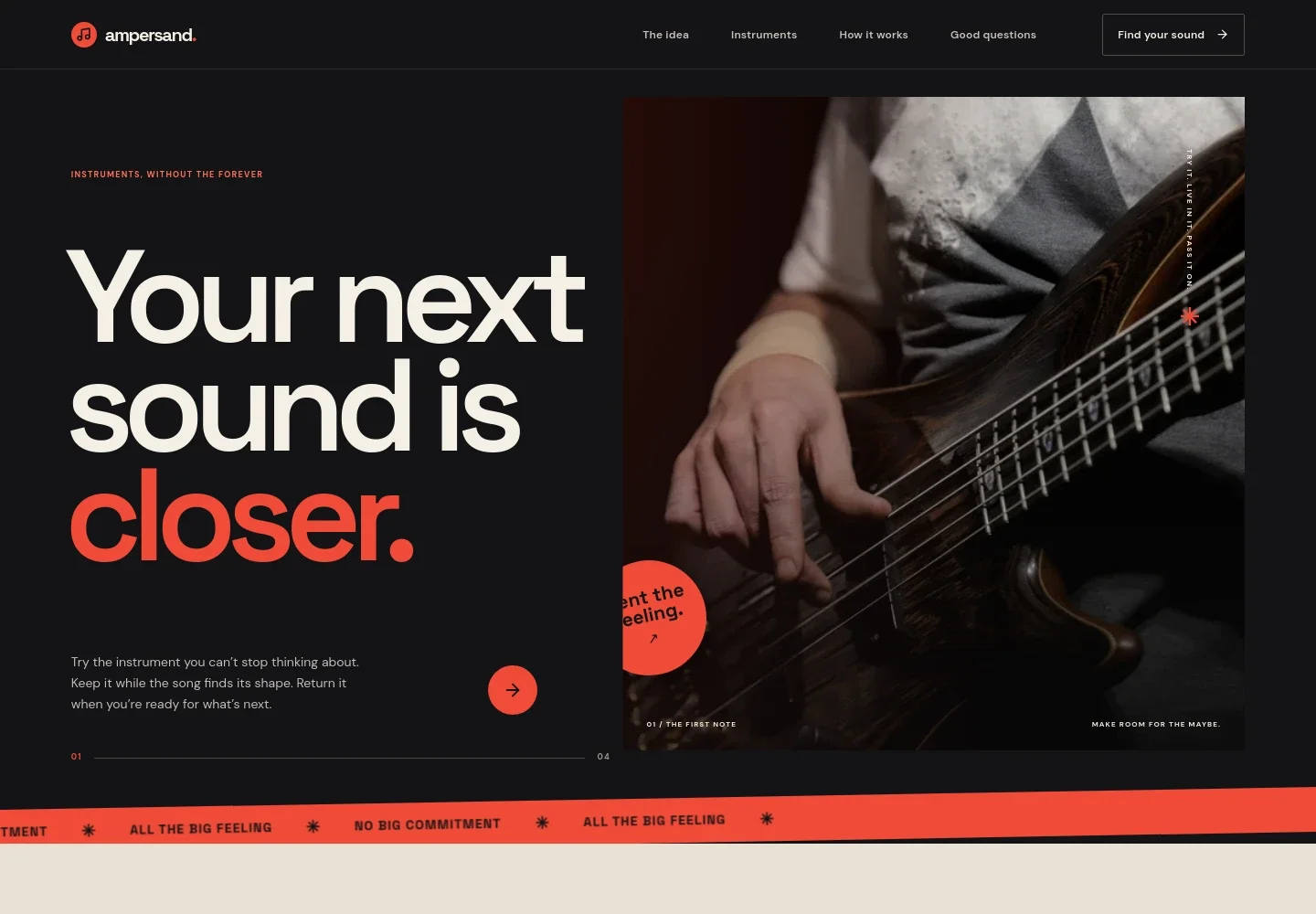
- Hero introduction
- Opens with a prominent musical message, supporting copy about trying and returning an instrument, and a call to explore the collection. A large musician photograph establishes the context.
- Rental idea
- Explains the value of trying an instrument while learning what feels right, with copy that speaks to first-timers, late-night players, and growing bands.
- Instrument families
- Groups the collection into strings, keys, rhythm, and brass and woodwind, with examples including guitars, ukuleles, digital pianos, synths, percussion, trumpets, saxophones, and clarinets.
- How renting works
- Describes choosing an instrument, selecting a rental term with the monthly rate and inclusions made clear before starting, then continuing, swapping, or returning.
- Frequently asked questions
- Answers questions about what a rental includes, switching instruments, renting as a beginner, and getting started, with contact details presented as illustrative.
- Closing call to action
- Returns visitors to the instrument collection with a final prompt to find an instrument that suits their next musical step.
How to use this template
Open in Revamp
Click Use this template and sign in or create an account. You’ll start with your own copy of the design, ready to personalize.
Bring your content
Replace the sample text, photos, and logo with your own. Share your content, a document, or an existing website, and ask Revamp to adapt the template to your business.
Refine and publish
Ask Revamp to adjust the colors, layout, or sections, or edit directly on the page. Review desktop and mobile, then publish. You can keep making changes after launch.
Put your website to work
Give customers clearer ways to discover inventory, ask about a rental, and follow up on inquiries. Ask Revamp to add or connect tools that support those tasks.
-

Make it easier to arrange a visit
CalendlyAsk Revamp to add consultation or store-visit booking with Calendly, so prospective renters can choose a time to discuss instruments.
-

Keep rental inquiries organized
HubSpotAsk Revamp to connect HubSpot to organize prospective customer details and follow up on instrument rental questions.
-

Collect rental payments online
StripeAsk Revamp to add online payment collection with Stripe for rental charges or other customer payments.
Frequently asked questions
Is this template free?
Yes. This premium template is free to use through Use this template. Free refers to the template itself.
Can I use my own content?
Yes. Ask Revamp to personalize the page with your business name, rental terms, instrument inventory, pricing details, and contact information.
Do I need coding skills?
No. Ask Revamp to personalize the content and design without coding.
Can I change the design?
Yes. Ask Revamp to adjust the colors, typography, imagery, layout, or other design details to suit your rental business.
Can I keep editing after publishing?
Yes. You can keep editing after launch and ask Revamp to make further updates as your business changes.


