About this template
Help visitors understand the notarial services you offer and what to bring to an appointment. The page presents acknowledgments, jurats and oaths, certified copies, and signatures and affidavits in a clear service list.
A calm, editorial layout guides prospective clients from an introduction to your approach, through your services, and into practical appointment preparation. A prominent visit section explains identity, unsigned documents, and bringing every page, while a contact link gives visitors a next step.
Who it’s for
Independent notaries and notarial practices that want to explain their services, set expectations before appointments, and make it easy for prospective clients to get in touch.
What’s included
The design gives visitors a clear path from understanding your notarial work to preparing for a visit. Service descriptions and practical reminders help answer common questions before someone contacts your practice.
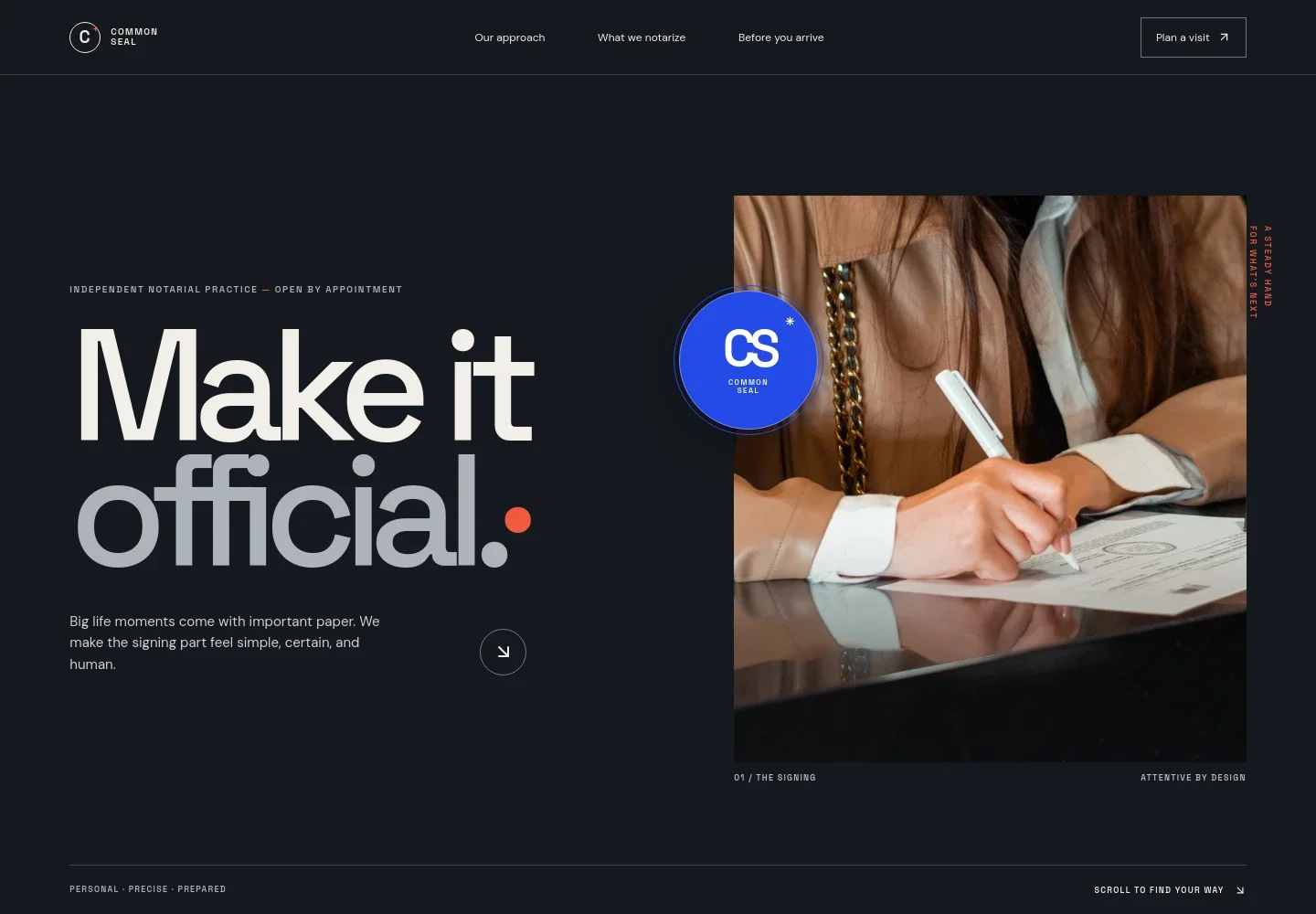
- Notary introduction
- A large headline, signing photograph, and concise introduction establish the practice and frame the service as clear, personal, and attentive.
- Approach
- Explains the practice's emphasis on describing the process, checking identity, and witnessing signatures carefully. A link leads visitors to appointment preparation.
- Notarial services
- A numbered list describes acknowledgments, jurats and oaths, certified copies, and signatures and affidavits, helping visitors identify the type of act their document may call for.
- Before you arrive
- A preparation list reminds visitors to bring valid identification and all document pages, and to wait to sign when witnessing is required. It also notes that requirements vary by state and document.
- Contact prompt
- A visible link invites visitors to ask a question about a notary appointment, providing a direct next step when they need clarification.
- Footer
- Repeats the practice identity, includes a back-to-top link, and identifies contact details as placeholders in the illustrative design.
How to use this template
Open in Revamp
Click Use this template and sign in or create an account. You’ll start with your own copy of the design, ready to personalize.
Bring your content
Replace the sample text, photos, and logo with your own. Share your content, a document, or an existing website, and ask Revamp to adapt the template to your business.
Refine and publish
Ask Revamp to adjust the colors, layout, or sections, or edit directly on the page. Review desktop and mobile, then publish. You can keep making changes after launch.
Put your website to work
Make it easier to coordinate visits and follow up with prospective clients. Ask Revamp to add or connect tools that fit the way your notarial practice handles appointments and inquiries.
-

Simplify appointment scheduling
CalendlyGive clients a convenient way to request a time. Ask Revamp to add appointment booking with Calendly.
-

Keep client appointments organized
Google CalendarCoordinate appointment times with your calendar. Ask Revamp to connect Google Calendar for scheduling.
Frequently asked questions
Is this template free?
Yes. This premium template is free to use through Use this template. Free refers to the template itself, not hosting or other services.
Can I use my own content?
Yes. Ask Revamp to personalize the site with your practice name, service details, contact information, and other content.
Do I need coding skills?
No. You can ask Revamp to personalize the content and design without coding.
Can I change the design?
Yes. Ask Revamp to adjust the layout, colors, imagery, and other design details to suit your practice.
Can I keep editing after publishing?
Yes. You can keep editing your site after launch and ask Revamp for further content or design changes.