About this template
Help audiences see what is playing, understand the experience, and plan an evening at your opera house. The design pairs a full-width theatre image and season introduction with a clear list of productions, performer-focused imagery, and practical visit information.
The sample season features La Traviata, The Magic Flute, and Carmen, with composers, language and surtitles, and illustrative date ranges. Replace these details with your current program and venue information.
Who it’s for
Opera houses, opera companies, and performing arts venues that want to present a season, introduce the live performance experience, and give prospective visitors useful planning details.
What’s included
The page moves from the atmosphere of the auditorium to the season lineup, then to the performance experience and visitor details. This gives audiences a natural path from discovering a production to considering a visit.
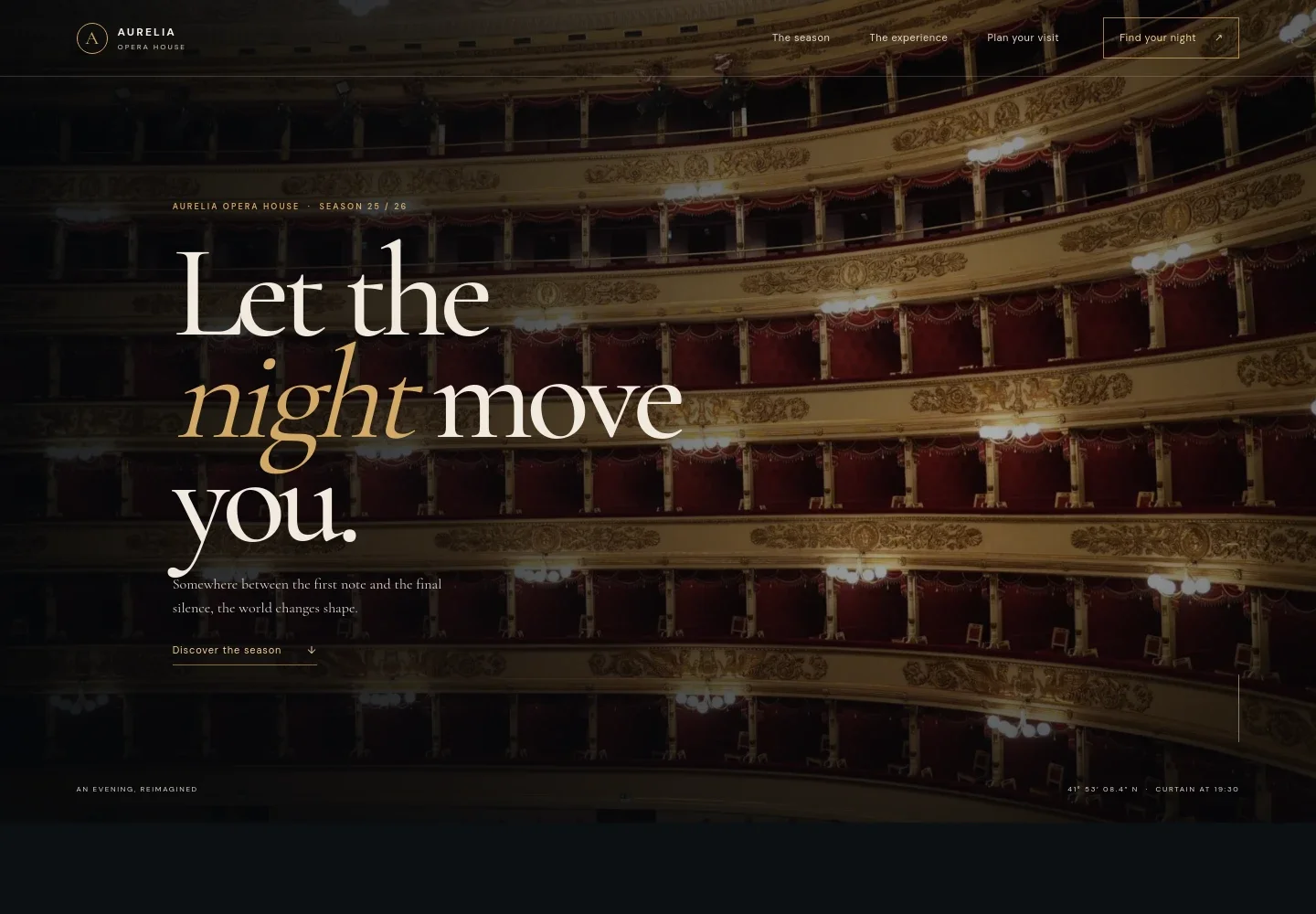
- Theatre hero
- A large image of the illuminated auditorium introduces the venue, with a season label and a link directing visitors to the program.
- The opera experience
- A short editorial section describes opera as a live, shared performance and leads visitors toward planning an evening.
- Season productions
- Three production listings show each title, composer, language and surtitles, plus an illustrative date range. The repeated row format makes it easy to scan the season.
- Three-act visual interlude
- A large orchestra image and three act labels create a visual pause between the season list and performer-focused content.
- Performer feature
- A stage portrait accompanies copy about the human voice and live performance, adding an artist-centered moment to the page.
- Plan your visit
- Visitors can find guidance about arrival time, typical performance length, and a contact email. The sample email is illustrative and can be replaced with the venue's contact details.
- Footer navigation
- The closing area repeats the opera house identity and provides links back to the beginning and visit information.
How to use this template
Open in Revamp
Click Use this template and sign in or create an account. You’ll start with your own copy of the design, ready to personalize.
Bring your content
Replace the sample text, photos, and logo with your own. Share your content, a document, or an existing website, and ask Revamp to adapt the template to your business.
Refine and publish
Ask Revamp to adjust the colors, layout, or sections, or edit directly on the page. Review desktop and mobile, then publish. You can keep making changes after launch.
Put your website to work
Make it easier for audiences to find performances and plan a visit. Ask Revamp to add or connect tools that support ticketing, event information, or audience communications.
-

Sell tickets for performances
SpektrixGive audiences a direct route from a production listing to ticket selection. Ask Revamp to add ticketing with Spektrix.
-

Promote events across channels
TessituraKeep event details organized for promotion and audience updates. Ask Revamp to connect event marketing with Tessitura.
-

Share season announcements
MailchimpHelp audiences hear about upcoming productions and news. Ask Revamp to add email campaigns with Mailchimp.
Frequently asked questions
Is this template free?
Yes. The premium template is free to use when you select Use this template. This applies to the template itself, not hosting or other services.
Can I use my own content?
Yes. Ask Revamp to personalize the production listings, season dates, venue details, images, and contact information with your own content.
Do I need coding skills?
No. You can ask Revamp to personalize the content and design without coding.
Can I change the design?
Yes. Ask Revamp to adjust the layout, colors, typography, imagery, and other design details to suit your opera house.
Can I keep editing after publishing?
Yes. You can keep asking Revamp to update the site after launch, for example when your season or visitor information changes.


