About this template
Help homeowners understand your painting services, approach to preparation, and color guidance. The design pairs expressive paint imagery with clear descriptions of interior painting, exterior renewal, and color direction.
A featured approach section describes protecting surfaces, repairing and sanding walls, maintaining a tidy work area, and applying careful coats. A color section explains how light and surrounding finishes shape a room’s palette, giving visitors useful context before they get in touch.
Who it’s for
Independent painters, residential painting contractors, and painting studios offering interior or exterior work and color guidance to homeowners.
What’s included
The page moves from a paint-focused visual introduction to practical service details and a clear contact invitation. Its large project imagery and distinct sections help homeowners see what you do, how you approach a job, and how to start a conversation.
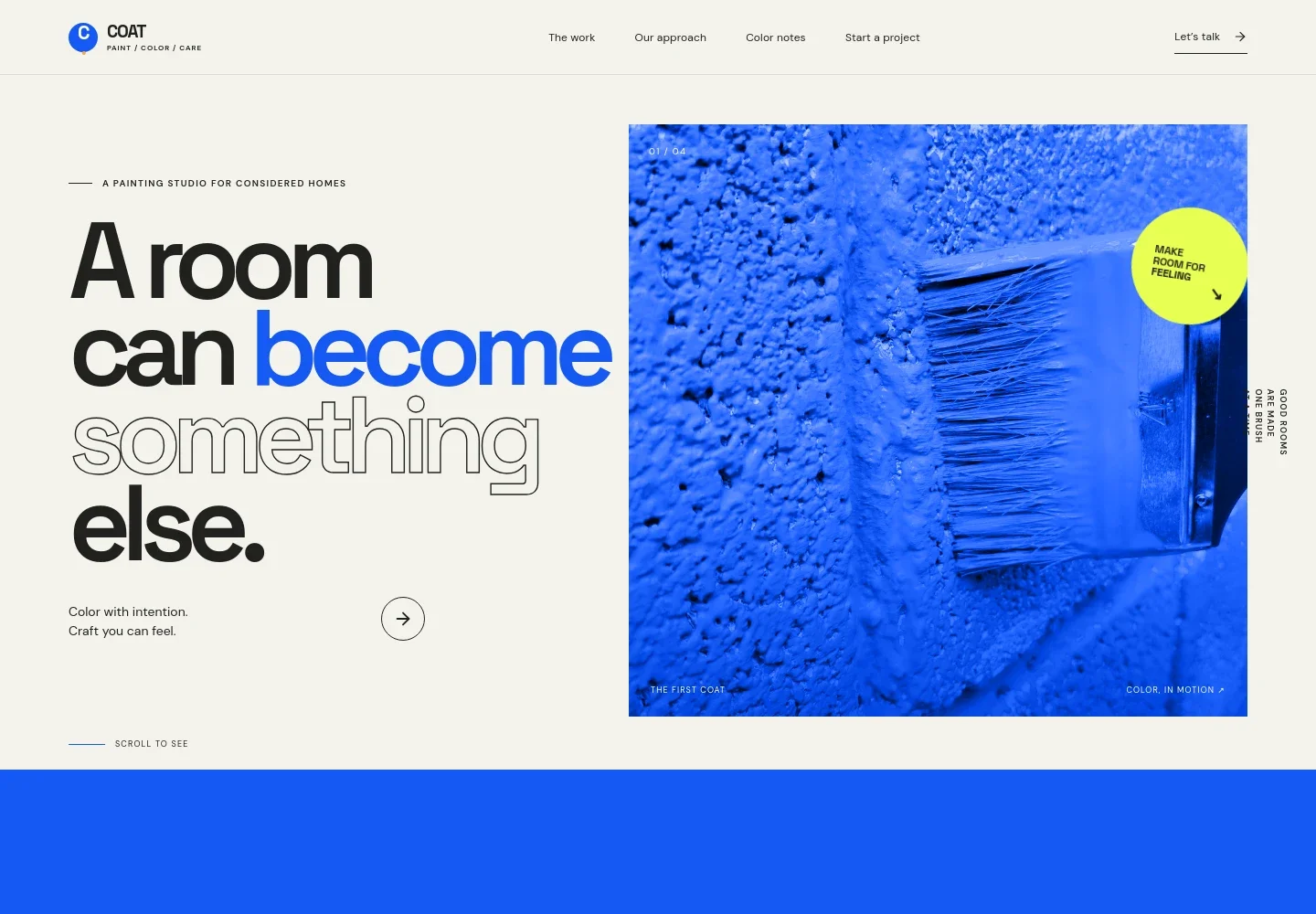
- Hero and project introduction
- A prominent painting image, short headline, and links to the work and contact sections establish the studio’s focus and give visitors a direct route to explore.
- Painting approach
- A concise statement frames painting as a considered update to a home, with preparation, patience, and color choices presented as part of the work.
- Preparation and finish
- A detail image sits alongside a description of protecting surfaces, making repairs, sanding, keeping a tidy site, and building an even finish.
- Painting services
- Separate service rows describe interior painting for walls, ceilings, and trim; exterior renewal; and color direction for adjoining spaces and changing light.
- Color notes and palette
- An explanation of how light affects color is paired with named blue, ochre, coral, and green swatches, offering a visual starting point for discussing a home’s palette.
- Project contact
- The closing section invites visitors to describe a room or project and provides contact details, a direct email link, and a note about the painting studio.
How to use this template
Open in Revamp
Click Use this template and sign in or create an account. You’ll start with your own copy of the design, ready to personalize.
Bring your content
Replace the sample text, photos, and logo with your own. Share your content, a document, or an existing website, and ask Revamp to adapt the template to your business.
Refine and publish
Ask Revamp to adjust the colors, layout, or sections, or edit directly on the page. Review desktop and mobile, then publish. You can keep making changes after launch.
Put your website to work
Make it easier to turn painting inquiries into organized consultations and estimates. Ask Revamp to add or connect tools that fit how you handle prospective projects.
-

Schedule painting consultations
CalendlyGive homeowners a convenient way to choose a time to discuss rooms, finishes, and project scope. Ask Revamp to add consultation booking with Calendly.
-

Keep inquiries organized
HubSpotTrack prospective customers and follow-up conversations in one place. Ask Revamp to connect HubSpot to help manage painting leads.
-

Plan consultations around your calendar
Google CalendarHelp visitors request a time that fits your availability. Ask Revamp to add appointment scheduling with Google Calendar.
Frequently asked questions
Is this painter website template free?
Yes. This premium template is free to use when you select Use this template. The offer applies to the template, not hosting or other services.
Can I use my own painting business content?
Yes. Ask Revamp to personalize the page with your business name, service details, project images, color approach, and contact information.
Do I need coding skills to customize the template?
No coding skills are needed. Ask Revamp to update the content and design in plain language.
Can I change the design?
Yes. Ask Revamp to adjust the colors, imagery, layout, and other design choices to suit your painting business.
Can I keep editing the site after publishing?
Yes. You can keep making edits after launch. Ask Revamp to update your services, project details, content, or design as your business changes.