About this template
Help visitors picture a parasailing flight and understand what happens from dock to sky. The page introduces the experience, describes a smooth boat-based launch and return, and shows solo, shared, and group ride options.
A prominent coastal flight image sets the scene, while dedicated sections explain the ascent, the day on the water, and practical points such as experience, clothing, shared flights, and changing weather. A final enquiry prompt gives interested visitors a clear next step.
Who it’s for
Parasailing operators and coastal adventure businesses that want to explain their rides, answer common visitor questions, and encourage flight enquiries.
What’s included
The layout guides prospective riders from the view they can expect to the practical details they may want before contacting the crew. Large coastal imagery and concise, clearly separated sections make the experience and ride choices easy to scan.
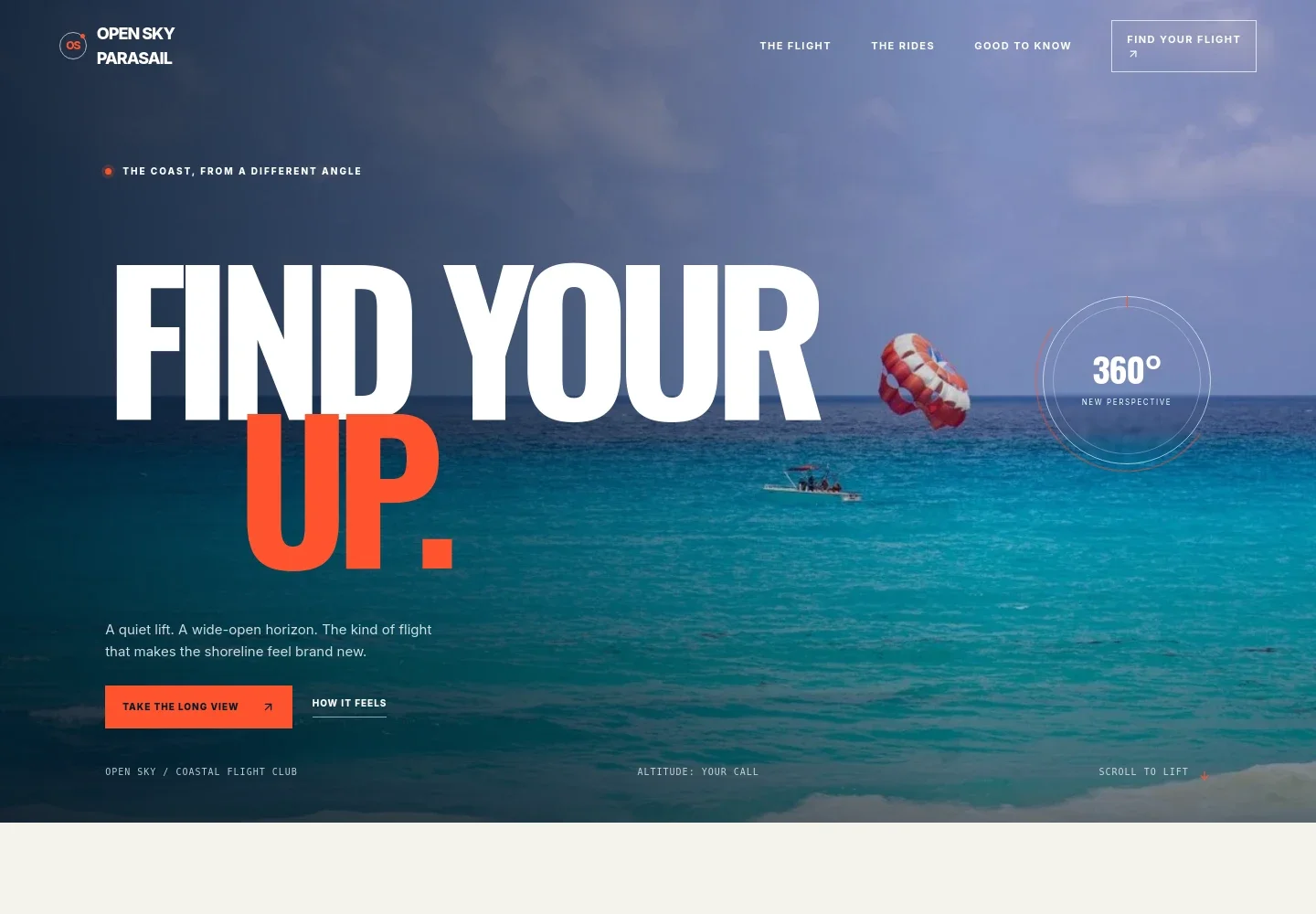
- Coastal hero
- A full-width parasailing image, concise flight-focused headline, and prominent calls to action introduce the experience and direct visitors to the flight details or enquiry section.
- Flight introduction
- Explains the experience through a steady boat, a clear briefing, and a smooth climb above the water, setting expectations before visitors read about specific rides.
- Ascent story
- Pairs a flight image with a short description of the parasail filling, the line drawing taut, and the view opening up as riders rise above the water.
- Ride options
- Presents solo, shared, and group flights in separate descriptions, helping visitors identify the experience that suits their party.
- From dock to sky
- Outlines the sequence described in the page: meet the crew, receive a safety briefing, settle into the harness, lift from the boat, and return to it.
- Visitor questions
- Answers questions about prior experience, what to wear, flying with someone, and how the crew responds when weather conditions change.
- Flight enquiry
- Closes with a direct prompt to ask about a flight, giving visitors a clear next step after reviewing the experience and ride choices.
How to use this template
Open in Revamp
Click Use this template and sign in or create an account. You’ll start with your own copy of the design, ready to personalize.
Bring your content
Replace the sample text, photos, and logo with your own. Share your content, a document, or an existing website, and ask Revamp to adapt the template to your business.
Refine and publish
Ask Revamp to adjust the colors, layout, or sections, or edit directly on the page. Review desktop and mobile, then publish. You can keep making changes after launch.
Put your website to work
Make it easier for visitors to plan a ride and for your team to manage enquiries. Ask Revamp to add or connect tools suited to your booking and customer communication needs.
-

Accept ride bookings
CalendlyGive visitors a way to choose an available time. Ask Revamp to add appointment booking with Calendly.
-

Organize enquiries and follow-up
HubSpotKeep prospective riders and group enquiries organized. Ask Revamp to connect HubSpot for customer relationship management.
-

Track seasonal demand
Google SheetsKeep a simple record of enquiries, ride interest, and seasonal patterns. Ask Revamp to connect Google Sheets for reporting.
Frequently asked questions
Is this template free?
Yes. The premium template is free to use via Use this template. Free refers to the template itself.
Can I use my own content?
Yes. Ask Revamp to personalize the page with your business name, ride descriptions, photos, contact details, and other content.
Do I need coding skills?
No. You can ask Revamp to personalize the content and design without coding.
Can I change the design?
Yes. Ask Revamp to adjust the layout, colors, imagery, and other design details to suit your business.
Can I keep editing after publishing?
Yes. You can keep making changes after launch by asking Revamp to update your content or design.
What questions does the page answer for prospective riders?
It covers whether experience is needed, what to wear, whether visitors can fly with someone, and what happens if weather conditions change.